Latency is the time it takes for a signal to pass through a system and then
be played out again. In the case of recording, latency can cause the
performer significant issues as it results in them hearing a slightly delayed
version of their voice or instrument, sometime after they played or sung a
note, which can be very off-putting when trying to record.
The main purpose of the MIX control is to provide you with a way of hearing
your inputs before they pass into the computer, with what we describe as
'low-latency'. It is, in fact, so low (under 1ms) that you will not hear any
perceivable latency when playing your instrument or singing into the
microphone.
How To Use The! Mix Control When Recording & Playing
Back
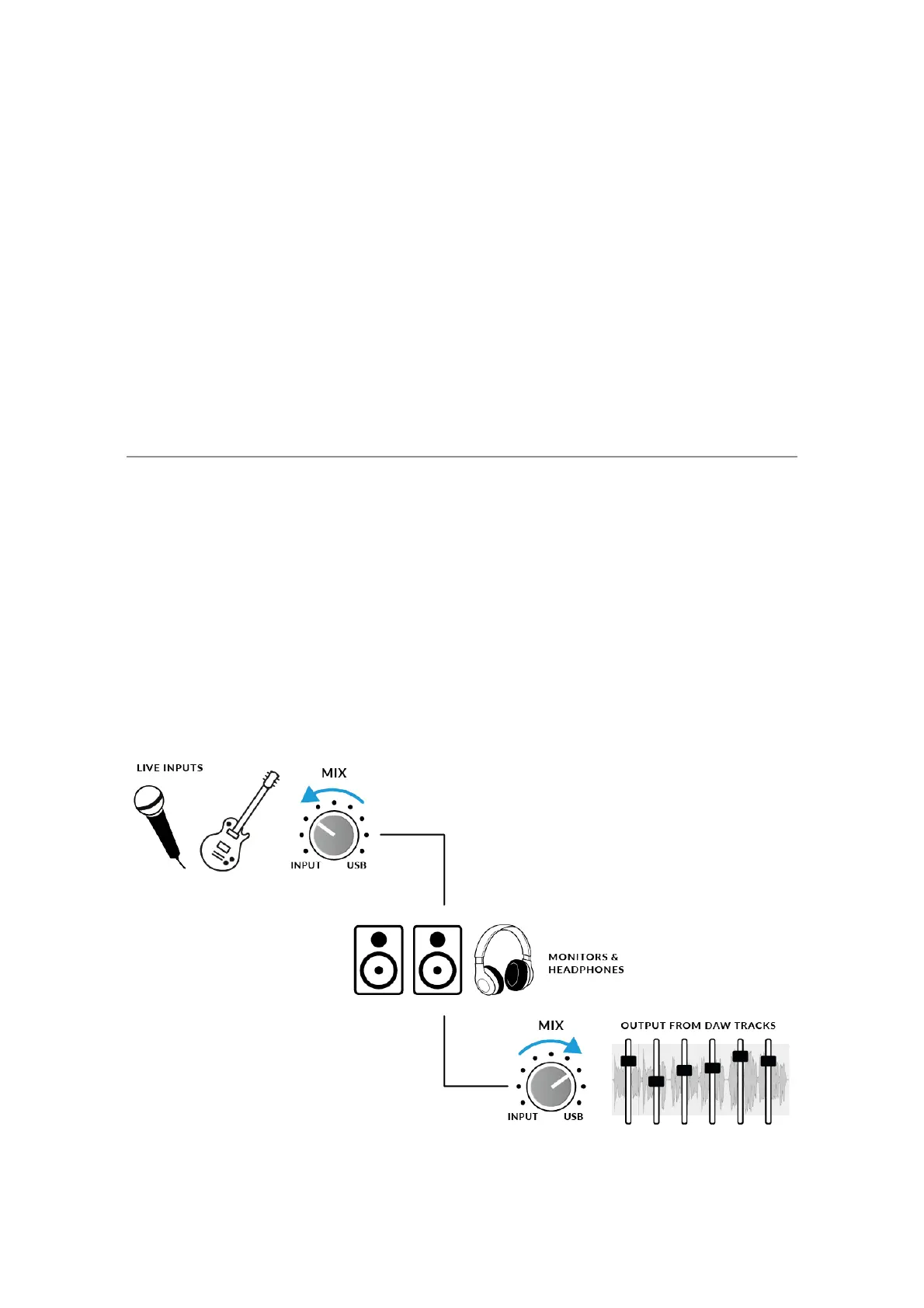
Often when recording, you'll need a way of balancing the input
(microphone/instrument) against the tracks playing back from the DAW
session.
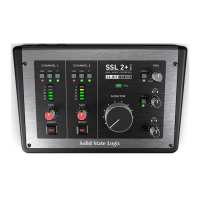
Use the MIX control to balance how much of your 'live' input you are hearing
with low-latency in the monitors/headphones, against how much of the DAW
tracks you have to perform against. Setting this correctly will help enable
either yourself or the performer to produce a good take. To put it simply, turn
the knob to the left to hear 'more me' and to the right for 'more backing
track'.


 To Next Page