EasyManua.ls Logo

SOLIS S5-GR1P10K - User Manual

SOLIS S5-GR1P10K
28 pages
Print Icon
To Next Page IconTo Next Page
Loading...
Installation and Operation Manual
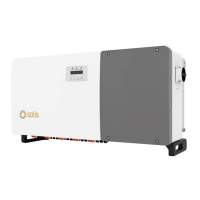
Solis S5 Phase InverterSingle
S5-GR1P(7-10)K
Ver๎˜1.1
Ginlong Technologies Co., Ltd.
No. 57 Jintong Road, Binhai Industrial Park, Xiangshan, Ningbo,
Zhejiang, 315712, P.R.China.
Tel: +86 (0)574 6578 1806
Fax: +86 (0)574 6578 1606
If you encounter any problem on the inverter, please find out the inverter S/N
and contact us, we will try to respond to your question ASAP.
Please adhere to the actual products in case of any discrepancies in this user manual.

Questions and Answers

  • R
    Robert ChavezAug 19, 2025
    What to do if my SOLIS Inverter shows NO-GRID error?
    • J
      Jonathan BrownAug 20, 2025
      If your SOLIS Inverter displays a NO-GRID error, first check the connections and grid switch. Also, verify the grid voltage inside the inverter terminal.
  • S
    Sandra HallAug 21, 2025
    Why is my SOLIS S5-GR1P10K Inverter showing no power?
    • J
      jennifer94Aug 22, 2025
      If your SOLIS Inverter has no power, check the PV input connections, ensure the DC input voltage is correct (single phase >120V, three phase >350V), and verify that the PV+/- is not reversed.
  • G
    Garrett JacksonAug 23, 2025
    How to fix OV-G-V01/02/03/04 error on SOLIS S5-GR1P10K?
    • C
      Christy RussellAug 25, 2025
      If your SOLIS Inverter shows an OV-G-V01/02/03/04 error, it means the resistance of the AC cable is too high. You should change to a bigger size grid cable. If allowed by the electrical company, you can also adjust the protection limit.
  • T
    Terri BarnesAug 26, 2025
    What to do if SOLIS Inverter displays 'Reverse-GRID' error?
    • A
      armstrongkennethAug 26, 2025
      If the SOLIS Inverter displays a 'Reverse-GRID' error, check the polarity of the AC connector.
  • J
    John SantosAug 27, 2025
    What to do if SOLIS S5-GR1P10K displays 'Reverse-DC' error?
    • B
      brandon53Aug 27, 2025
      If the SOLIS Inverter displays a 'Reverse-DC' error, check the polarity of the DC connector.
  • D
    Dustin DonovanAug 29, 2025
    What to do if SOLIS Inverter displays OV-TEM error?
    • C
      Courtney AlexanderAug 30, 2025
      If your SOLIS Inverter displays an OV-TEM error, check the inverter's surrounding ventilation. Also, check if the inverter is exposed to direct sunshine in hot weather.
  • J
    Julia MorganAug 31, 2025
    What to do if SOLIS S5-GR1P10K Inverter displays UN-G-V01/02 error?
    • T
      Tyler IngramAug 31, 2025
      If your SOLIS Inverter displays a UN-G-V01/02 error, use the user define function to adjust the protection limit if itโ€™s allowed by the electrical company.
  • M
    Megan WalkerSep 2, 2025
    What to do if SOLIS S5-GR1P10K displays ILeak-PRO 01/02/03/04 error?
    • L
      Larry WilliamsSep 2, 2025
      If your SOLIS Inverter displays an ILeak-PRO 01/02/03/04 error, check the AC and DC connections and the inverter's internal cable connections.
  • R
    Rita WrightSep 4, 2025
    What to do if SOLIS S5-GR1P10K Inverter displays OV-DC01/02/03/04 error?
    • M
      Melissa JacksonSep 4, 2025
      If your SOLIS Inverter displays OV-DC01/02/03/04, reduce the number of modules in series.
  • C
    Calvin ElliottSep 6, 2025
    What to do if SOLIS S5-GR1P10K Inverter displays GRID-INTF01/02 error?
    • J
      Johnny BurtonSep 7, 2025
      If your SOLIS Inverter displays a GRID-INTF01/02 error, restart the inverter. If the problem persists, consider changing the power board.

Summary

2. Safety Instructions

2.1 Safety Symbols & General Instructions

Explains safety symbols and outlines essential safety guidelines for operation.

2.3 Notice For Use & 2.4 Disposal

Specifies installation/operational guidelines and product disposal instructions.

4. Installation

4.3 Electrical Connections (PV & AC)

Covers procedures for connecting the PV input and AC output.

5. Start & Stop

5.1 Start & 5.2 Stop Inverter

Step-by-step guides for safely starting and stopping the inverter.

6. Operation

6.5 Advanced Settings Overview

Introduction to advanced settings for technicians, including standard selection.

6.5.12 Internal EPM & Mode Select

Internal EPM settings and selecting the operational mode for power management.

6.5 Power Parameter & 6.6 AFCI Function

Calibrating power parameters and overview of the AFCI function.

6.6.1 Enable AFCI & 6.6.2 Arc Fault

Steps to enable AFCI and how the inverter handles detected arc faults.

8. Troubleshooting

9. Specifications

10. Appendix

SOLIS S5-GR1P10K Specifications

General IconGeneral
BrandSOLIS
ModelS5-GR1P10K
CategoryInverter
LanguageEnglish

Related product manuals