Auto working mode
You can choose Auto working mode in your photography day.
When choosing Auto working mode, the receiver is on or off following
the connected camera’s on or off. This ensures the receiver drains the
power less and acquires the GPS signal quickly.
The receiver is always on standby in Auto working mode. You can set
the GPS working frequency and the working time of each time in Auto
working mode. (See page 29)
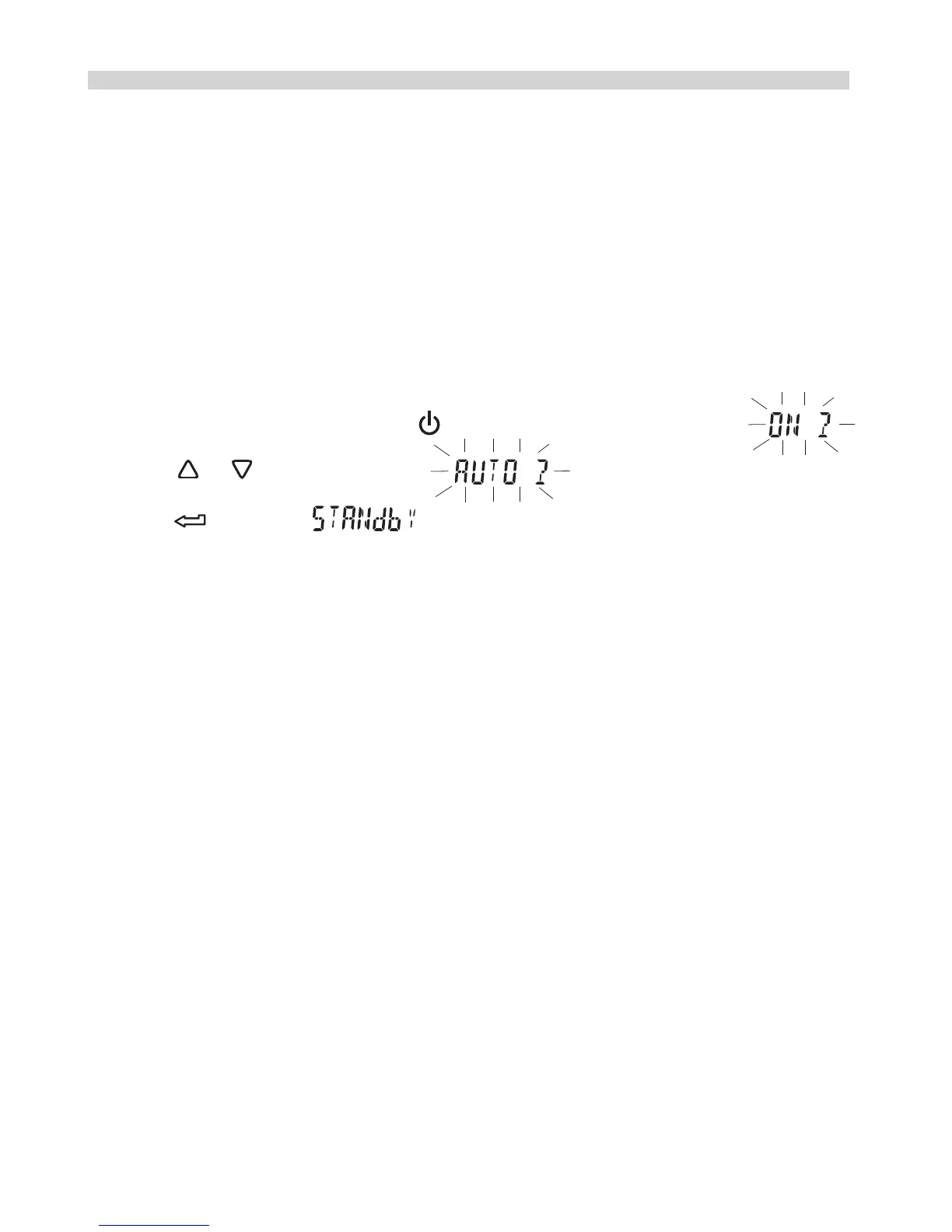
How to start the Auto working mode?
1.While the receiver is on, press and the LCD shows a flashing
2.Press or until a flashing shown, and then
press , a stable will be displayed. The Auto working
mode is activated.
Geotagging Image as you shoot
10


 To Next Page