Solwise Ltd., www.solwise.co.uk, sales@solwise.co.uk
- 18 -
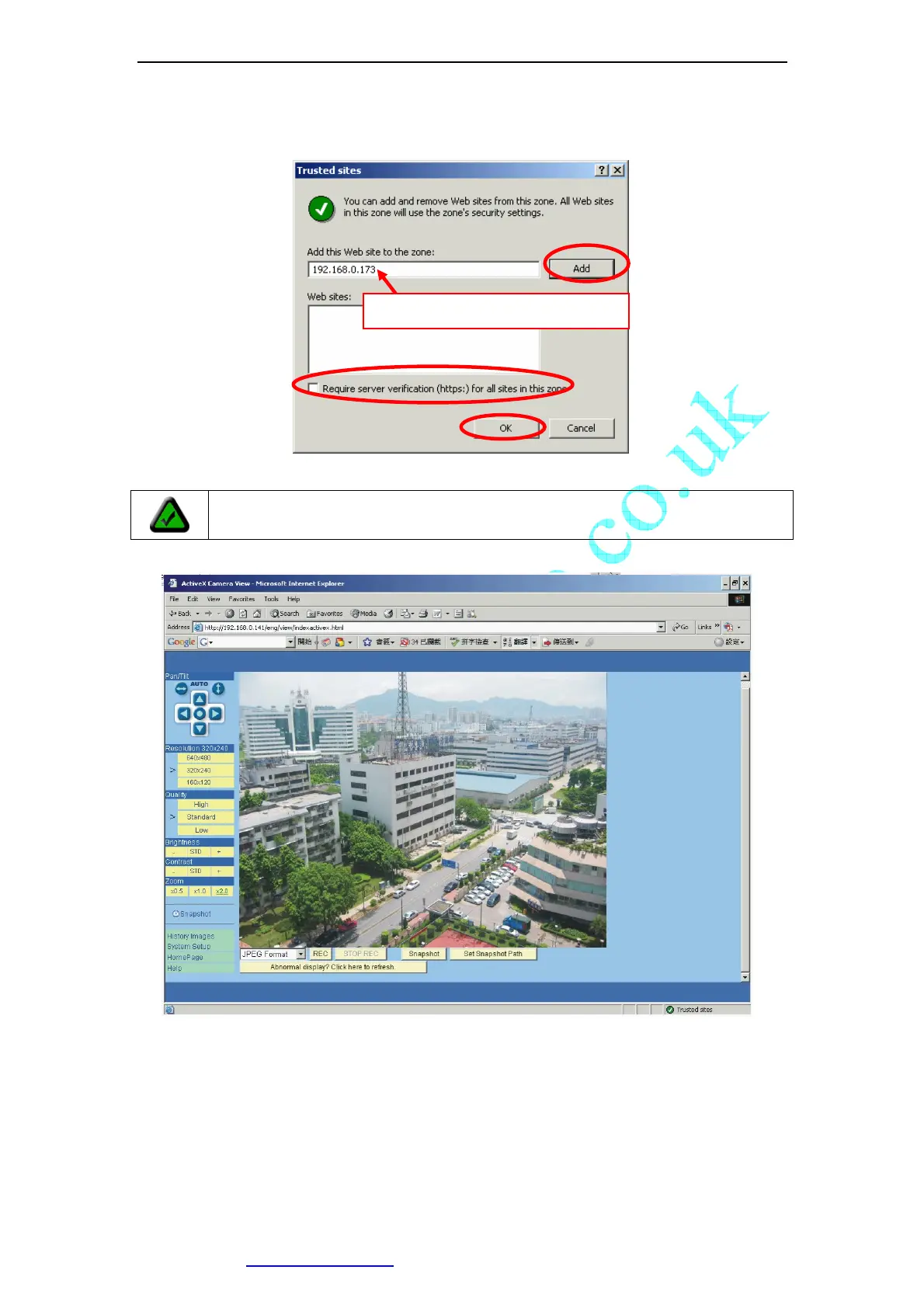
Figure 21 Set IP Camera as a trusted site
After ActiveX Control Installed, you will see the following.
Figure 22 Video webpage
On the top-left of the web page is a pan/tilt control, you can click to move the camera
Up/Down/Left/Right, and left-right cruise or top-down cruise, or, return to home position.
On the left, you can also select the Resolution, Quality, Brightness, Contrast and Zoom.
Resolution can be 640x480, 320x240, and 160x120. The higher resolution, the higher
clarity, while requiring more bandwidth.
Note: You maybe have to close IE and run again to make the changes take
effect.
Type the IP of your IP Cameras



 To Next Page