20
Please accept our thanks for purchasing a Somfy connectivity module. You can find all the useful information relating to its
installation and use in this guide, as well as on the “Somfy Protect” smartphone app.
Before starting the installation, please read the safety instructions on the previous page carefully.
For any additional information concerning this Somfy product, you can refer to our FAQ or contact one of our advisers.
More information at https://support-access.somfyprotect.com
This product is guaranteed for 5 years from the date of manufacture. The general warranty conditions are available at
www.somfy.com
PRE-REQUISITES BEFORE INSTALLATION
To ensure optimum use of your connected video door phone, you must first ensure that you have:
• a 2.4 GHz Wi-Fi network (5 GHz Wi-Fi is incompatible).
• a sucient 2.4 GHz Wi-Fi range in the location where the connectivity module will be installed. If this is not the case, we
recommend that you move your Internet hub closer to the module, or that you use a Wi-Fi repeater (not supplied).
Important: if you have a second monitor, this is incompatible with the connectivity module. You will no longer be able to
manage visitors calling at the call station. Conversely, you can continue to use it to control Somfy RTS/io equipment, or to run
scenarios (V®500 PRO io monitor only).
PRESENTATION OF THE CONNECTIVITY MODULE
Compatible with Somfy V®350, V®500 and V®500 PRO io video door phones, the connectivity module is installed on the back
of your indoor monitor. When connected to the Internet, this enables you to manage access to your home wherever you are:
• remotely via the “Somfy Protect” app: never miss a visit by receiving notifications with a photo of the visitors on all the
smartphones connected to your account, communicate with them in real time, open your gate and/or pedestrian gate and
consult the history of missed visits. If you are already equipped with Somfy security products (alarm, cameras), check them
at the same time in order to keep an eye on your visitors. Finally, run up to 2 pre-recorded TaHoma® scenarios, if you have a
TaHoma® box (switch or premium).
• at home via your indoor monitor: preview visitors via the screen, communicate with them in real time, open your gate and/
or pedestrian gate, and look up the missed visits history at any time. If you have other Somfy RTS/io products within range
of the monitor (gate, garage door, lighting, roller shutters, etc.), control them easily via the 5 dedicated channels. Also, run
scenarios if you have a V®500 PRO io and a TaHoma® box.
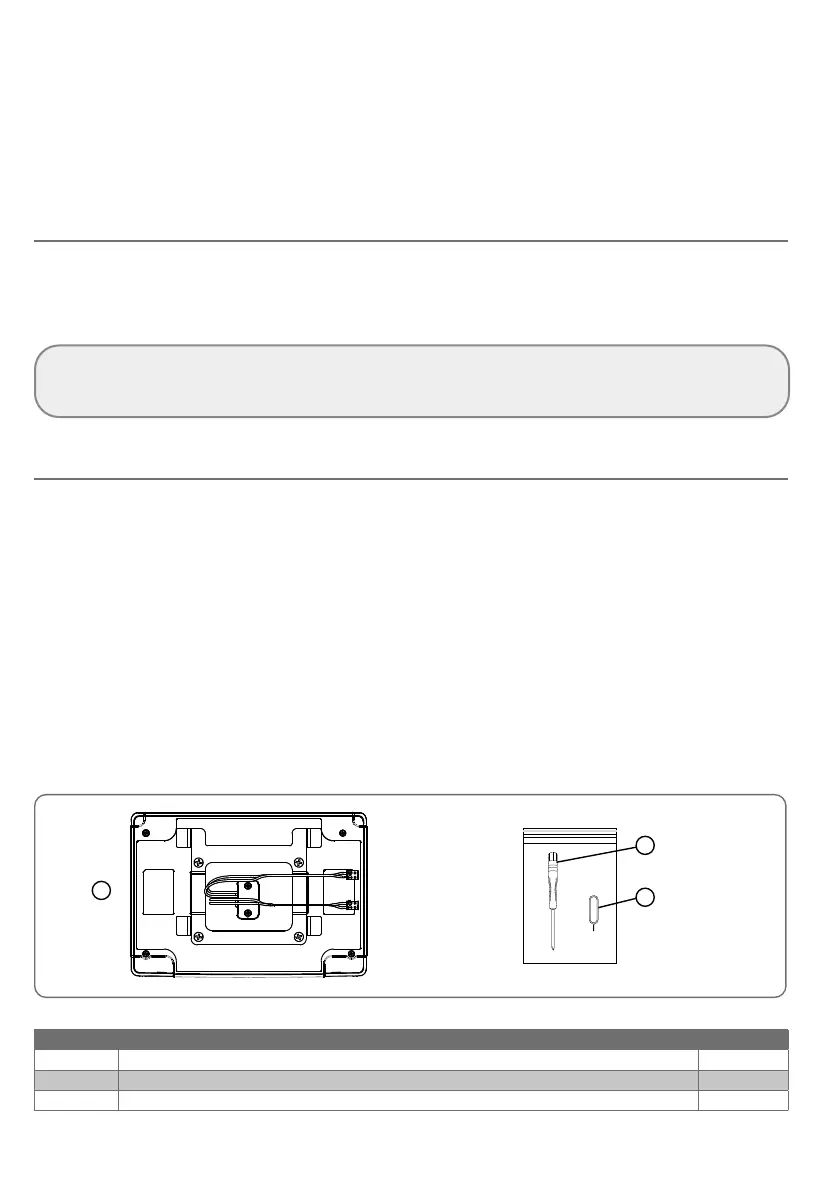
PRODUCT COMPOSITION
3
1
2
No. Designation Quantity
1 Connectivity module 1
2 Flat-blade screwdriver 1
3 Reset pin 1



 To Next Page