23/47
C
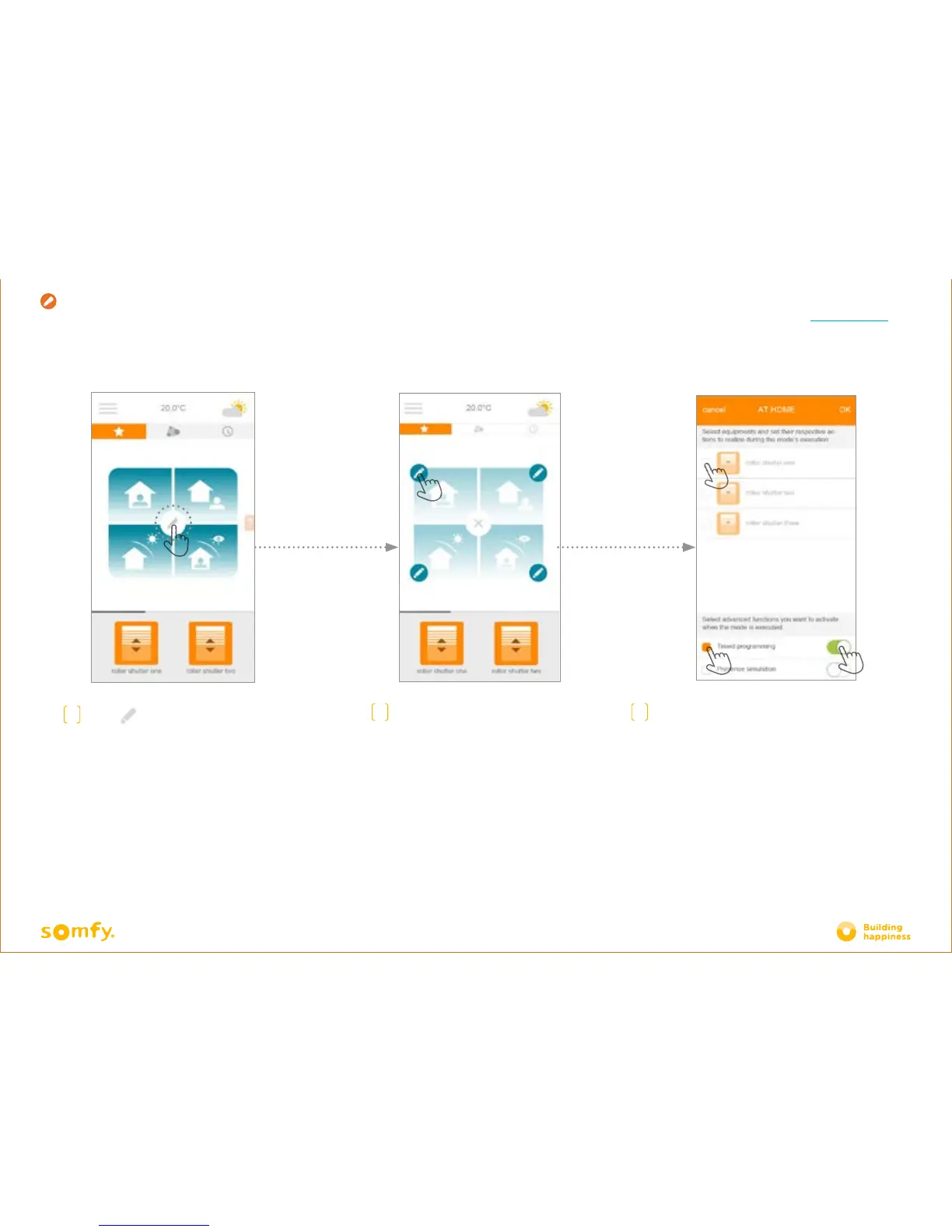
For each scenario:
• Select the equipment that you want to operate, then
confirm the order in which you wish to allocate it
•
Select the timer and/or presence simulation if you
want to activate or deactivate them, when you exit the
scenario.
• To choose "activate", move the selector towards the
right (green), to choose "deactivate", move it towards
the left (white).
• Press OK to confirm customisation of your scenario
A
Press to programme
a scenario
B
Select the scenario that you
want to customise:
- At home
- Away
- Sun protection
- Privacy
Creation
C. SIMPLIFY YO
UR LIFE: SCENARIOS
< Back to Contents







 To Next Page