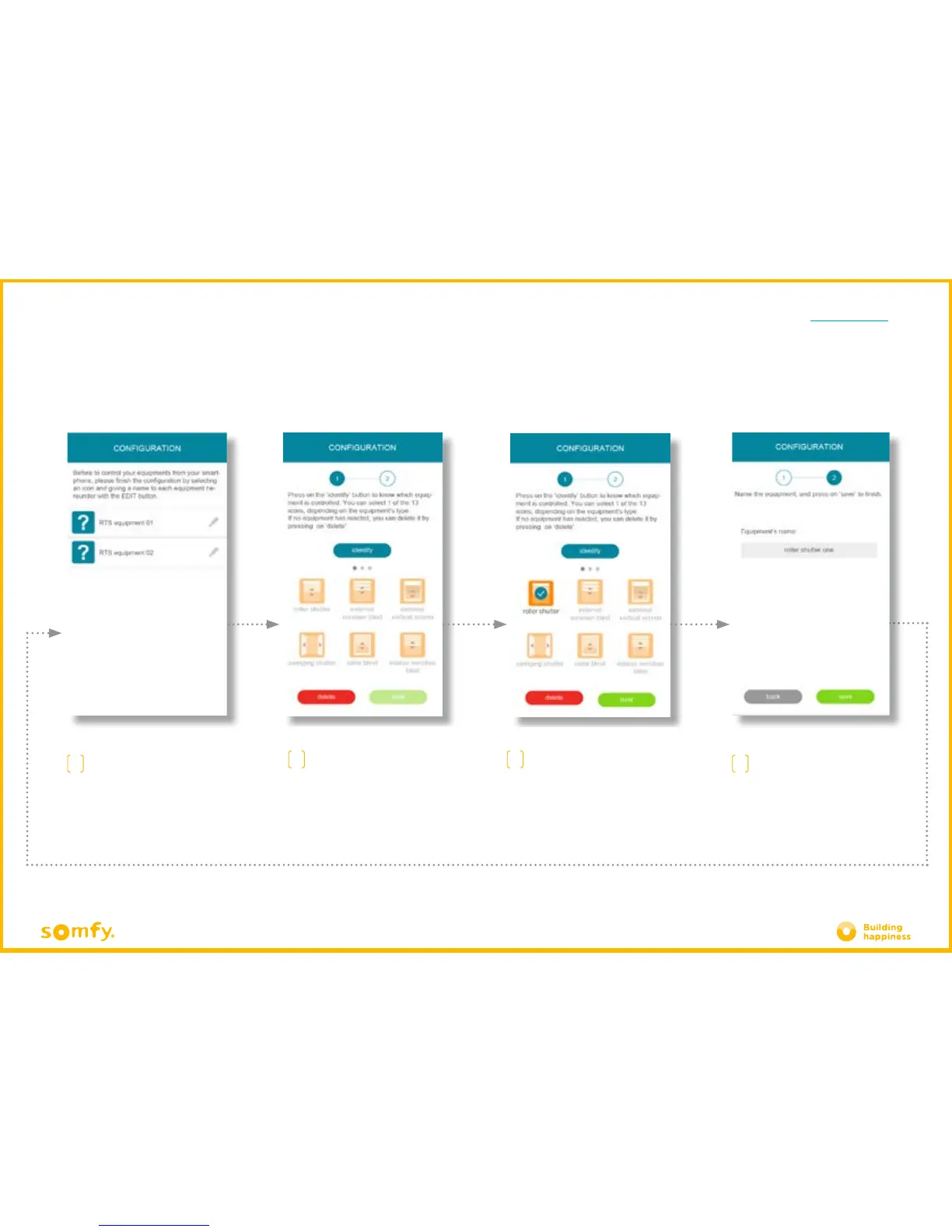
D. FIRST USE:
CUSTOMISING REGISTERED EQUIPMENT RAPIDLY VIA PROPROG
A
To complete your installation,
you need to customise the
registered equipment. Click on
the pencil positioned to the right
of the equipment to be
customised.
B.1
Click "identify" to display the
equipment concerned.
The equipment will then mak
e an
up and down movement or flash
(lights).
C
Name your equipment in the
grey field, then press "save".
Do this again to customise all of your equipment
Select the icon for your
equipment from the 20 available
icons.
Click "next"
B.2







 To Next Page