22/47
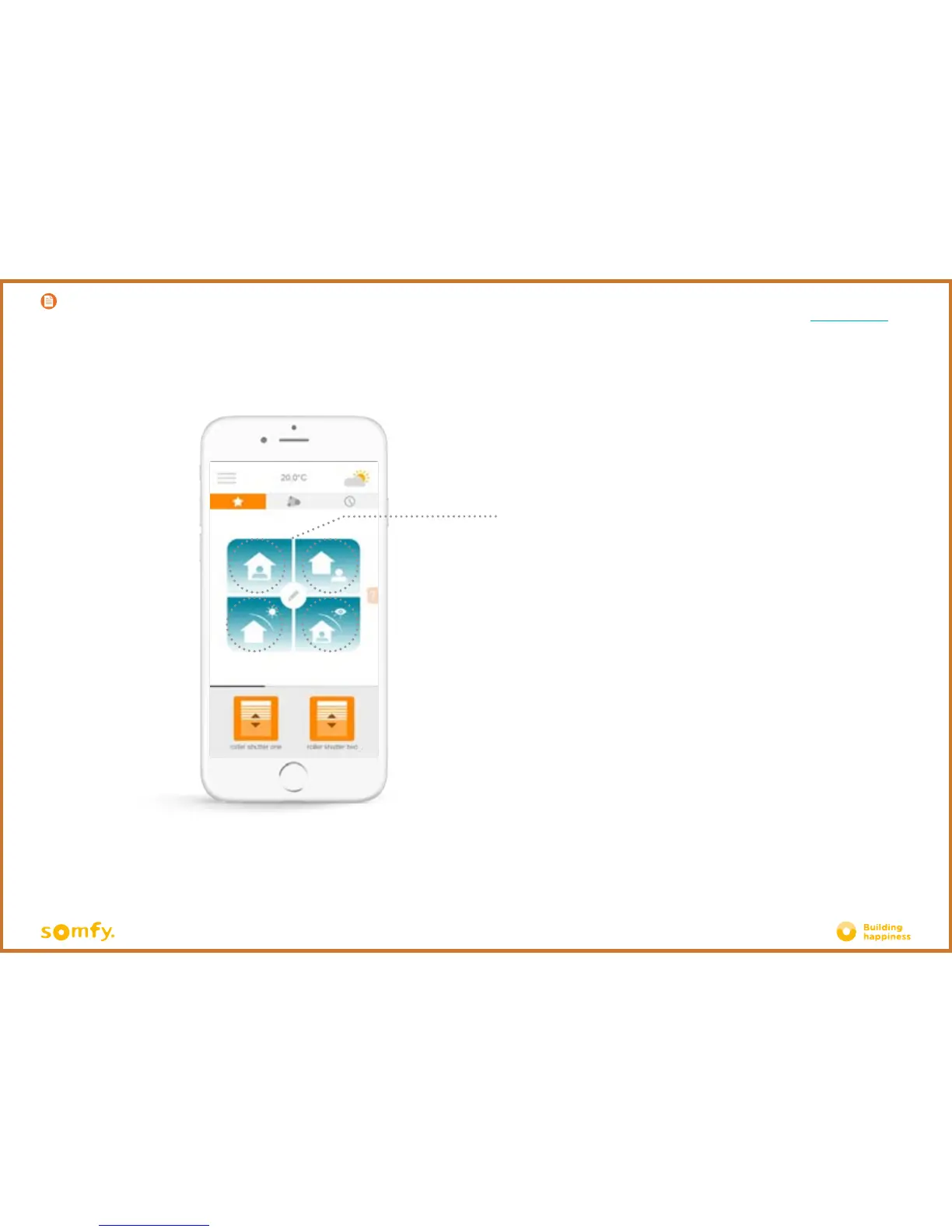
Connexoon Window RTS offers 4 scenarios
- At home
- Away
- Sun protection
- Privacy
Customise any of these scenarios by selecting the actions that you wish to
perform (open or close your blinds, your curtains, switch your lights on or off,
etc.) and by activating or deactivating your programmes.
These scenarios have a default setting, which includes all your equipment.
Change your scenarios in just one click.
Eg: you are going on holiday, one press closes your selected blinds, switches off
your lights and activates the simulated presence mode you have programmed.
C. SIMPLIFY YOUR LIFE: SCENARIOS
Description
< Back to Contents







 To Next Page