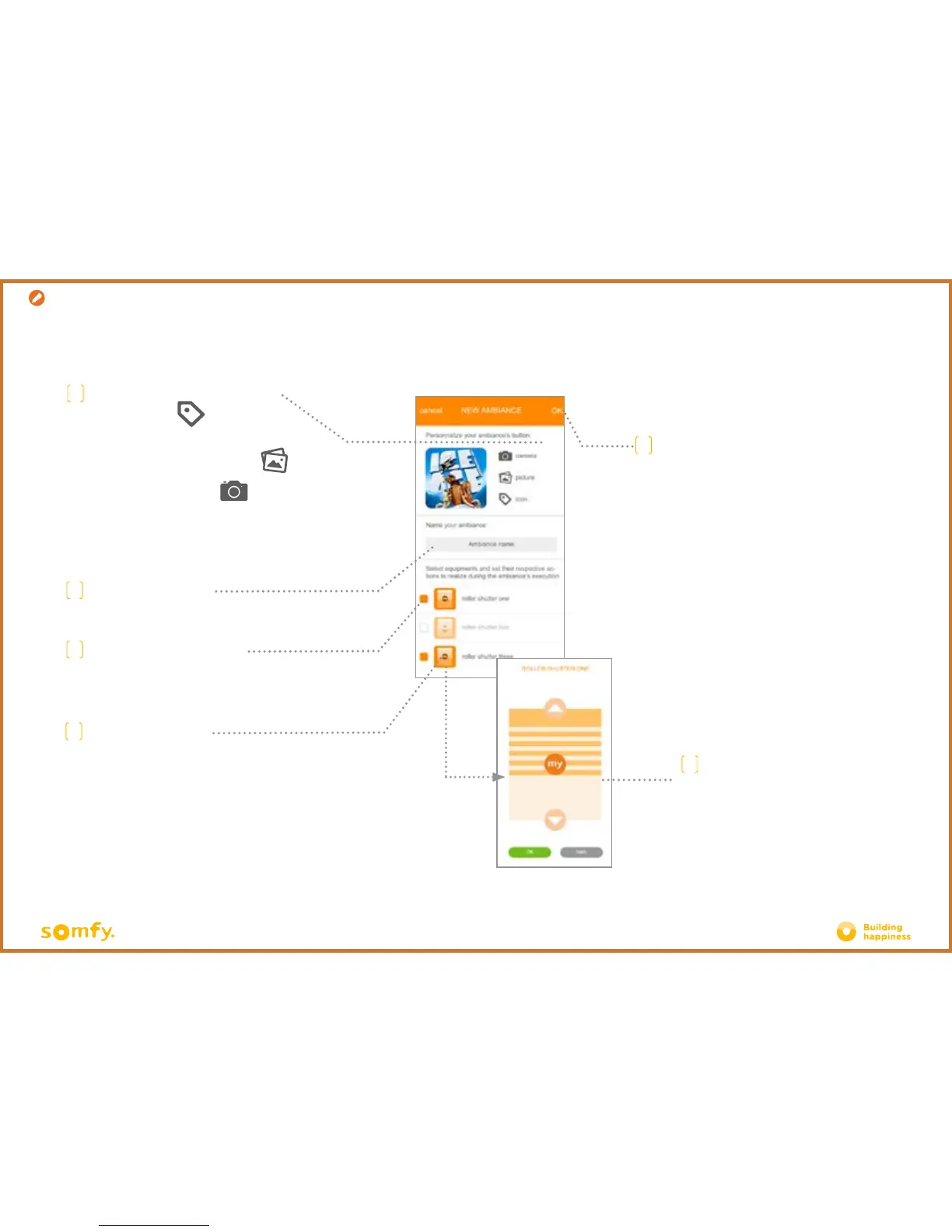
Creation
C
To customise your ambiance
using an icon, press
To customise your ambiance with a
photo/image from your photo gallery,
press
To take a photo again, press
E
Select the equipment that you
want to include in your ambiance
F
Press the equipment
icons to adjust them
G
Choose the position of the product
that you want to associate with the
programmed
ambiance. Press OK.
H
Confirm your ambiance to save it
D
Name your ambiance
D. SIMPLIFY YO
UR LIFE: AMBIANCES







 To Next Page