Creation
A. RENAMING YOUR PRODUCTS IN THE APPLICATION
D
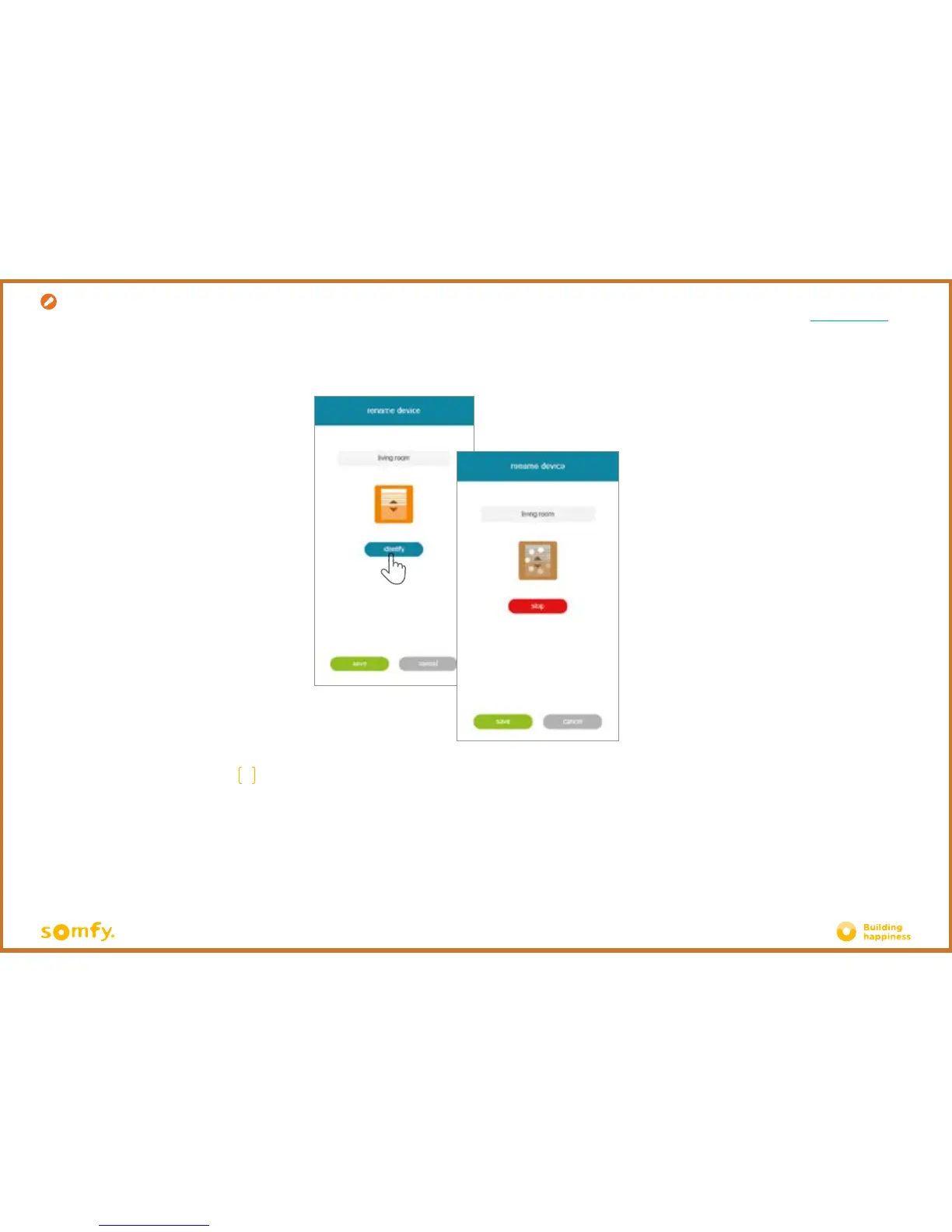
You can rename your product by editing the "name" field in the grey rectangle positioned at the
top of the screen.
To check that it is the right product to be renamed, press "identiy". The product will then make an
up and down movement or flash.
To stop identification, press "stop".
Press "save" to save the new name.










 To Next Page