Type 8221, 8212, 8142 & 8091 HPT
Type 8182 HPT Modems
HPT Variants
UM-8142
Issue B Rev 1
Appendix B – Radian 2 Tool 80
The table below describes the button functions on the main window.
Button Function
Opens the Connections Setting window.
Sends a break over a serial line to reset the unit (this is not possible using an
Ethernet connection).
Restores the default settings on the sensor (PRDID (NMEA) telegram at an output
rate of 10 hz).
Opens the Magnetic Compass Calibration for calibrating the local magnetic field
disturbances (see Section B.3).
B.3 Magnetic Compass Calibration
The magnetic compass which works by measuring the earth’s magnetic field to determine the
direction of north. A locally distorted (warped) magnetic field (caused by ferromagnetic materials in
close proximity to the sensor) can result in an error in orientation that can be quite substantial.
To correct for possible disturbances it is necessary (when the HPT 3000 is first deployed) to run the
following calibration procedure to correct for the disturbance to the magnetic field.
B.4 Calibration Procedure
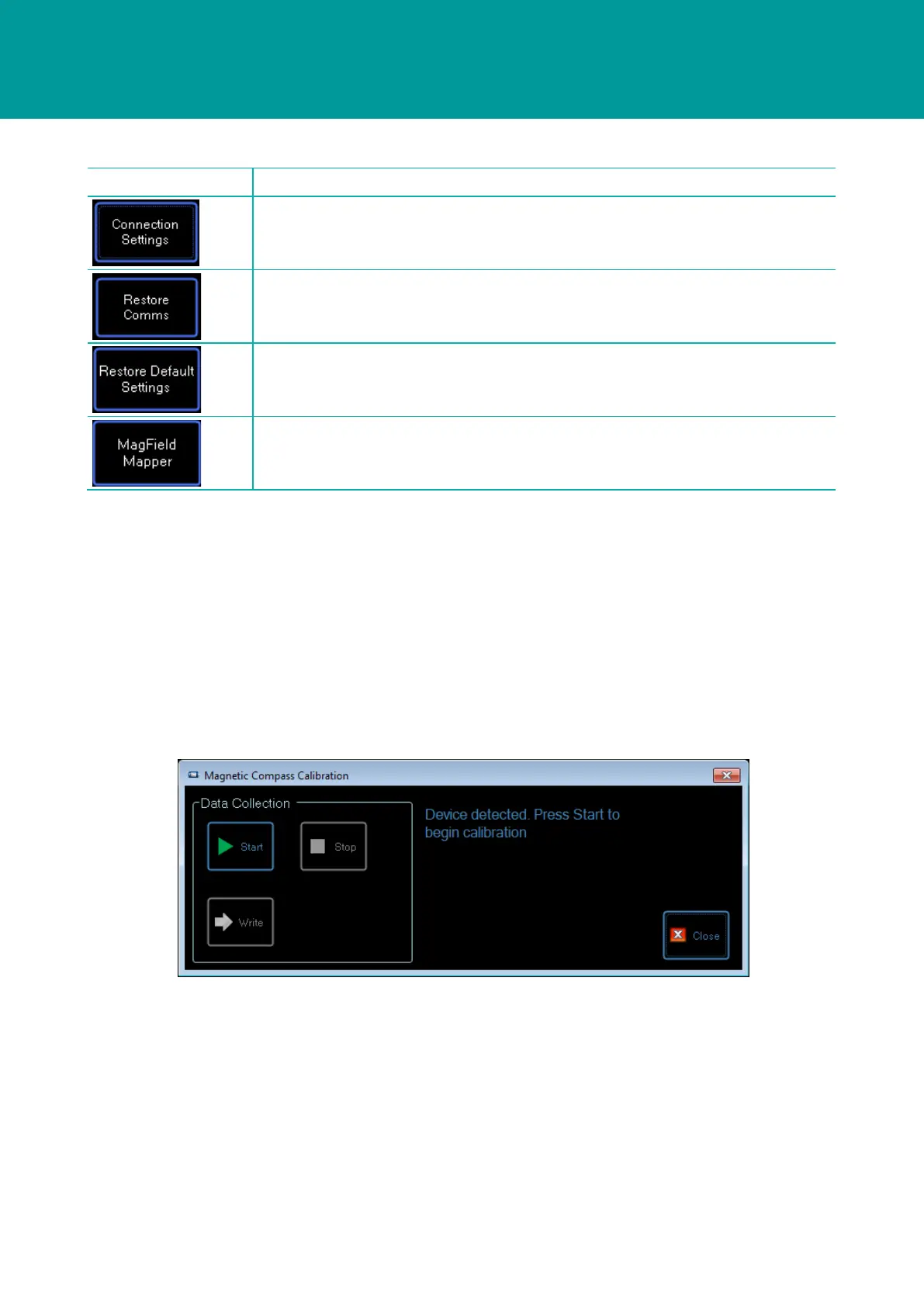
Figure B-1 Magnetic Compass Calibration Tool
1. The device will switch to calibration mode and the tool will begin collecting data. Data
collection should continue for at least two minutes, during which time, the vessel should be
slowly rotated through 360 degrees.
2. Click Stop to end the measurement process and to start the data analysis procedure. If the
tool is able to produce results from the collected data, the MagField Mapping Results form will
be displayed as shown in Figure B-2.



 To Next Page