Phone Basics 21
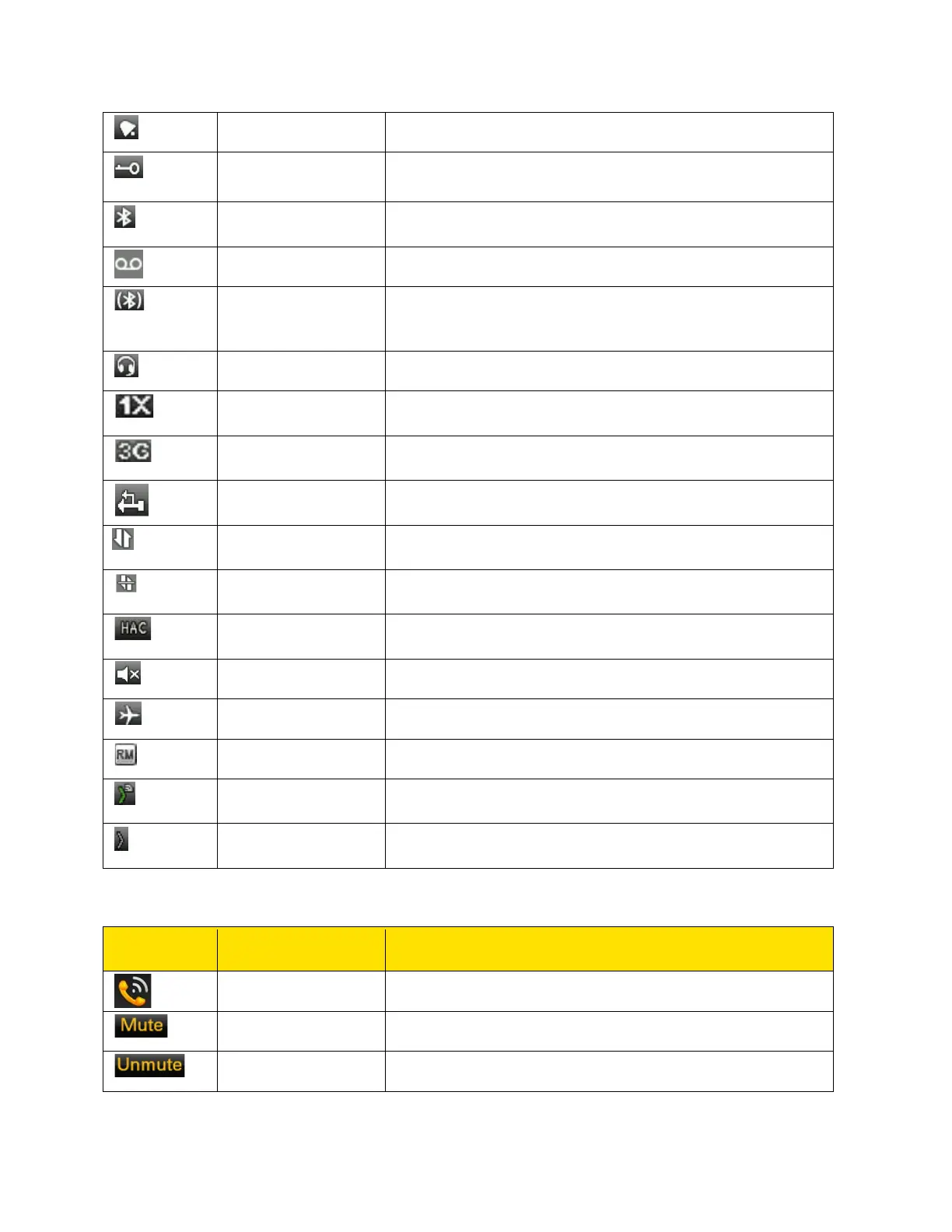
Indicates that the alarm clock has been set.
Indicates that the keypad is locked.
Indicates that Bluetooth is active.
Indicates a new voice message.
Headset
Indicates that your device is paired and connected to a
carkit or headset with Bluetooth connectivity.
Indicates that a wired headset is connected.
Indicates the signal strength when registered to 1X
network.
Indicates the signal strength when registered to EVDO
network.
Indicates that the phone is connected to the computer
using USB connection.
Indicates that a data call is established.
Indicates that the data call is in dormant state.
Indicates that Hearing Aid Compatibility (HAC) is active
and the HAC features are available.
Indicates that the phone is in Silent mode.
Indicates that the phone is in Flight mode.
Indicates that the user is in the roaming network.
Indicates that the user is online in Direct Connect.
Indicates that the user is offline in Direct Connect.
The following table describes the display indicators on the call screen:
Indicates an active call.
Indicates that you can mute the call, if required.
Indicates a call on mute.



 To Next Page