Sprint Direct Connect 38
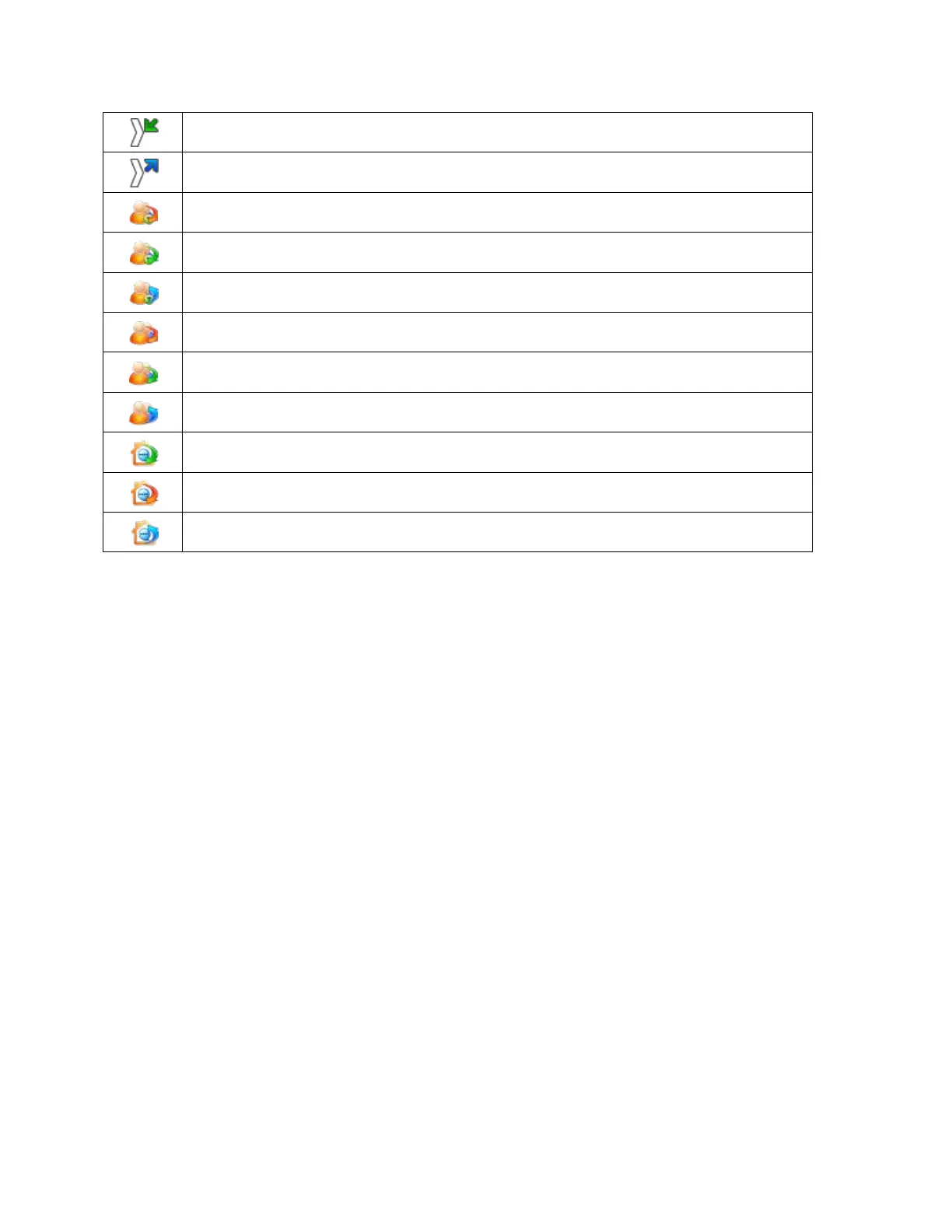
Received DC call
Dialed DC call
Missed TeamDC call
Received TeamDC call
Dialed TeamDC call
Missed Group Connect call
Received Group Connect call
Dialed Group Connect call
Missed Opt-In TeamDC call
Received Opt-In TeamDC call
Dialed Opt-In TeamDC call
Answer or Reject Direct Connect Calls
When you receive a Direct Connect call, you hear an incoming tone or the phone vibrates. The
Direct Connect number or the caller’s name (if available) is displayed. You may also hear the
caller’s voice through the speakerphone. By default for Direct Connect calls, the speakerphone
is activated. You can turn the speakerphone off and listen to Direct Connect calls through the
earpiece as you would a regular call, or you can listen through a headset.
Follow the instructions below to answer a Direct Connect call:
1. Press Handset/Loudsp. (right selection key) enable or disable the Direct Connect
speakerphone feature.
If you enable the Direct Connect speakerphone, you will hear the caller’s voice
through the speakerphone on the front of the phone.
If you disable the Direct Connect speakerphone, you will only hear the caller’s voice
through the earpiece.
2. When the caller has finished speaking, you will hear a tone.
3. Press and hold the DC button and wait for a tone to sound and a message (Me) to
appear onscreen before you begin talking. Release the DC button when you have
finished talking.



 To Next Page