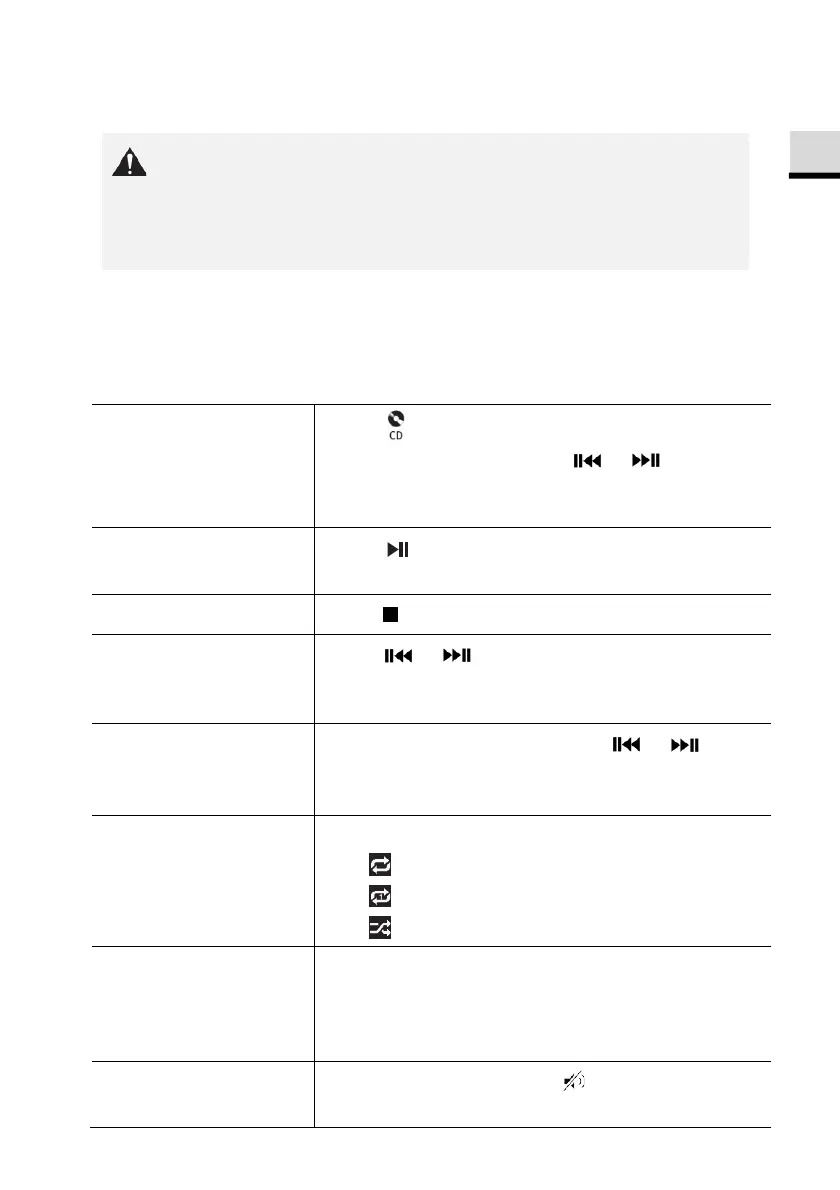
12. CD mode
Improper handling of the ELITE may cause damage.
Do not insert not supporting format disc to the ELITE.
12.1 Operation
ELITE can playback audio files stored on an audio CD, CD-R and CD-RW. The
playback is also depending on the disc quality.
To access the CD
mode,
Press key on remote control.
Or press
once, then or (or
rotate the navigation knob) to select the CD
mode and then press
to confirm.
To pause or resume
playback,
Press .
To stop playback,
Pres .
To skip to the
previous or next
Press or .
To quickly search
backward or forward
within an audio file,
During playback, press and hold or . .
To select a playback
mode,
Press
repeatedly.
•
= Repeat all
•
= Repeat one
•
= Shuffle
To browse the
information (if
available ) of the
Press
repeatedly.
To mute or restore
the sound output,
Press
or button.
© sonoro audio GmbH 2019 83



 To Next Page