21
How to setup the PartnerMic
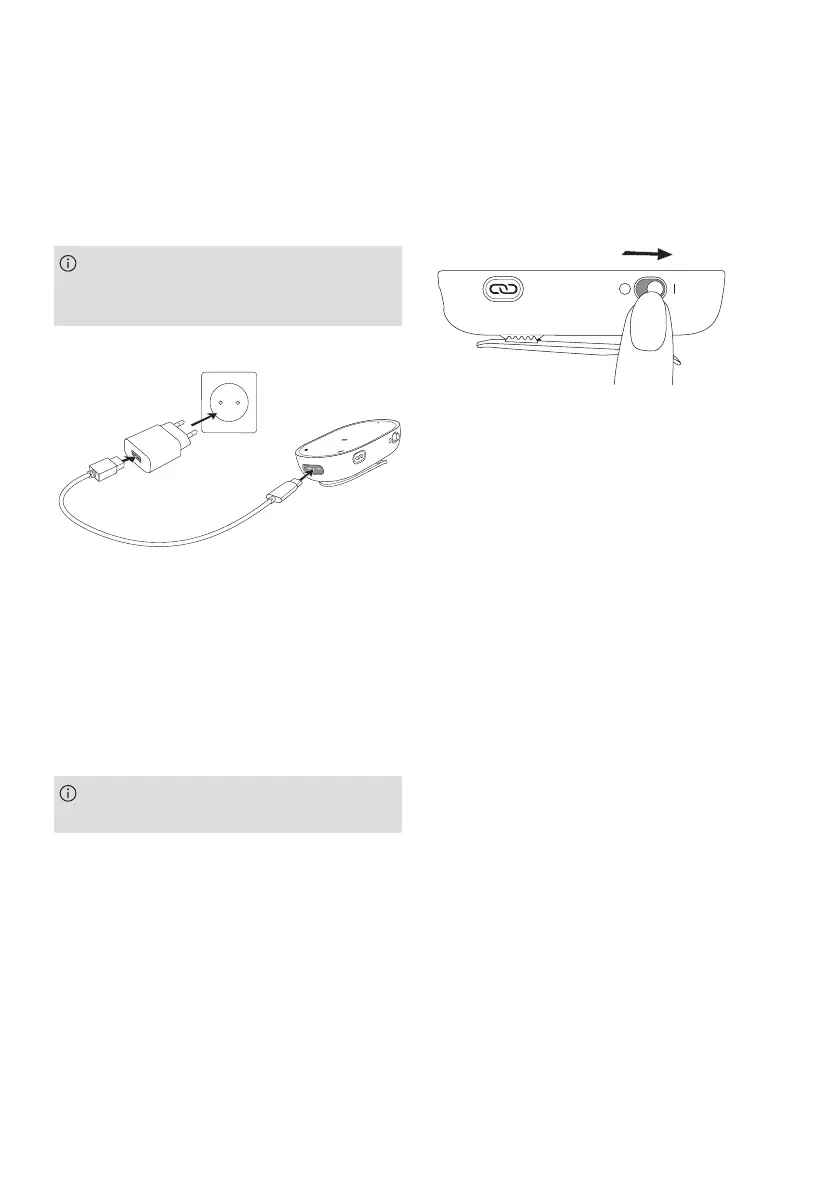
When charging the PartnerMic for the rst
time, let it charge for at least 2 hours, even
if the indicator light is not lit or turns green.
•
Plug the power supply into a power socket
•
Plug the USB plug into the PartnerMic
charging input
•
The typical charging time is 2 hours
•
Charging is complete when the indicator
light turns solid green
PartnerMic will be turned o while
charging.
Switching on/o
Slide the power switch to turn the PartnerMic
on or o. Switch it o when not in use.
Charging the device
PartnerMic has a built-in, non-removable,
rechargeable battery.




 To Next Page