Trouble Shooting Guide, SP/Mechanical
4_00021-1/FEA 209 544/76 B
Sony Ericsson Mobile Communications AB
13(18)
9 Network
• Make a general visual inspection for corrosion or oxidation from liquid damage according
to point 1.2
• Insert a correctly working SIM-card in the phone and turn it on. Check if the phone gets
service and if the signal strength indicator shows a correct value on the display. Compare
the value with a working phone.
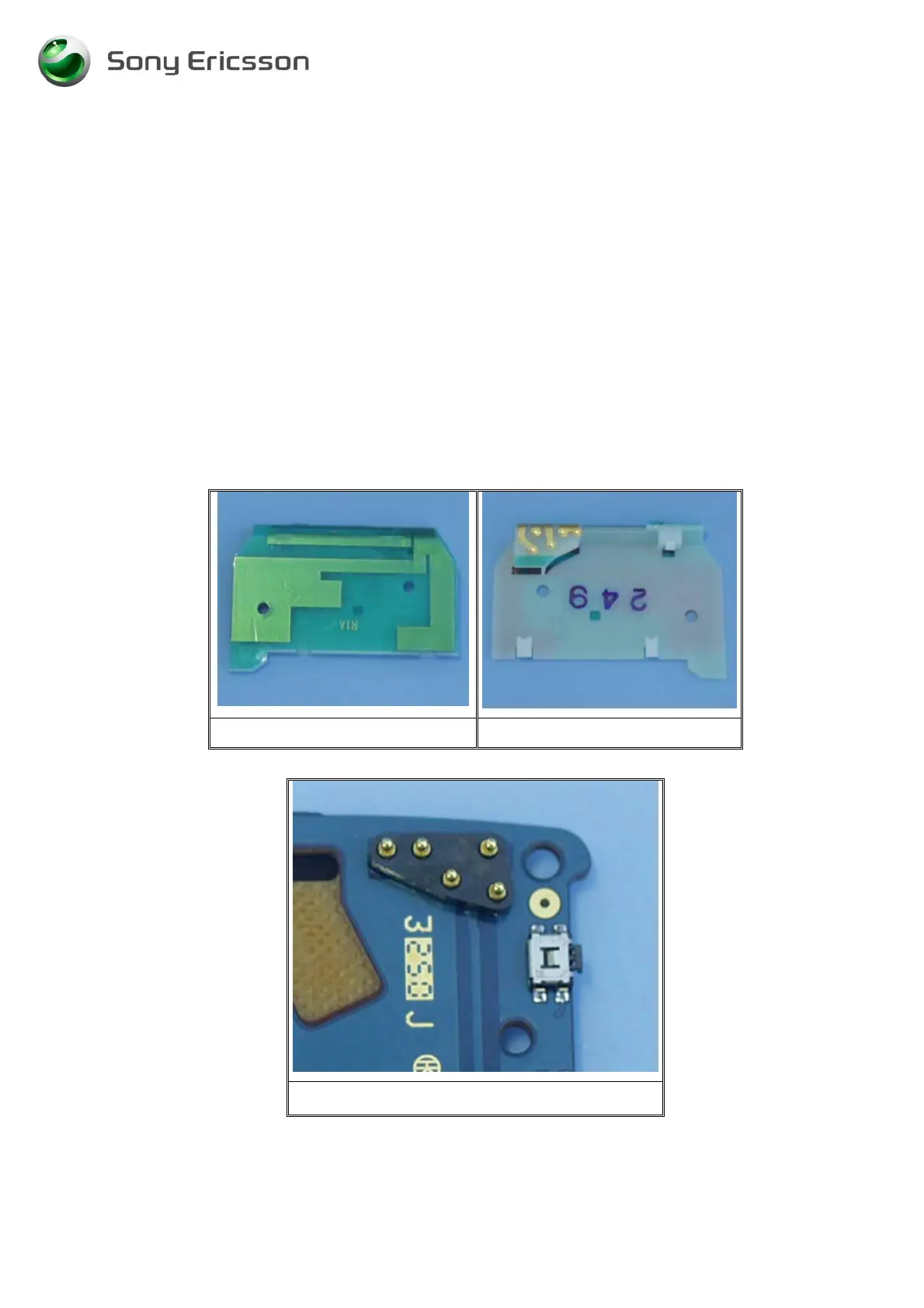
• Check if the antenna assy (Fig. 9.1-9.2) is mechanically damaged, dirty or oxidized.
Replace it if necessary.
• Check if the antenna connector (Fig. 9.3) is dirty or oxidized. Clean it if necessary.
If the failure still occurs, handle the unit according to the local company or the GSP directives.
Fig. 9.1 Fig. 9.2
Fig. 9.3





 To Next Page