Trouble Shooting Guide, SP/Mechanical
4_00021-1/FEA 209 544/76 B
Sony Ericsson Mobile Communications AB
7(18)
4 Audio Problems
• Make a general visual inspection for corrosion or oxidation from liquid damage according
to point 1.2
4.1 Earphone problems
• Turn on the phone. Go to the service test menu; choose “Earphone” press any key to check
if the speaker works properly.
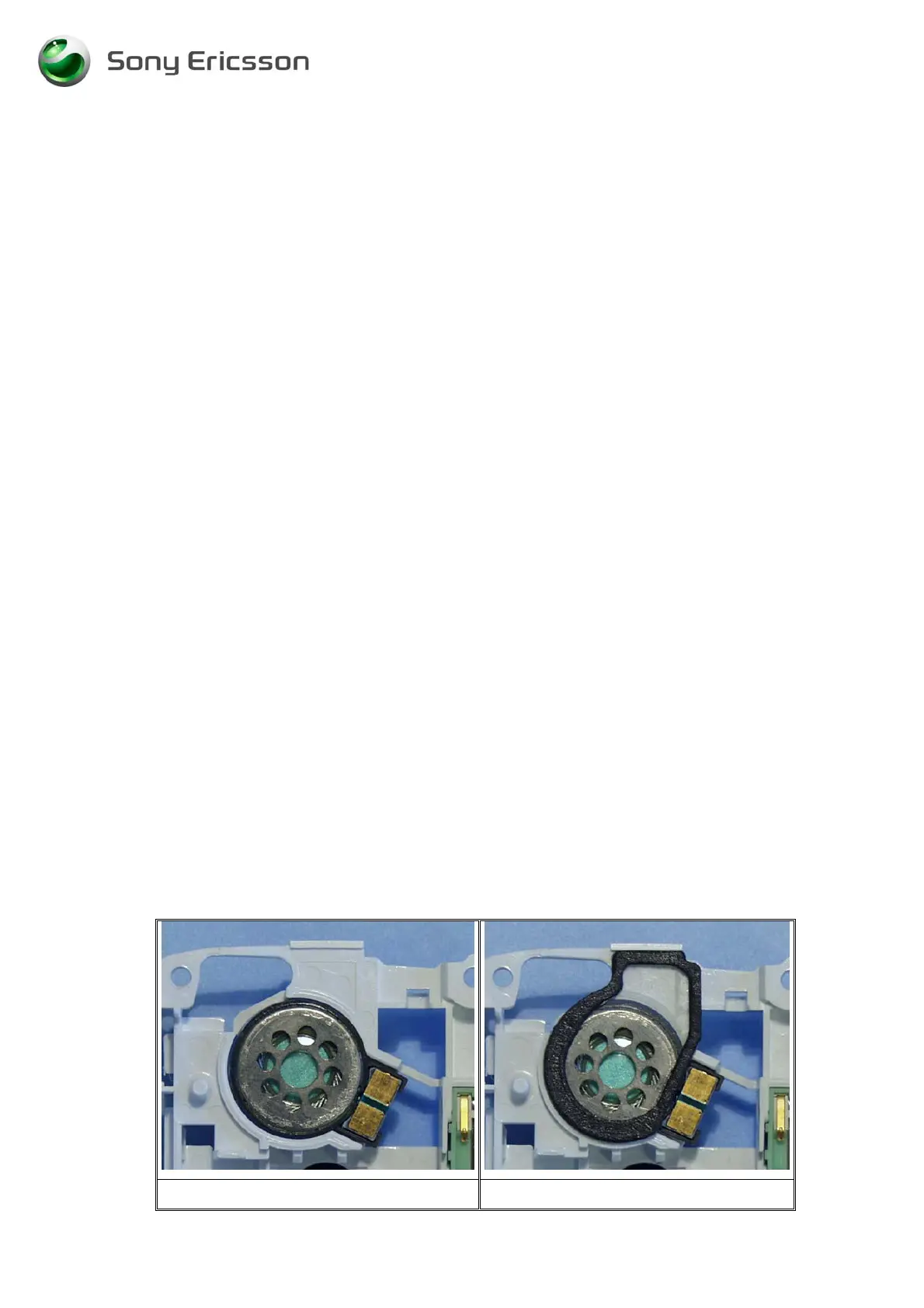
• Check if the speaker (Fig 4.1) is mechanically damaged, dirty or oxidized. Replace it if
necessary.
• Check if the speaker gasket (Fig 4.2) is mechanically damaged or dirty. Replace it if
necessary.
• Check if the sound channel gasket (Fig 4.3) is mechanically damaged or dirty. Replace it
if necessary.
• If the customer complains about echo-problems or high background noise (If the
microphone picks up too much surrounding noise). Download SW “T610 TxPGA
TRIMMNING” from EMMA II, then run the microphone test in the service menu to
verify that the microphone is working OK.
If the failure still occurs, handle the unit according to the local company or the GSP directives.
4.2 Microphone problems
• Turn on the phone. Go to the service test menu; choose “Microphone” (an audio loop is
activated) check if the microphone works properly.
• Check if the microphone pads (Fig. 4.4) are dirty or oxidized. Clean them if necessary.
• Check if the microphone (Fig. 4.5) is mechanically damaged, dirty or oxidized. Replace it
if necessary.
If the failure still occurs, handle the unit according to the local company or the GSP directives.
Fig. 4.1 Fig. 4.2












 To Next Page