Trouble Shooting Guide, SP/Mechanical
4_00021-1/FEA 209 544/76 B
Sony Ericsson Mobile Communications AB
16(18)
12 Other
12.1 Camera Problems
• Make a general visual inspection for corrosion or oxidation from liquid damage according
to point 1.2
• Turn on the phone. Go to the service test menu; choose “Camera”. The viewfinder will be
visible in the LCD.
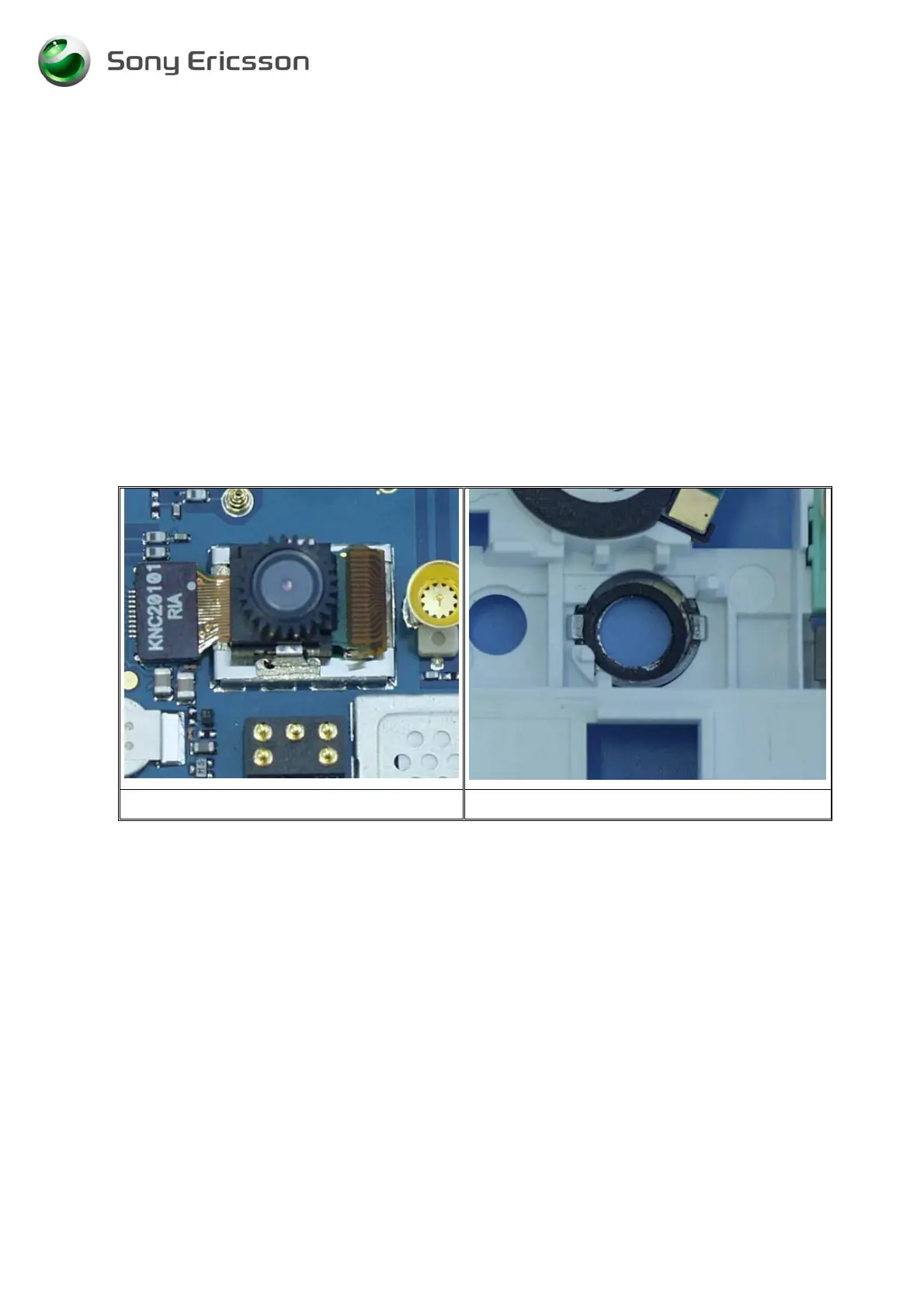
• Check if the camera module (Fig. 12.1) is working properly; verify the viewfinder
functionality in the LCD. Check if there are black spots and if the picture is in focus.
Replace the camera module if necessary.
Note: When replacing the camera module, check if the camera module gasket (Fig. 12.2) is
damaged in any way. Replace it if necessary.
Fig. 12.1 Fig. 12.2





 To Next Page