Trouble Shooting Guide, SP/Mechanical
4_00021-1/FEA 209 544/76 B
Sony Ericsson Mobile Communications AB
9(18)
5 Charging/Capacity
• Make a general visual inspection for corrosion or oxidation caused by liquid damage
according to point 1.2
5.1 Charging
• Insert a working battery and connect a working charger to the phone. If the battery voltage
is too low the phone will charge the battery without turning on the phone (this will usually
take less than 10 minutes) and when the battery voltage is high enough the phone will be
able to turn on and show charging in the LCD.
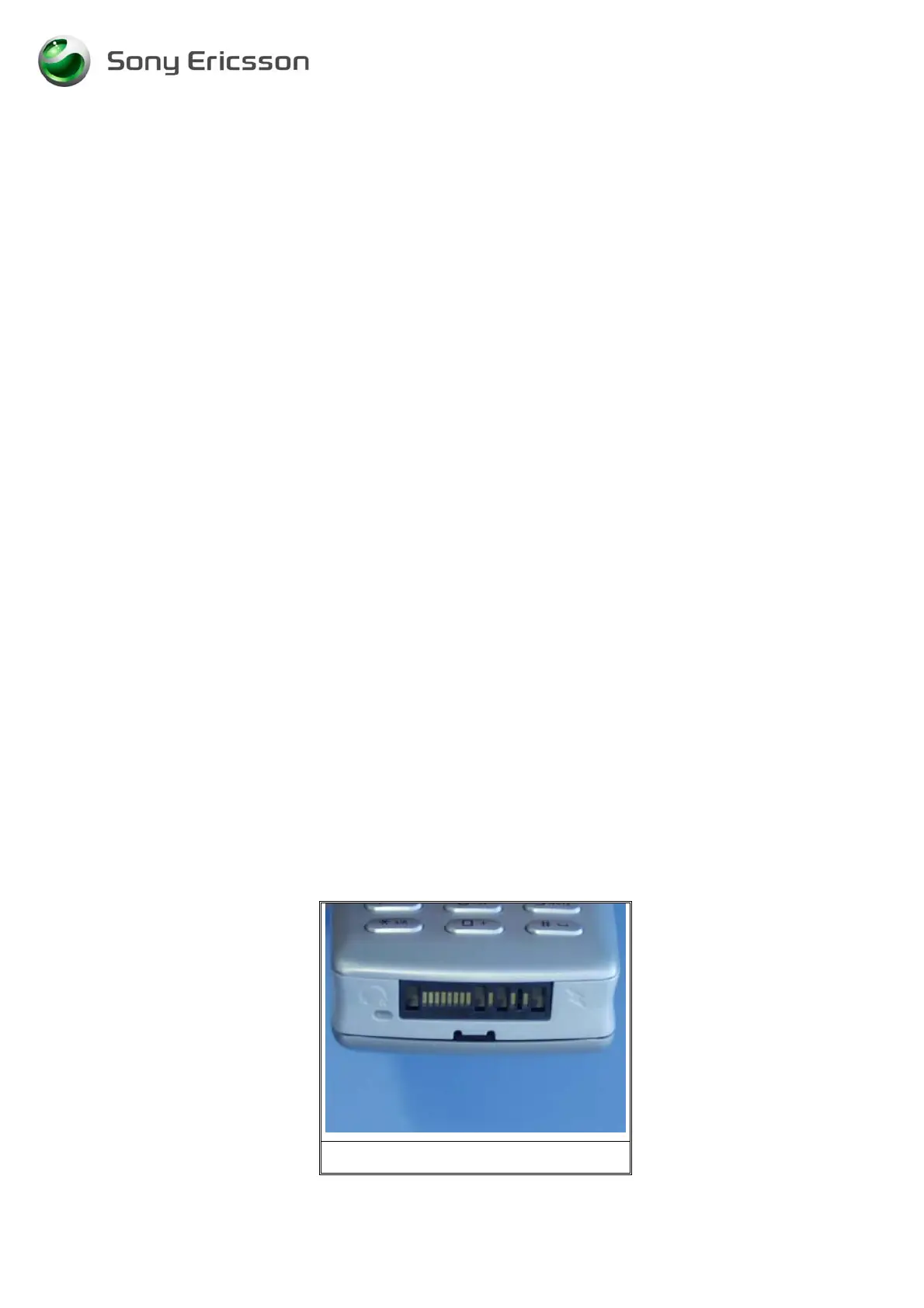
• Check if the system connector (Fig. 5.1) is mechanical lydamaged, dirty or oxidized.
Replace it if necessary.
If the failure still occurs, handle the unit according to the local company or the GSP directives.
5.2 Capacity
• The standby time will be reduced if the light is turned on all the time, the bluetooth is
turned on, or if the infrared is turned on.
6 Data Communication Problems
• Make a general visual inspection for corrosion or oxidation caused by liquid damage
according to point 1.2
• If there is a problem with the communication through the system connector, for example if
it is not possible to synchronize with MS Outlook, check if the system connector (Fig. 5.1)
is mechanically damaged, dirty or oxidized. Replace it if necessary.
If the failure still occurs, handle the unit according to the local company or the GSP directives.
Fig. 5.1












 To Next Page