116
6-1 Basic Automatic Editing
Chapter 6 Editing
6-1-2 Setting Switches and Menus
Before editing, set the following switches and menus as
shown below.
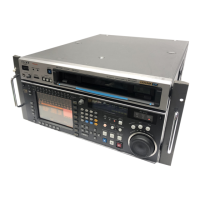
SRW-5000
HD DIGITAL VIDEO CASSETTE RECORDER
SRW-5000
HD DIGITAL VIDEO CASSETTE RECORDER
[F1] (TIMER SEL) button in the TC menu: TC or CTL
REMOTE buttons: None of these buttons light up.
Player VTR
POWER switch: ON
Recording level indication:
recording levels
REMOTE buttons: 1(9P) button lights up.
[F1] (TIMER SEL) button in the TC menu: TC or CTL
POWER switch: ON
Playback level indication:
playback levels
Recorder VTR


 To Next Page




