124
6-1 Basic Automatic Editing
Chapter 6 Editing
6-1-10 Performing Automatic Editing
Overview
Once you have set the necessary edit points, the AUTO
button lights up to show that the VTR is ready for
automatic editing.
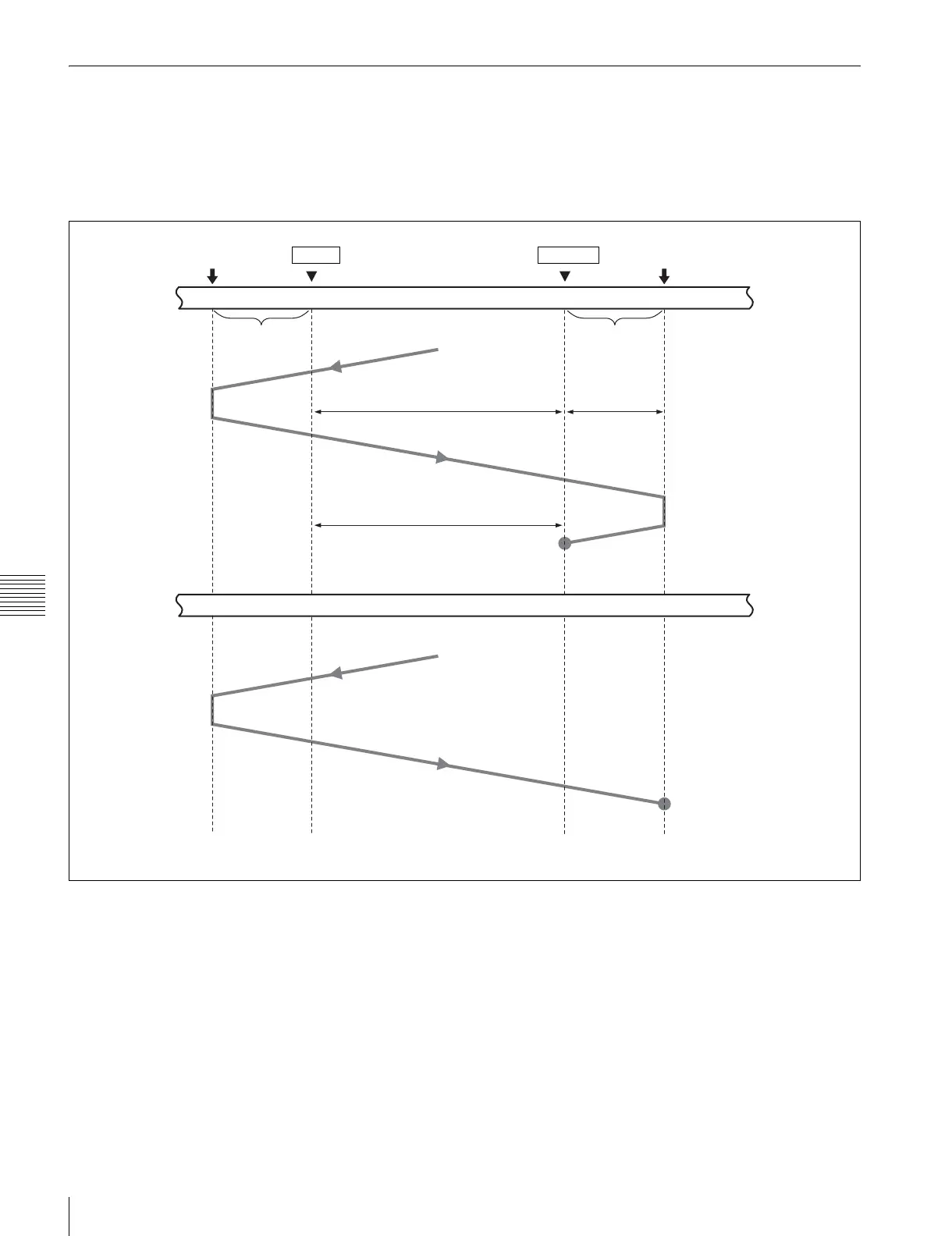
During automatic editing, the tape in the recorder VTR and
the player VTR move as shown in the diagram below.
a) Preroll time: Factory-set to 5 seconds. Can be set from 0 to 30 seconds, in
units of seconds, through the VTR SETUP menu.
b) The post-roll time can be set between 0 and 30 seconds in units of seconds
using the VTR SETUP menu.
c) Over-recording time: 2 seconds.
Preroll point
Recorder VTR
Player VTR
IN point
OUT point
Post-roll point
Preroll
a)
Playback mode
Playback mode
Insert editing
Assemble editing
Stop
Stop
Post-roll
b)
Over-
recording
c)


 To Next Page