123
6-1 Basic Automatic Editing
Chapter 6 Editing
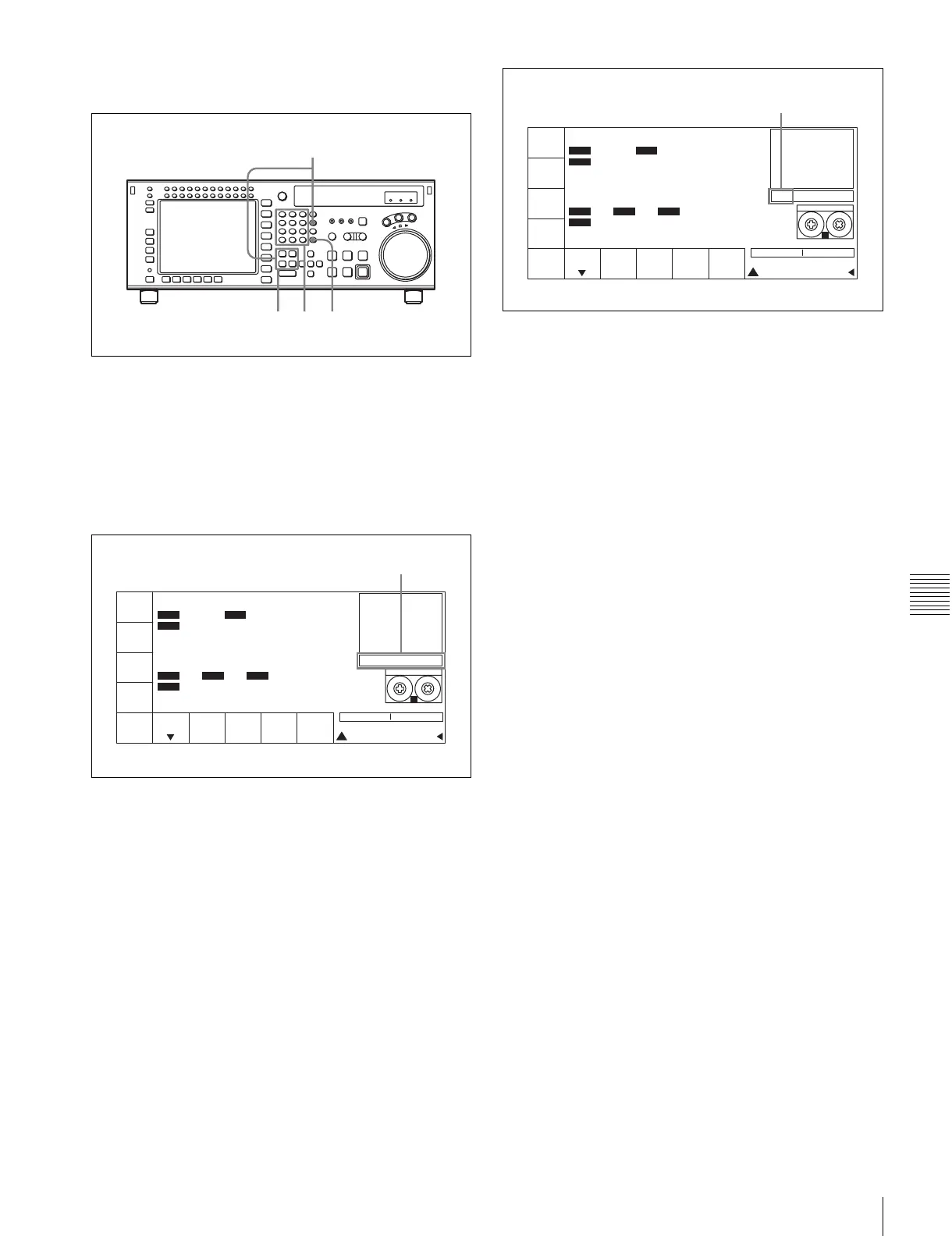
Moving an edit point position with the numeric
buttons
1
Press one of the IN, OUT, AUDIO IN, or AUDIO
OUT button while holding down the RCL button.
Time data for the edit point appears in the data entry
window.
2
Press the + or – button, then use the numeric buttons to
enter the value to be added or subtracted.
To cancel the entered value
Press the CLR button.
3
Press the SET button.
The result of the addition or subtraction is entered.
4
Press one of the IN, OUT, AUDIO IN, or AUDIO
OUT button.
The modified time data for the edit point appears in the
time data display.
423
1
PB/EE
PB
RECINH
off
ASSEM-
BLE
off
INS
TC
off
INS
VIDEO
off
INS
AUDIO
STILL
! ALT+TC
+ 30 00
01H 04M 58S 00F
01H 04M 58S 00F
AIN 00:01:10:00 AOUT 00:02:10:00
IN 00:01:10:00 OUT 00:02:10:00
INTRP DF F2
INTRP DF 2FO F2
LTC
TCR
2FD
LTC
TCR
HDCAM-SR
REMAIN:01H06M
PLAY LOCK
SS
Data entry window
PB/EE
PB
RECINH
off
ASSEM-
BLE
off
INS
TC
off
INS
VIDEO
off
INS
AUDIO
STILL
! ALT+TC
SET 01 00 30 00
01
H
04
M
58
S
00
F
01
H
04
M
58
S
00
F
AIN 00:01:10:00 AOUT 00:02:10:00
IN 00:01:10:00 OUT 00:02:10:00
INTRP DF F2
INTRP DF 2FO F2
LTC
TCR
2FD
LTC
TCR
HDCAM-SR
REMAIN:01H06M
PLAY LOCK
SS
SET is displayed.


 To Next Page