31
3-1 Connecting External Equipment
Chapter 3 Setting Up the VTR
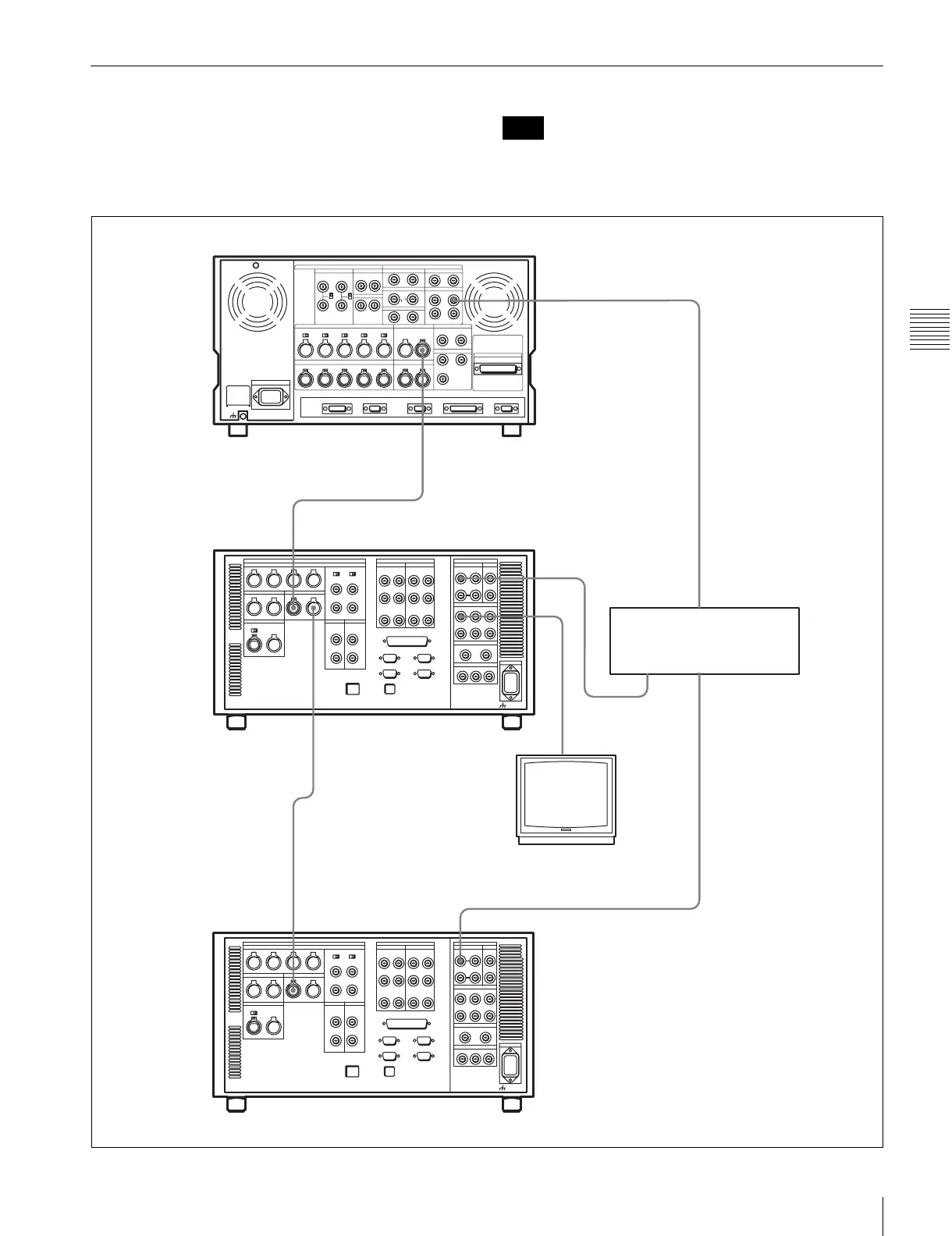
3-1-3 Cascade Connection
This example shows how to connect multiple SRW-5000/
5500 VTRs together for simultaneous recording.
On the recording VTRs, set the VTR SETUP menu item
613 “TC OUTPUT SIGNAL IN REGENE MODE” to
“through”.
Note
HD SDI OUTPUT
HD SDI INPUT
TIME CODE IN
TIME CODE OUT
TIME CODE OUT
HD SDI
OUTPUT
HD SDI INPUTTIME CODE IN
HDW-F500 (Player)
BNC cable
Digital video distributor
HKPF-103M
SRW-5000/5500 (Recorder)
a)
Video monitor
(HD serial monitor)
SRW-5000/5500 (Recorder)
a)
a) The figure shows the SRW-5500.


 To Next Page