74
4-4 CUE Menu
Chapter 4 Menu Settings
e REC DATE
Displays the date the memory label contents were last
modified.
f Date/Time
Displays the recording date and time.
g Duration
Displays the recording duration.
h File Name
Displays the names of files.
When the TELE FILE menu display 2 is displayed, you
can press the SFT button to switch the TAPE FORMAT
display between “59i 1080 422” and “59i 4:2:2 SQ”.
Formatting a memory label
1
Press the ALT/[F1] (FORMAT T-Fil) buttons.
2
Press the [F1] (FORMAT T-Fil) button while holding
down the SFT button.
A message appears (in the control panel display)
requesting confirmation of the formatting operation.
To cancel the formatting operation
Press the CLR button.
3
Press the [F1] (FORMAT T-Fil) button while holding
down the SFT button.
“COMPLETED” appears in the control panel display.
Prohibiting TELE FILE menu operations
Press the ALT/[F7] (WRITE PRTEC) buttons.
on: All TELE FILE menu operations are prohibited.
off: All TELE FILE menu operations are permitted.
Changing a title
1
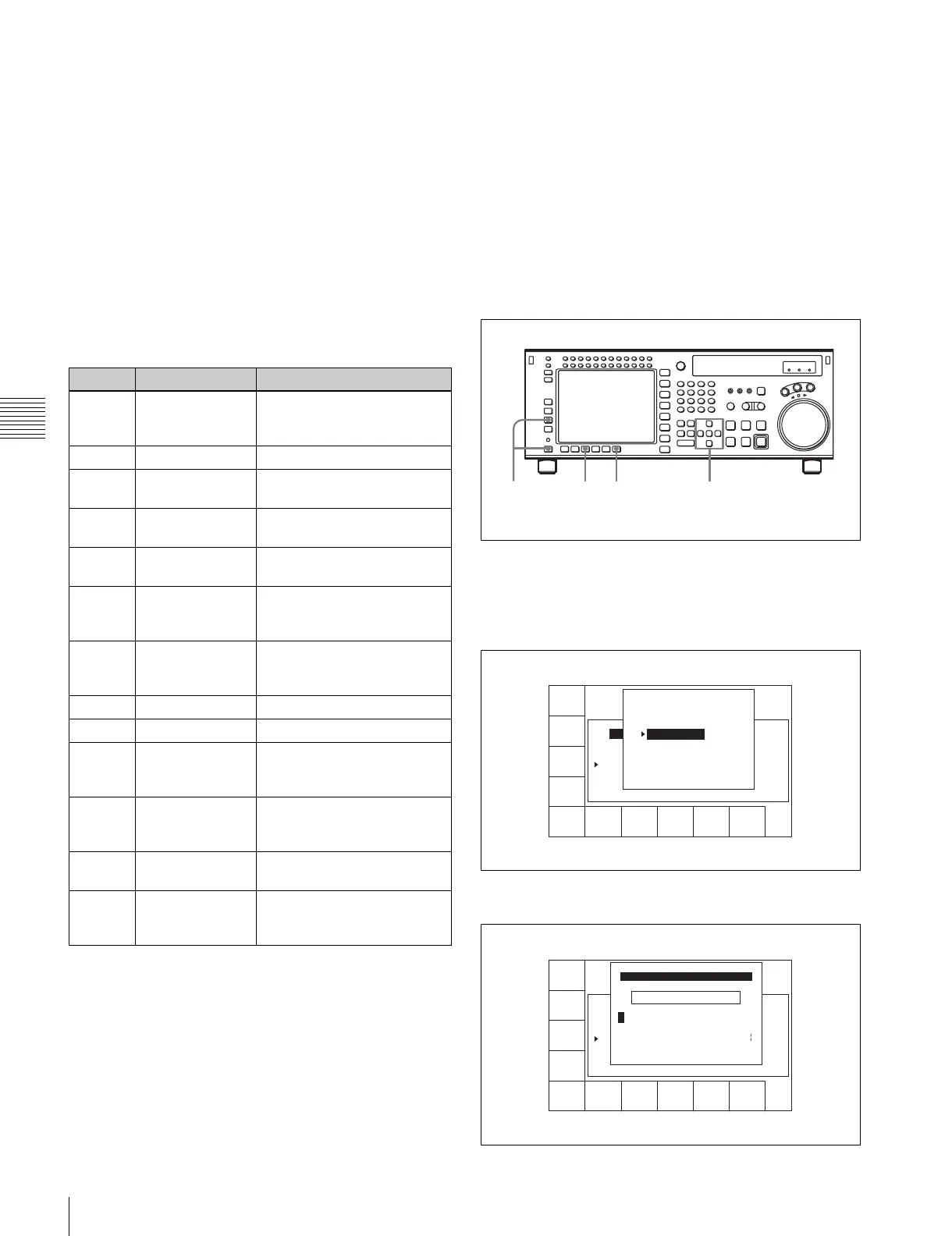
Press the ALT/[F3](ATTRIB EDIT) buttons.
2
Press the R or r button to select TITLE, and then press
the ENTRY button.
3
Press the cursor T or t button to select a character.
Button Indication Function
[F1] CUE SCAN Specifies the direction of the
cursor movement when the
PREROLL button is pressed.
[F4] CHANGE DATA Modifies the specified data.
[F5] DEL POINT Deletes the time data of the
cue point.
[F7] PROTECT Write-protects the cue point
data.
[F8] TAPE INFO Displays the information
window.
[F9] CUENUM POINT Moves the cursor to the line
specified by the numeric
buttons.
[F10] WRITE/EXIT Closes the TELE FILE menu
after saving changes to the
memory label.
ALT/[F1] FORMAT T-Fil Formats the memory label.
ALT/[F2] UNDO ALL Undoes all changes.
ALT/[F3] ATTRIB EDIT Changes the ID, ADMIN, or
TITLE data in the information
window.
ALT/[F4] COPY to CUE Copies the time data of a cue
point to another cue point
indicated in the CUE menu.
ALT/[F7] WRITE PRTEC Prohibits TELE FILE menu
operations.
ALT/[F10] WRITE/EXIT Closes the TELE FILE menu
after saving changes to the
memory label.
2,364
1
FORMAT
T-Fil
UNDO
ALL
ATTRIB
EDIT
COPY
toCUE
T-Fil
MODE
panel
WRITE
PRTEC
off
REC DATE[2003/02/25]
TITLE[ isplay Sample
No. Tape Format Duration
0 59i 1080 422 01:00:36:06 --------
1 59i 1080 422 01:00:36:06 --------
2 59i 1080 422 00:01:25:08 --------
3 60p 720 422 00:02:36:45 --------
EOS[01:01:--:--]
] Rest 95%
Date/Time
ATTRIB EDIT SELECT
TITLE
ID
ADMIN
Press [ENTRY] to edit
Press [CLR] to CANCEL
SPACE SET
LETTER
CANCEL SAVE/
EXIT
BACK
SPACE
REC DATE[2003/02/25]
TITLE[ isplay Sample
No. Tape Format Duration
0 59i 1080 422 01:00:36:06 --------
1 59i 1080 422 01:00:36:06 --------
2 59i 1080 422 00:01:25:08 --------
3 60p 720 422 00:02:36:45 --------
EOS[01:01:--:--]
] Rest 95%
Date/Time
_ ->
A BCDEFGHIJKLMNOPQRSTUVWXYZ
abcdefghjiklmnopqrstuvwxyz
0123456789[]()<>@+-*=!?:;
EDIT TITLE
$#%&,."\^_'/~ {} HD1D2CAM
'


 To Next Page