78
4-4 CUE Menu
Chapter 4 Menu Settings
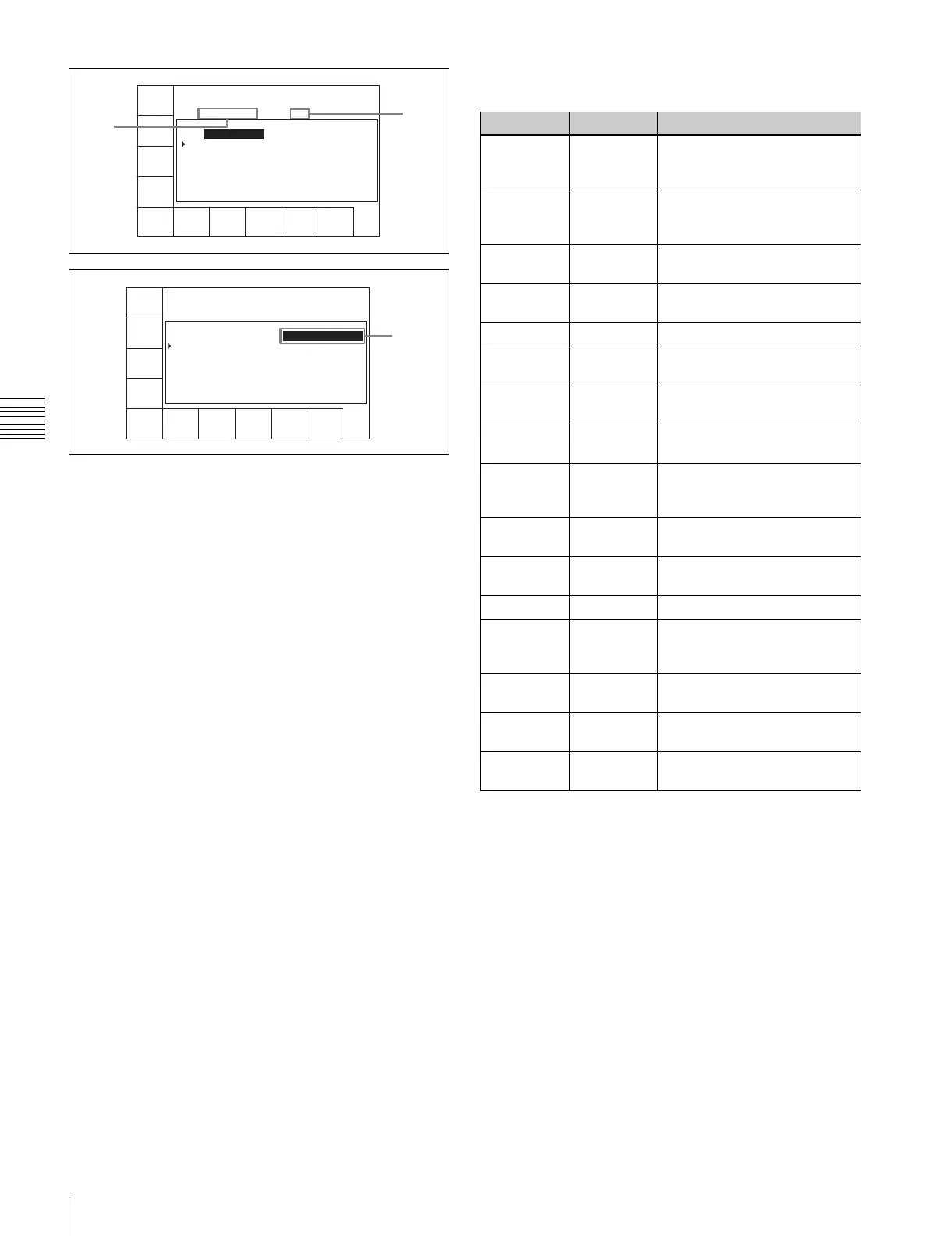
a REC DATE (recording data date)
Shows the last date of recording.
b TITLE
Shows the title of the cassette content.
c Time
Shows the time data of a cue point.
d Mrk (mark)
Shows an indication of a cue point attribute (OK/NG/KP/
blank).
e Recording start point
When a cue point is the recording start point, shows @.
For how to select “on” or “off” for the recording starting
point setting, see “Changing the recording starting point
setting” on page 80.
f IN
Shows log (IN point) data.
g OUT
Shows log (OUT point) data.
h Tk (take)
Shows the take number of a cue point.
i Cut
Shows the cut number of a cue point.
j Scn (scene)
Shows the scene number of a cue point.
k Comment
Shows a comment on a cue point.
To format a memory label
1
Press the ALT/[F1] (FORMAT T-Fil) buttons.
2
Hold down the SFT button, and press the [F1]
(FORMAT T-Fil) button.
A confirmation window appears.
To cancel
Press the CLR button.
3
Hold down the SFT button, and press the [F1]
(FORMAT T-Fil) button.
“COMPLETED” appears.
To set write protection for the whole menu
Press the ALT/[F7] (WRITE PRTEC) buttons.
on: Set write protection for the whole TELE FILE menu.
CUE
SCAN
ENTRY
POINT
INOUT
COMMNT
EDIT
CHANGE
DATA
DEL
POINT
PRO-
TECT
TAPE
INFO
CUENUM
POINT
WRITE/
EXIT
MARK
REC DATE[2003/02/25] EOS[01:01:24:15]
TITLE[ ] Rast100%
No. In Out
0 00:14:16:05 00:14:17:02
1 --:--:--:-- --:--:--:--
6
7
CUE
SCAN
ENTRY
POINT
CUE
COMMNT
EDIT
CHANGE
DATA
DEL
POINT
PRO-
TECT
TAPE
INFO
CUENUM
POINT
WRITE/
EXIT
MARK
REC DATE[2003/02/25] EOS[01:01:24:15]
TITLE[ ] Rast100%
No. Time Mrk Comment
0 00:14:10:10
1 --:--:--:--
qa
Button Indication Function
[F1] CUE SCAN Sets the cursor movement
direction when the PREROLL
button is pressed.
[F2] ENTRY
POINT
Selects whether or not to
display log (IN/OUT point)
information.
[F3] COMMNT
EDIT
Edits the Comment box.
[F4] CHANGE
DATA
Changes the value of data.
[F5] DEL POINT Deletes time data.
[F6] MARK Changes the setting in the Mrk
box.
[F7] PROTECT Prevents the cue point data
from being changed.
[F8] TAPE INFO Shows information on the
memory label.
[F9] CUENUM
POINT
Moves the cursor to the line
number entered with the
numeric buttons.
[F10] WRITE/
EXIT
Saves the changes and exits
the TELE FILE menu.
ALT/[F1] FORMAT T-
Fil
Formats a memory label.
ALT/[F2] UNDO ALL Cancels all changes.
ALT/[F3] ATTRIB
EDIT
Changes the ID, ADMIN, and
TITLE within the tape
information window.
ALT/[F4] COPY to
CUE
Copies time data to the CUE
menu screen cue point data.
ALT/[F7] WRITE
PRTEC
Sets or unsets write protection
of the whole TELE FILE menu.
ALT/[F10] WRITE/
EXIT
Saves the changes and exits
the TELE FILE menu.


 To Next Page