96
4-6 AUDIO Menu
Chapter 4 Menu Settings
23.98/24 frame y 25 frame, 29.97 frame y 30 frame), you can
set up group relations between audio channels.
1
Press the ALT/[F5] (PITCH GROUP) buttons.
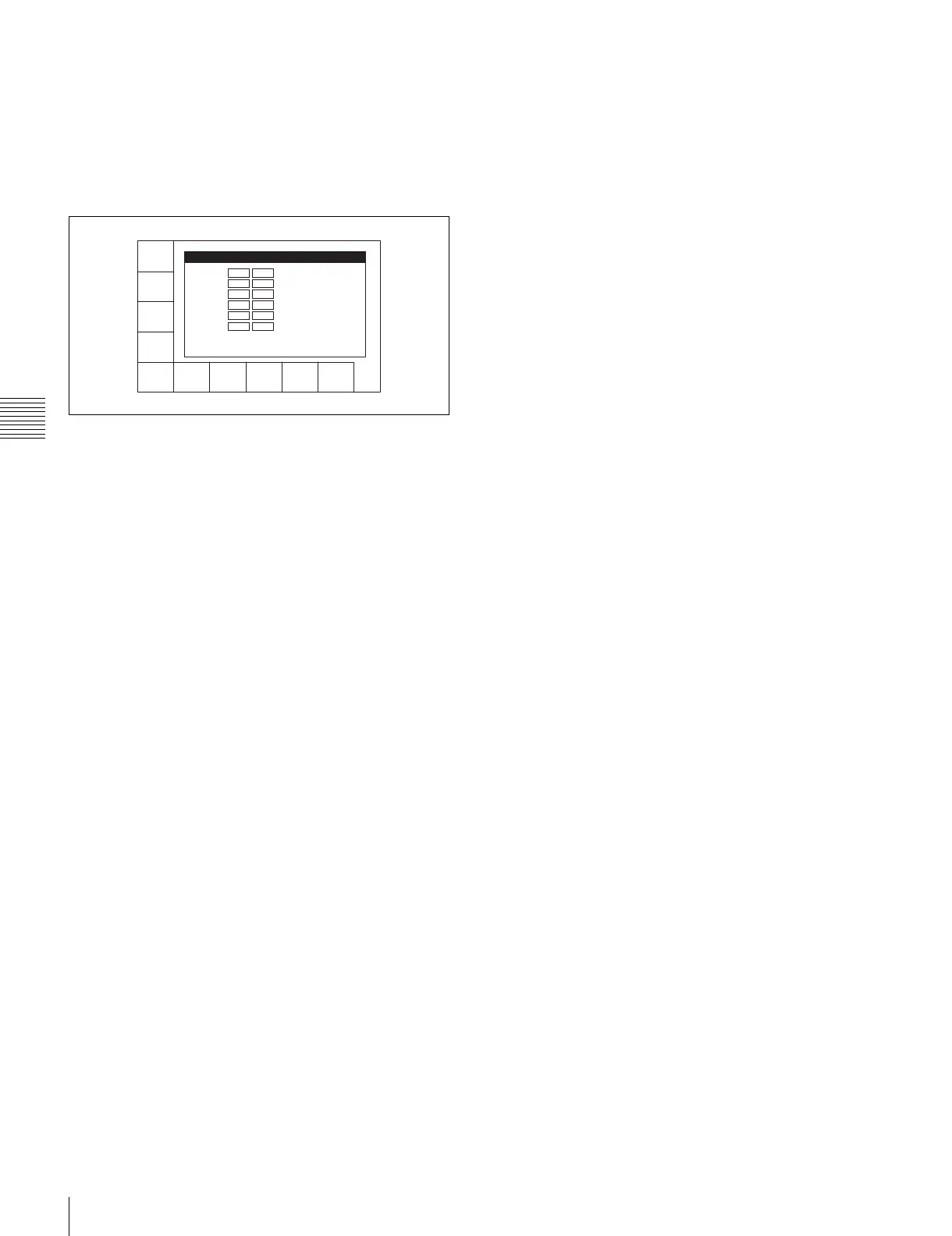
The PITCH CORRECTION GROUP SELECT menu
appears, together with an image window of channels
groups for pitch correction.
2
Use the [F1] (CH1) to [F8] (CH8) buttons and the
ALT/[F1] (CH9) to ALT/[F4] (CH12) buttons to group
channels (Group-A to F, OFF).
The image of channels belonging to each group
changes to reflect the selections.
3
Press the [F10] (EXIT) button.
This returns to the AUDIO menu screen.
You can also make this setting using the VTR SETUP
menu item 817 “PITCH CORRECTION GROUP select”.
CH1
Grp_A
CH2
Grp_A
CH3
Grp_B
CH4
Grp_B
CH5
Grp_C
CH7
Grp_D
CH8
Grp_D
EXITCH6
Grp_C
PITCH CORRECTION GROUP SELECT
Grp-A:
CH1 CH2
Grp-B:
CH3 CH4
Grp-C:
CH5 CH6
Grp-D:
CH7 CH8
Grp-E:
CH9 CH10
Grp-F:
CH11 CH12
OFF :


 To Next Page