ILCE-9
d-832-100-91(1)
C:\d832100911\d832100911ILCE9AP2\01GB-ILCE9AP2\020PRE.indd
2019/02/19 16:35
GB
32
To charge the battery pack while it is inserted in the
camera
Turn the camera off and connect it to the AC Adaptor (supplied) using the
micro USB cable (supplied), then connect the AC Adaptor to the wall outlet
(wall socket).
If you turn on the camera, power will be supplied from the wall outlet
(wall socket) and you will be able to operate the camera. However, the
battery pack will not be charged.
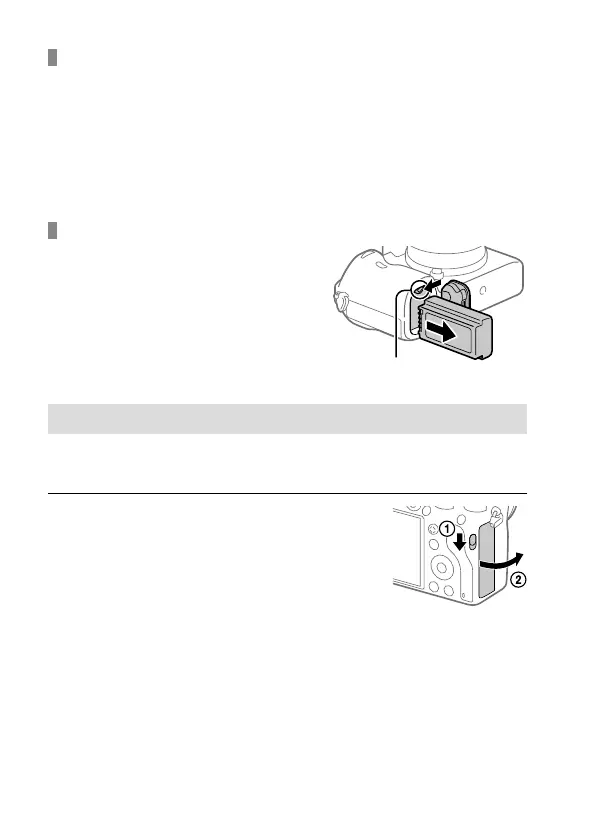
To remove the battery pack
Make sure that the access lamp
(page 20) is not lit, and turn off
the camera. Then, slide the lock lever
and remove the battery pack. Be
careful not to drop the battery pack.
Lock lever
Step 3: Inserting a memory card
For details on memory cards that can be used with this camera, refer to
page 92.
1
Open the memory card cover.



 To Next Page