ILCE-9
d-832-100-91(1)
C:\d832100911\d832100911ILCE9AP2\01GB-ILCE9AP2\030BAS.indd
2019/02/19 16:35
GB
52
Continuous shooting
Shoots images continuously while you press and hold down the shutter
button.
Turn the drive mode dial and select the desired mode.
• Turn the drive mode dial while pressing the drive mode dial lock release
button.
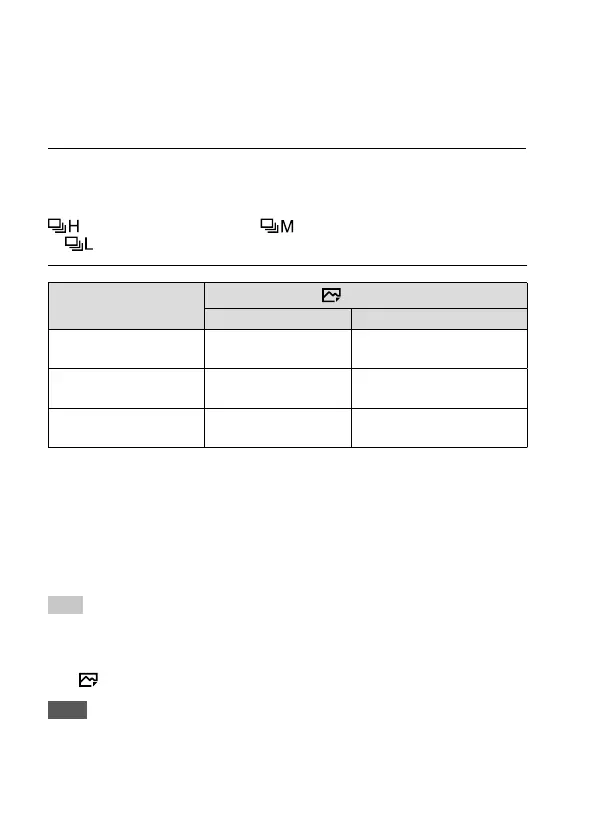
Continuous Shooting: Hi/ Continuous Shooting: Mid/
Continuous Shooting: Lo
Shutter Type
Mechanical Shut. Auto/Electronic Shut.
Continuous Shooting: Hi
5 images per second
at maximum*
1
20 images per second at
maximum *
1
*
2
*
3
Continuous Shooting: Mid
5 images per second
at maximum*
1
10 images per second at
maximum*
1
Continuous Shooting: Lo
2.5 images per second
at maximum
5 images per second at
maximum*
1
*
1
When the F-value is greater than F11, the focus is locked to the setting in the
first shot.
*
2
When the Focus Mode is set to AF-C (Continuous AF), the speed of
continuous shooting varies depending on the attached lens. For details,
check the support page on compatible lenses.
*
3
During uncompressed RAW shooting, 12 images are shot per second at
maximum.
Hint
• To continuously adjust the focus and exposure during continuous shooting,
set as follows:
– [Focus Mode]: [Continuous AF]
– [
AEL w/ shutter]: [Off] or [Auto]
Note
• Continuous shooting is unavailable in the following situations:
– [Picture Effect] is set to [Rich-tone Mono.].
– [DRO/Auto HDR] is set to [Auto HDR].



 To Next Page