11
BDP-S3700/BDP-BX370/BDP-S1700
4-579-663-13(1)
master page=right
E:\SONY
DVD\SD160018\4579663131_US\030STU.fm
Getting Started
Getting Started
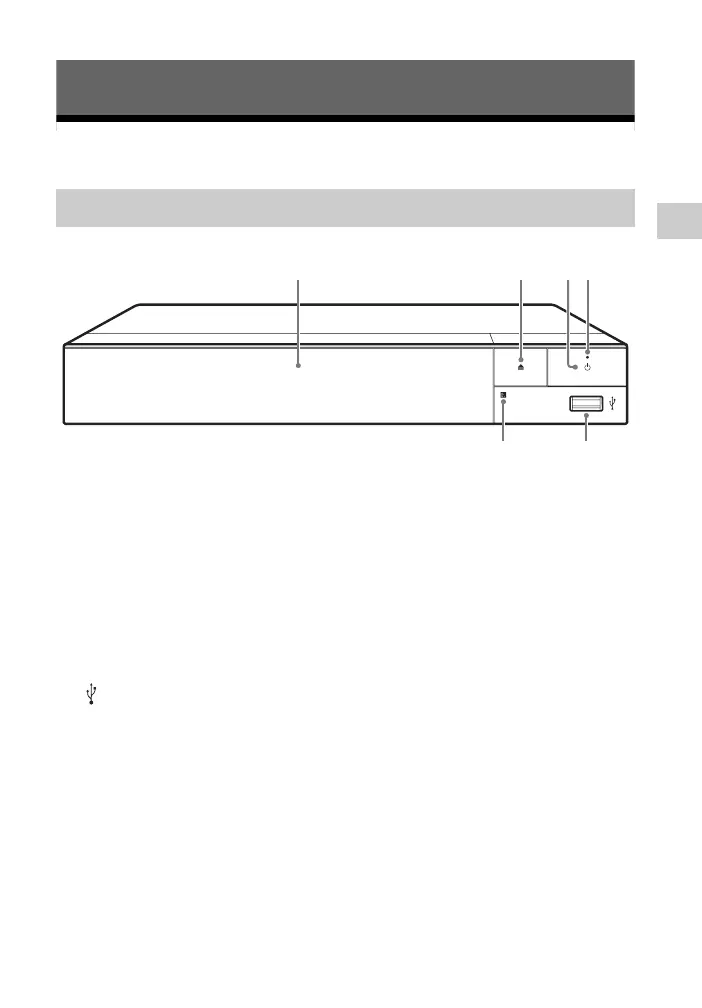
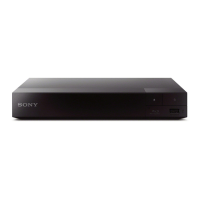
Guide to Parts and Controls
A Door tray
B Z (open/close)
C 1 (on/standby)
Turns on the player, or sets to
standby mode.
D Power indicator
Lights up when the player is turned
on.
E (USB) jack
Connect a USB device to this jack.
F Remote sensor
To lock the disc tray (Child Lock)
You can lock the disc tray to avoid
accidental opening of the tray.
While the player is turned on, press
x STOP, HOME, and then TOP MENU
button on the remote to lock or unlock
the tray.
Front panel
1
2
3
6
5
4


 To Next Page