27
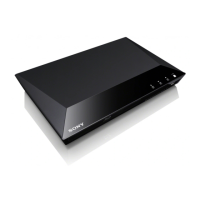
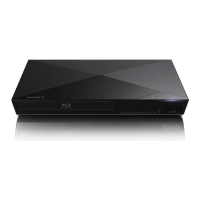
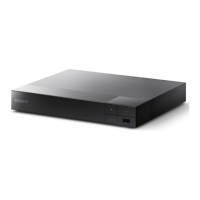
BDP-S3700/BDP-BX370/BDP-S1700
4-579-663-13(1)
master page=right
E:\SONY
DVD\SD160018\4579663131_US\060ADJ.fm
Settings and Adjustments
x [BD Audio MIX Setting]
[On]: Outputs the audio obtained by
mixing the interactive and secondary
audio to the primary audio.
[Off]: Outputs the primary audio only.
Select this to output HD audio signals to
an AV amplifier (receiver).
x [Dolby D Compatible Output]
[On]: Converts DTS audio source to
Dolby Digital audio by using EDID
(Extended Display Identification Data).
[Off]: Turns off the function.
x [Audio DRC]
[Auto]: Performs playback at the
dynamic range specified by the disc
(BD-ROM only). Other discs are played
back at the [On] level.
[On]: Performs playback at a standard
compression level.
[Off]: No compression works. A more
dynamic sound is produced.
x [Downmix]
[Surround]: Outputs audio signals with
surround effects. Select this when
connecting an audio device that supports
Dolby Surround (Pro Logic) or DTS
Neo:6.
[Stereo]
: Outputs audio signals without
surround effects. Select this when
connecting an audio device that does not
support Dolby Surround (Pro Logic) or
DTS Neo:6.
[BD/DVD Viewing
Settings]
x [BD/DVD Menu Language]
Selects the default menu language for
BD-ROMs or DVD VIDEOs.
Select [Select Language Code], and
enter the code for your language,
referring to “Language code list”
(page 41).
x [Audio Language]
Selects the default audio language for
BD-ROMs or DVD VIDEOs.
When you select [Original], the
language given priority in the disc is
selected.
Select [Select Language Code], and
enter the code for your language,
referring to “Language code list”
(page 41).
x [Subtitle Language]
Selects the default subtitle language for
BD-ROMs or DVD VIDEOs.
Select [Select Language Code], and
enter the code for your language,
referring to “Language code list”
(page 41).
x [BD Hybrid Disc Playback Layer]
[BD]: Plays BD layer.
[DVD/CD]: Plays DVD or CD layer.
x [BD Internet Connection]
[Allow]: Normally select this.
[Do not allow]
: Prohibits Internet
connection.


 To Next Page