26
Searching using the remote
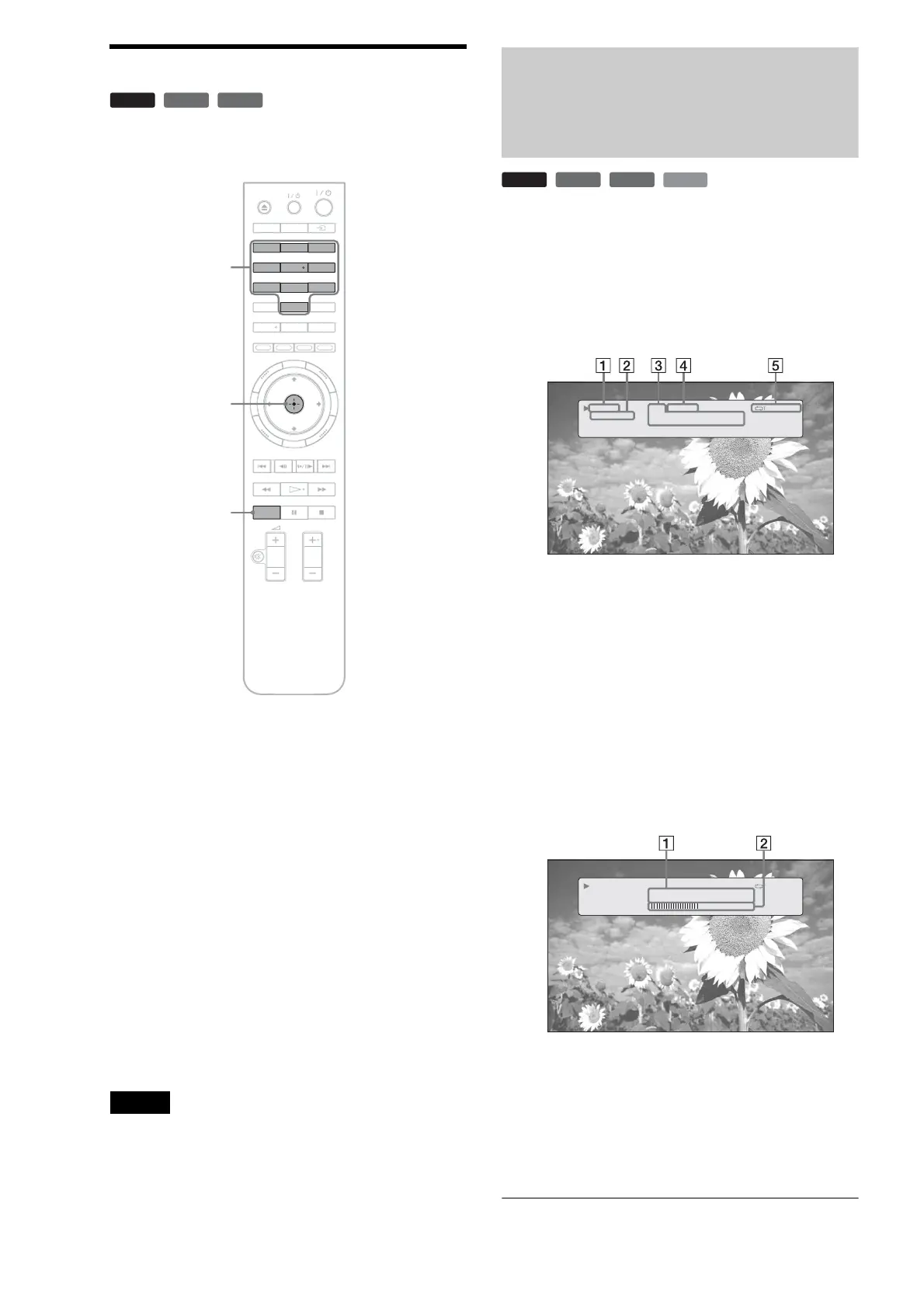
You can search by entering the title/chapter number or the time
code (elapsed time from the beginning of the disc).
To search for a title or chapter (BD-ROM, DVD
VIDEO only)
1 Enter the title number using the number buttons
while the player is in stop mode.
To search for a chapter, enter the chapter number
during playback. If you make a mistake, press
CLEAR once and re-enter.
2 Press ENTER to start playback.
To search for a specific point
1 During playback, press PLAY MODE repeatedly
until “Time Search” appears.
2 Enter the time code using the number buttons.
Enter the time in minutes and seconds (e.g., ‘12030’
for 1 hour, 20 minutes and 30 seconds). If you make
a mistake, press CLEAR once and re-enter.
3 Press ENTER to start playback.
Note
Depending on the DVD VIDEO/BD-ROM/DATA DVD, these search
functions may not work.
Checking the Disc
Information
You can check the title/chapter/track information including
video transmission rate etc., by pressing DISPLAY. The
information differs depending on the disc type and the player
status.
a Press DISPLAY.
Example: When playing a DVD VIDEO.
The following information appears:
1 Playback status
2 Disc type
3 Title information
• Currently playing title number/currently playing
chapter number.
• Total number of chapters within the title.
• Total playback time of the title.
4 Elapsed time of the current title
5 Play mode
b Press DISPLAY again.
The display switches to show the following
information:
1 Chapter information
• Elapsed time of the current chapter.
• Total playback time of the current chapter.
2 Video transmission rate and the stream
information
BD
DVD
DATA DVD
DISPLAYDIMMER
CLEAR
123
456
78
0
9
AUDIO SUBTITLE
ANGLE
PLAY MODE
PROG
VIDEO
FORMAT
RED
GREEN
BLUE
YELLOW
TOP
MENU
SYSTEM
MENU
POP UP/
MENU
RETURN
TV
Number buttons
ENTER
PLAY MODE
BD
DVD
DATA DVD
CD
1-1 2.01.23
Chapters 12
Title Total 2h15m34s
Play
DVD-VIDEO
Repeat Title
1-1 2.01.23
Chapter Time 01.11.56
Chapter Total 2h15m34s
10.03 Mbps
Play
DVD-VIDEO
Repeat Title



 To Next Page