42
Browsing by Date,
Quicklist, or Folder
Narrow down the list of files by selecting the category type (e.g.,
“Date”), then the category.
a Press SYSTEM MENU.
b Select “Title List,” and press ENTER.
c Select “Photos,” and press ENTER.
d Press < to turn on the Browse menu.
e Select “Browse,” and press ENTER.
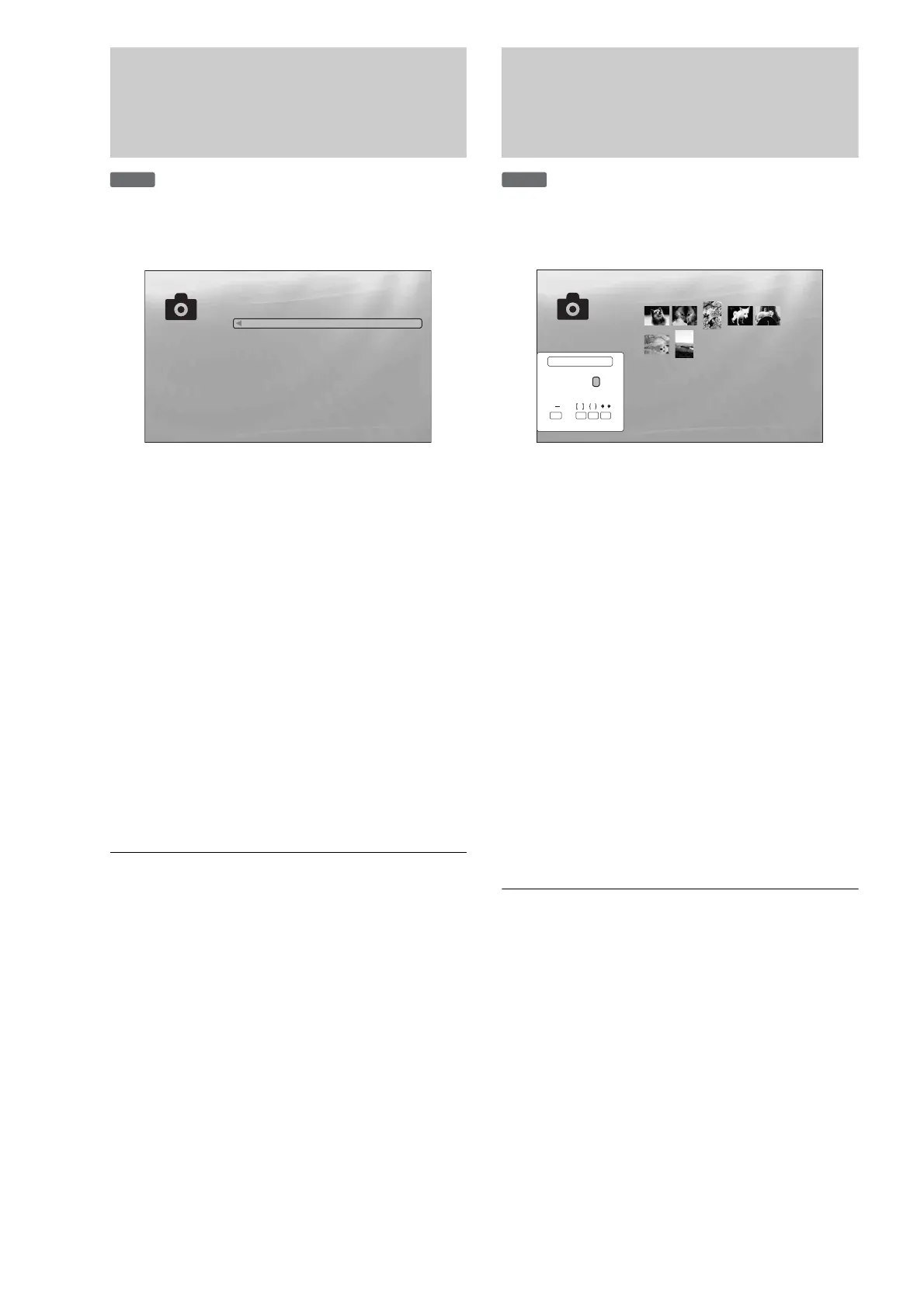
f Select the list you want to view from “Date,”
“Quicklist,” or “Folders” and press ENTER.
The list of date/Quicklist/folders appears as above.
For details about the Quicklist, see “Programming a
Slideshow Playback (Quicklist)” (page 43).
g Select the date/Quicklist/folder you want to
view, and press ENTER.
z Hint
You can select a file and start slideshow by using “Options” menu (press
,).
Searching for a Photo
You can find the exact file, or files with a similar name.
a Press SYSTEM MENU.
b Select “Title List,” and press ENTER.
c Select “Photos,” and press ENTER.
d Press < to turn on the Browse menu.
e Select “All Photos,” and press ENTER.
f Move the highlight to the leftmost row, and
press < to turn on the Browse menu.
g Select “Search,” and press ENTER to turn on
the above display.
h Enter the file name using the on-screen
keyboard (see page 23).
z Hint
You can select a file and start slideshow by using “Options” menu (press
,).
DATA DVD
ExitConfirm
SYSTEM MENU
File:Summer of '06.jpg
Date:July/23/2006
Resolution:196x298 pixels
Format:JPEG
10 items
Year
2007
2006
2005
2004
2003
2002
2001
2000
1999
1998
DATA DVD
Exit
SYSTEM MENU
Select
7 items
Search Results
AB
SHFT
DONE CANCEL
SPC DEL CLR
CDEFGH I J
KLMNOPQRST
UVWXYZ,.:;
123456
7890
_()
R_
Search results are narrowed down as more characters
are entered



 To Next Page