3-21 (E)
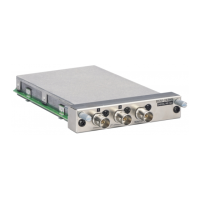
BKM-21D
[SDI-B channel freerunning adjustment]
1. Set SDI-1, 2, and 3 terminals to no-signal inputs.
2. Set 07 CH.
3. Connect the frequency counter to TP302 of the BD
board (DBCLK).
4. Adjust the DB-FV data so that the DBCLK frequency
becomes 27.0 ± 0.5 MHz.
5. Set 10 CH.
6. Adjust the DB-FV data so that the DBCLK frequency
becomes 17.7 ± 0.5 MHz.
7. Set 13 CH.
8. Adjust the DB-FV data so that the DBCLK frequency
becomes 14.3 ± 0.5 MHz.
[SDI-C channel freerunning adjustment]
1. Set SDI-1, 2, and 3 terminals to no-signal inputs.
2. Set 08 CH.
3. Connect the frequency counter to TP303 of the BD
board (DCDLK).
4. Adjust the DC-FV data so that the DCCLK frequency
becomes 27.0 ± 0.5 MHz.
5. Set 11 CH.
6. Adjust the DC-FV data so that the DCCLK frequency
becomes 17.7 ± 0.5 MHz.
7. Set 14 CH
8. Adjust the DB-FV data so that the DCCLK frequency
becomes 14.3 ± 0.5 MHz.
3-5. Digital Mode Adjustment
3-5-1. SDI Freerunning Adjustment
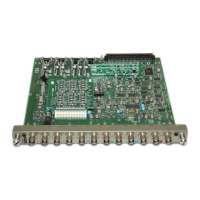
(BD Board)
n
The following adjustment menu is below the BKM-21D
menu of the MAINTENANCE menu.
DA-FV
DB-FV
DC-FV
[SDI-A channel freerunning adjustment]
1. Set SDI-1, 2, and 3 terminals to no-signal inputs.
2. Set 06 CH.
3. Connect the frequency counter to TP301 of the BD
board (DACLK).
4. Adjust the DA-FV data so that the DACLK frequency
becomes 27.0 ± 0.5 MHz.
5. Set 09 CH.
6. Adjust the DA-FV data so that the DACLK frequency
becomes 17.7 ± 0.5 MHz.
7. Set 12 CH.
8. Adjust the DA-FV data so that the DACLK frequency
becomes 14.3 ± 0.5 MHz.
http://getMANUAL.com


 To Next Page