72
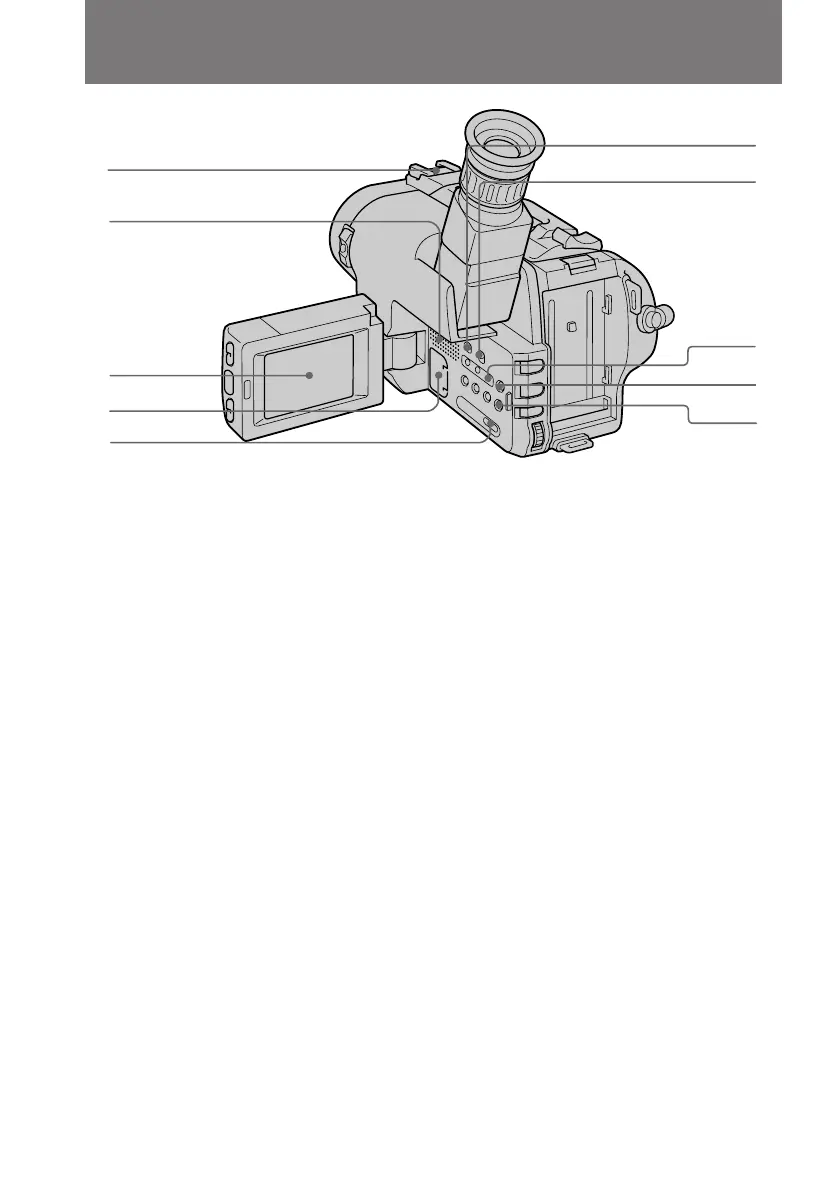
Identifying the Parts
#™ Intelligent accessory shoe
#£ Speaker (p. 21)
#¢ LCD screen (p. 15)
#∞ Lithium battery compartment (p. 52)
#§ PICTURE EFFECT button (p. 33)
#£
#™
#¢
#∞
#§
$¡
$º
#ª
#•
#¶
Note on the intelligent accessory shoe
Supplies power to optional accessories such as a video light or microphone. The
intelligent accessory shoe is linked to the STANDBY switch, allowing you to turn on
and off the power supplied by the shoe. Refer to the instruction manual of the accessory
for further information. To connect an accessory, press down and push it to the end,
and then tighten the screw. To remove an accessory, loosen the screw, and then press
down and pull out the accessory.
#¶ STEADY SHOT switch (p. 41)
#• START/STOP MODE switch (p. 14)
#ª COUNTER RESET button (p. 12)
$º END SEARCH button (p. 23)
$¡ MENU button (p. 26)



 To Next Page