EasyManua.ls Logo

Sony CDP-400 - Notes on Compact Discs; Notes on Moisture Condensation

Sony CDP-400
48 pages
Print Icon
To Next Page IconTo Next Page
To Previous Page IconTo Previous Page
Loading...
_CDP-400/501
/SO1TES/610ES
|
1-1.
PRECAUTIONS
On
satety
@
Check
that
the
operating
voltage
of
your
unit
1s
identical
with
the
voltage
of
your
focal
power
supply.
@
Should
any
liquid
or
solid
object
fail
into
the
cabinet,
unpiug
the
unit
and
have
it
checked
by
qualified
personne!
before
operating
It
any
further.
@
Unplug
the
unit
from
the
wali
outlet
if
it
is
not
to
be
used
for
an.
extended
period
of
time.
To
disconnect
the
cord,
pull
it
out
by
grasping
the
plug.
Never
pull
the
cord
itself.
On
instatiation
@
Do
not
install
the
unit
in
a
location
near
heat
sources
such
as
tadiators
or
air
ducts,
or
in
a
place
subject
to
direct
sunlight,
ex:
cessive
dust,
mechanical
vibration
or
shock.
@
Good
air
circulation
is
essential
to
prevent
internal
heat
build-up
in
the
unit.
Place
the
unit
in
a
location
with
adequate
air
circula-
tion.
Do
not
place
the
unit
on
a
soft
surface.
such
as
a
rug
that
would
block
the
ventilation
holes
on
the
bottom
On
operation
When
the
unit
is
not
used.
turn
the
power
off.
'c
conserve
energy
and
to
extend
the
useful
lite
of
your
unit.
On
cleaning
the
cabinet
Clean
the
cabinet.
panel
and
controls
with
@
soft
cloth
tightly
moistened
with
mild
detergent
solution.
Do
no:
use
any
type
ot
abrasive
pad,
scouring
powder
or
solvent
such
as
alcoho!
or
ben-
zine
On
repacking
Do
not
throw
away
the
carton
and
the
packing
material.
They
make
an
ideal
container
to
transport
the
unit
in.
When
shipping
the
unit
for
repair
work
or
to
another
location,
repack
it
2s
ttustrated
on
the
carton
Dox.
For
the
customers
in
the
USA
For
detailed
safety
precautions,
see
the
teaftet
“IMPORTANT
SAFEGUARDS".
If
you
have
any
questions
or
problems
concerning
your
unit,
please
contact
your
nearest
Sony
deater.
NOTES
ON
MOISTURE
CONDENSATION
\t
the
player
is
brought
directly
from
a
cold
to
a
warm
location,
or
is
placed
in
a
very
damp
room,
moisture
may
conoense
on
the
lenses
inside
the
unit
Should
this
occur,
the
player
will
not
operate.
ir
this
case,
remove
the
disc
and
leave
the
player
turned
on
for
about
an
hour
to
evaporate
the
moisture
SECTION
1
OUTLINE
1-2.
NOTES
ON
COMPACT
DISCS
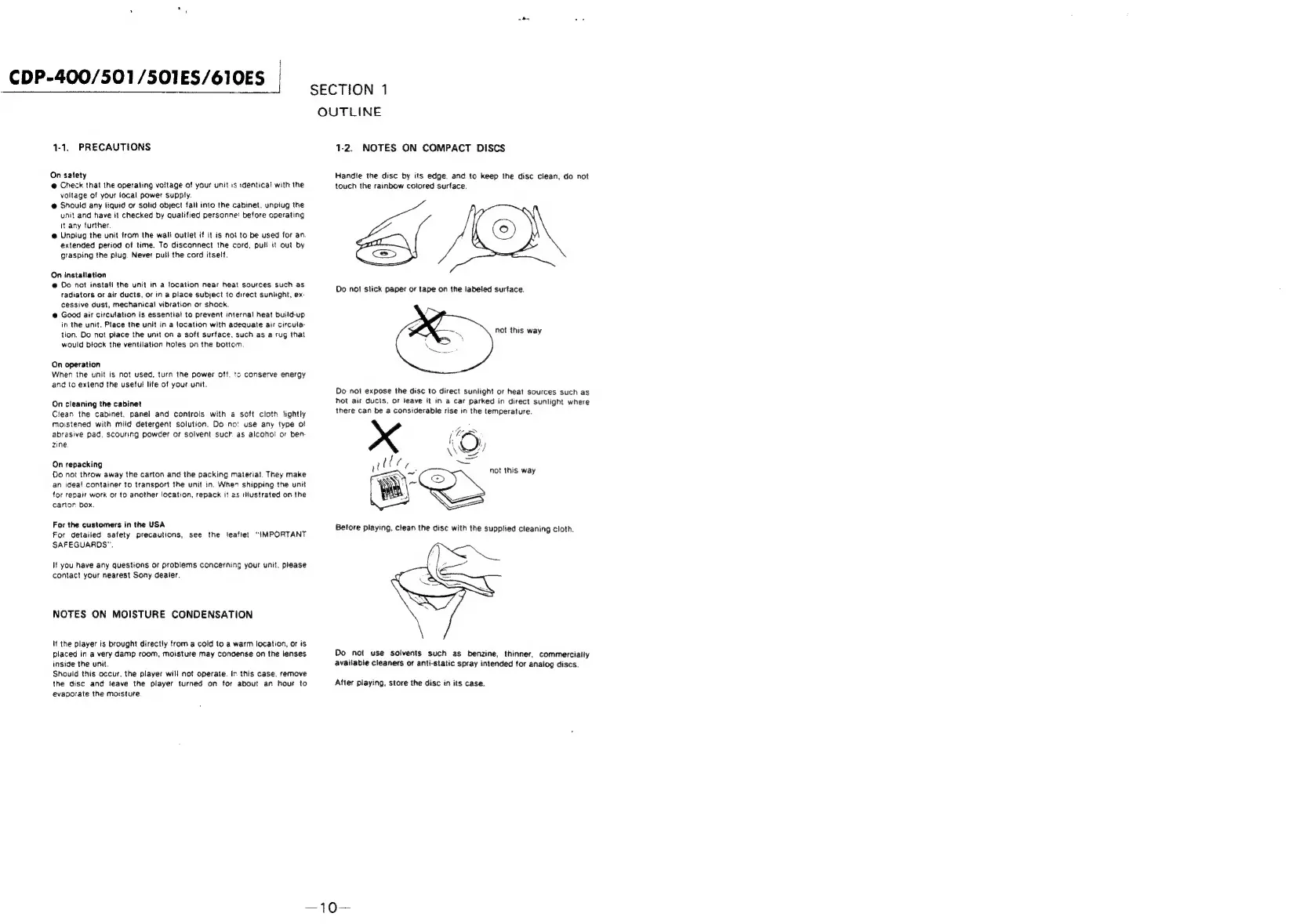
Handie
the
disc
by
its
edge.
and
to
keep
the
disc
clean,
do
not
touch
the
rainbow
colored
surface.
not
this
way
Do
not
expose
the
disc
to
direct
sunlight
or
heat
sources
such
as
hot
air
ducts,
or
leave
it
in
a
car
parked
in
direct
sunlight
where
there
can
be
a
considerable
rise
in
the
temperature.
\Wws/
lies
=
~
=<
not
this
way
.
Do
not
use
solvents
such
as
benzine,
thinner,
commerciaily
availabie
cleaners
or
anti-static
spray
intended
for
analog
discs.
After
playing,
store
the
disc
in
its
case.

Related product manuals