EasyManua.ls Logo

Sony CDP-CA7ES - Repeating Playback Modes; Shuffle Play Functionality

Sony CDP-CA7ES
15 pages
Print Icon
To Next Page IconTo Next Page
To Previous Page IconTo Previous Page
Loading...
Playing
CDs
~
=
Playing
Tracks
Repeatedly
You
can
play
discs/tracks
repeatedly
in
any
play
mode.
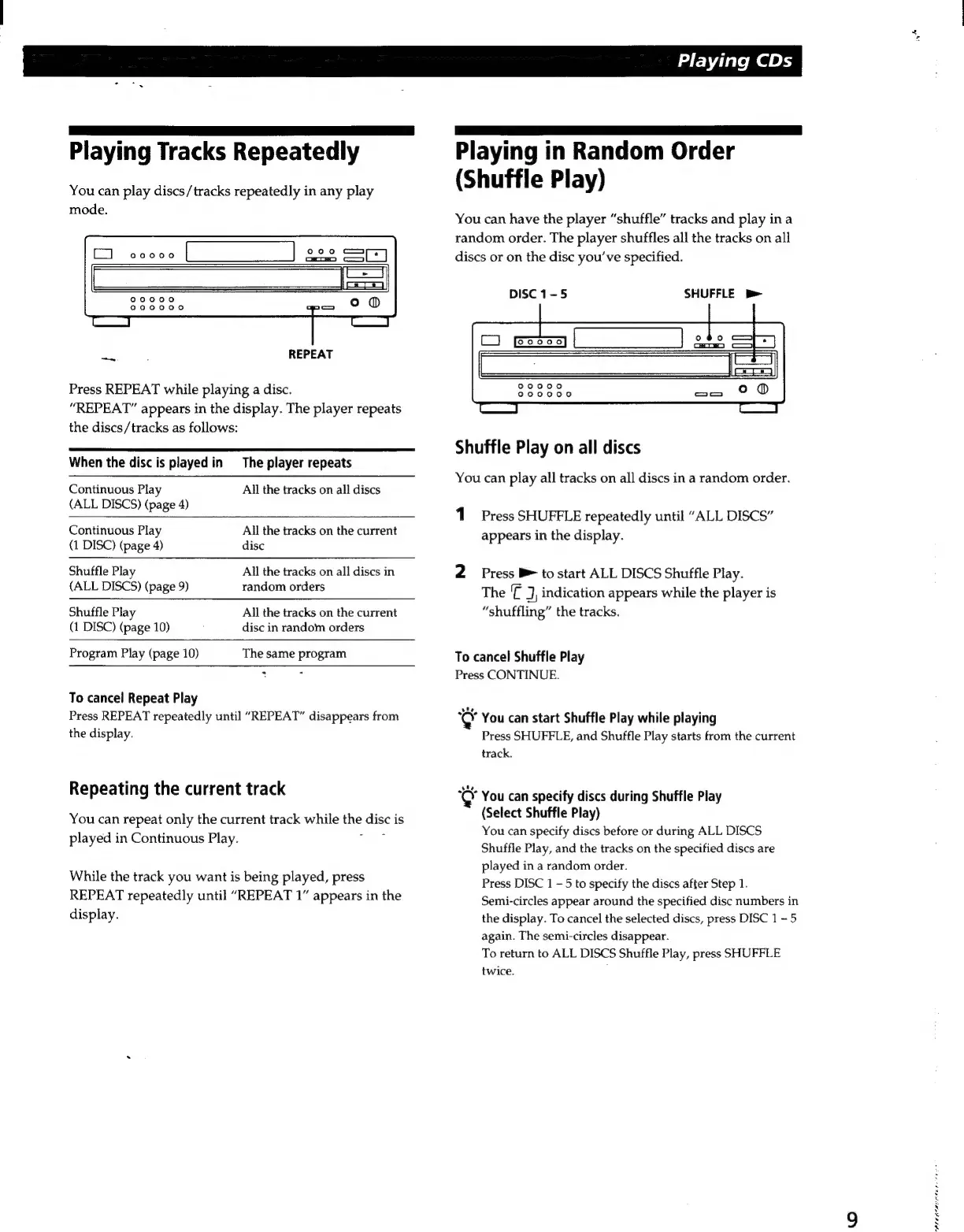
REPEAT
Press
REPEAT
while
playing
a
disc.
“REPEAT”
appears
in
the
display.
The
player
repeats
the
discs/tracks
as
follows:
When
the
disc
is
played
in
The
player
repeats
Continuous
Play
All
the
tracks
on
all
discs
(ALL
DISCS)
(page
4)
Continuous
Play
All
the
tracks
on
the
current
(1
DISC)
(page
4)
disc
Shuffle
Play
All
the
tracks
on
all
discs
in
(ALL
DISCS)
(page
9)
random
orders
Shuffle
Play
(1
DISC)
(page
10)
All
the
tracks
on
the
current
disc
in
random
orders
Program
Play
(page
10)
The
same
program
To
cancel
Repeat
Play
Press
REPEAT
repeatedly
until
“REPEAT”
disappears
from
the
display.
Repeating
the
current
track
You
can
repeat
only
the
current
track
while
mG
disci
is
played
in
Continuous
Play.
While
the
track
you
want
is
being
played,
press
REPEAT
repeatedly
until
“REPEAT
1”
appears
in
the
display.
Playing
in
Random
Order
(Shuffle
Play)
You
can
have
the
player
“shuffle”
tracks
and
play
in
a
random
order.
The
player
shuffles
all
the
tracks
on
all
discs
or
on
the
disc
you’ve
specified.
DISC
1-5
SHUFFLE
Bb
Shuffle
Play
on
all
discs
You
can
play
all
tracks
on
all
discs
in
a
random
order.
1
Press
SHUFFLE
repeatedly
until
“ALL
DISCS”
appears
in
the
display.
2
Press
B
to
start
ALL
DISCS
Shuffle
Play.
The
J,
indication
appears
while
the
player
is
“shuffling”
the
tracks.
To
cancel
Shuffle
Play
Press
CONTINUE.
je
You
can
start
Shuffle
Play
while
playing
Press
SHUFFLE,
and
Shuffle
Play
starts
from
the
current
track.
“©
You
can
specify
discs
during
Shuffle
Play
(Select
Shuffle
Play)
You
can
specify
discs
before
or
during
ALL
DISCS
Shuffle
Play,
and
the
tracks
on
the
specified
discs
are
played
in
a
random
order.
Press
DISC
1
—5
to
specify
the
discs
after
Step
1.
Semi-circles
appear
around
the
specified
disc
numbers
in
the
display.
To
cancel
the
selected
discs,
press
DISC
1-5
again.
The
semi-circles
disappear.
To
return
to
ALL
DISCS
Shuffle
Play,
press
SHUFFLE
twice.
oO
hte
heen

Related product manuals