Location and Funktion of Parts and Controls 7
Location and Function of Parts and Controls
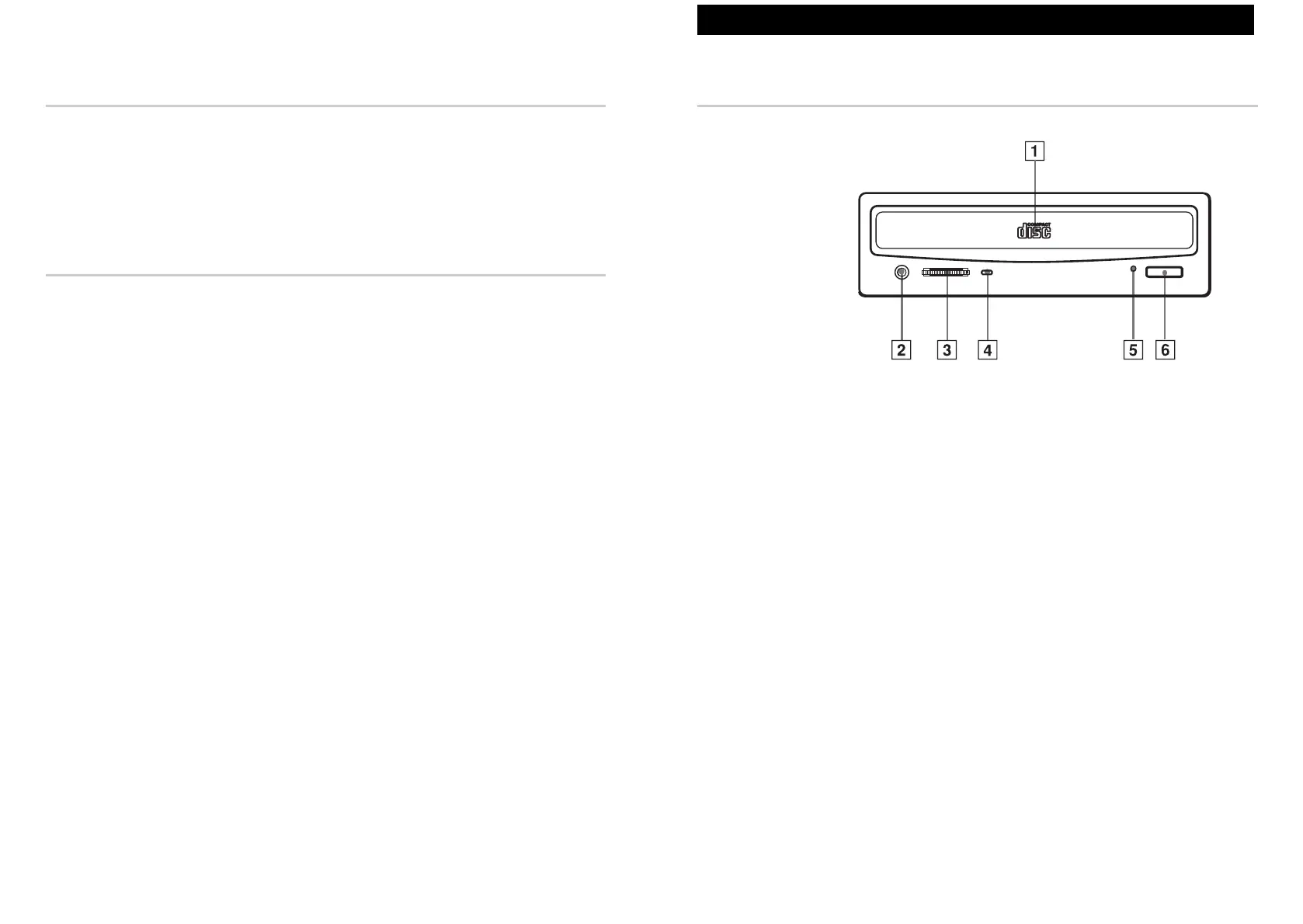
Front Panel
1 Disc drawer
Accepts a CD-ROM disc on its tray.
2 Headphones jack
Accepts a stereo headphones set. Analog audio signals are output.
3 Volume control
Controls the volume level of sound output from the headphones jack
2.
4 Busy indicator
This amber indicator lights up or flashes to indicate one of the
following unit conditions:
● Steady lit: TOC (table of contents) read, seek, data read
or audio playback in progress
● Flashing: Drawer in motion
5 Emergency eject hole
Used to open the disc drawer manually when neither the eject button
6
nor a software command works. Insert a pointed object, such as a paper
clip, into this hole and push.
6 Eject button
Opens and closes the disc drawer.
Software Requirement
To access data on CD-ROM discs, the appropriate device driver and
MSCDEX or its equivalent must be installed in your computer.
The application software you need for using the data on a CD-ROM disc
depends on the type and format of the target data. See the manual supplied
with your CD-ROM disc for instructions.
Example of System Setup
To use the CD-ROM drive unit, the following components are required:
● Computer (IBM PC, PC/XT, PC/AT, HP Vectra, or equivalent)
● Floppy disk drive
● IDE interface cable (40 to 40 pin flat cable)
● Software (Device driver, Utilities)
6 Introduction



 To Next Page