8
Getting Started
Resetting the unit
Before operating the unit for the first time or
after replacing the car battery, you must reset
the unit.
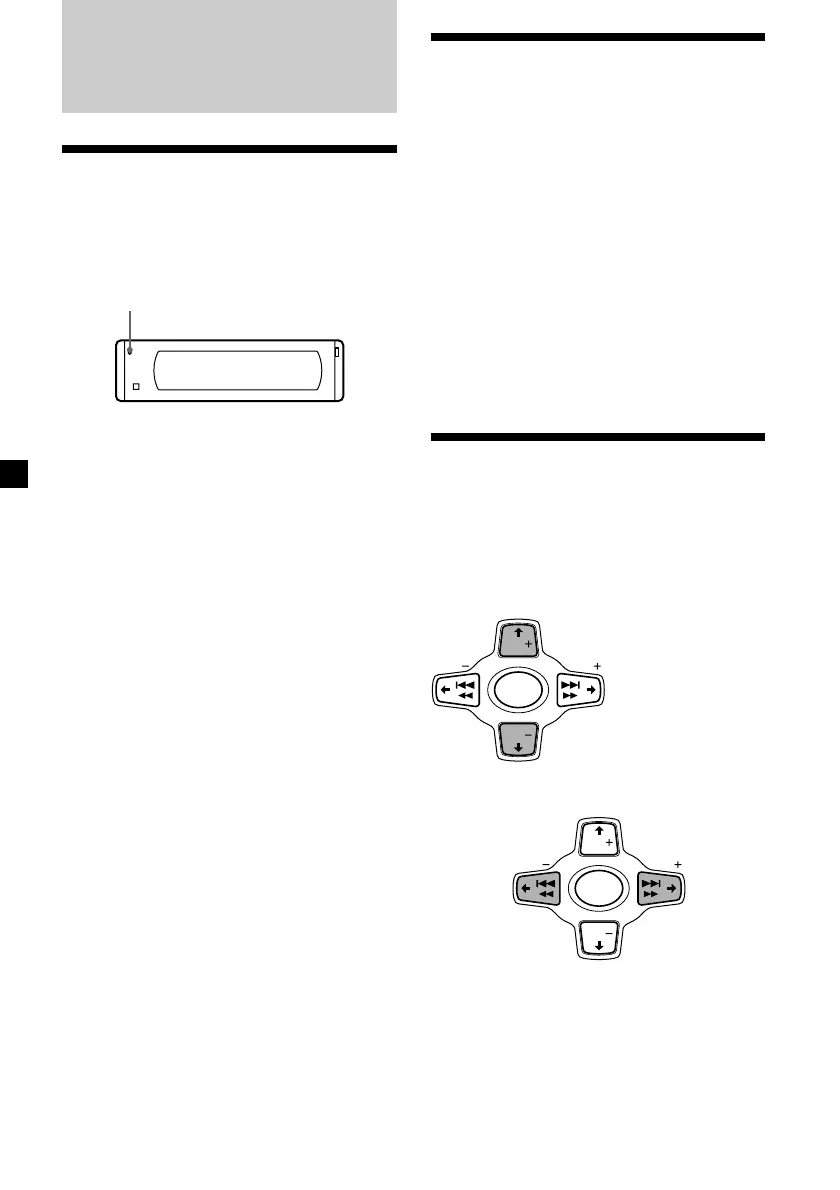
Press the reset button with a pointed object,
such as a ball-point pen.
Reset button
Note
Pressing the reset button will erase the clock
setting and some memorized functions.
SEEK SEEK
DISC
DISC
SOURCE
SEEK SEEK
DISC
DISC
SOURCE
Turning the unit on/off
Turning on the unit
Press (SOURCE) or insert a CD in the unit. For
details on operation, refer to page 10 (CD/MD)
and page 16 (radio).
Turning off the unit
Press (OFF) to stop CD/MD playback or FM/
AM reception (the key illumination and
display remains on.)
Press (OFF) for two seconds to completely
turn off the unit.
Note
If your car has no ACC position on the ignition key
switch, be sure to turn the unit off by pressing
(OFF) for two seconds to avoid car battery wear.
How to use the menu
This unit is operated by selecting items from a
menu.
To select, first enter the menu mode and
choose M/m (up/down), or choose </,
(left/right).
M/m
</,
M : to select upwards
m : to select downwards
, :to select
rightwards
< :to select
leftwards



 To Next Page