9
Setting the clock
The clock uses a 12-hour digital indication.
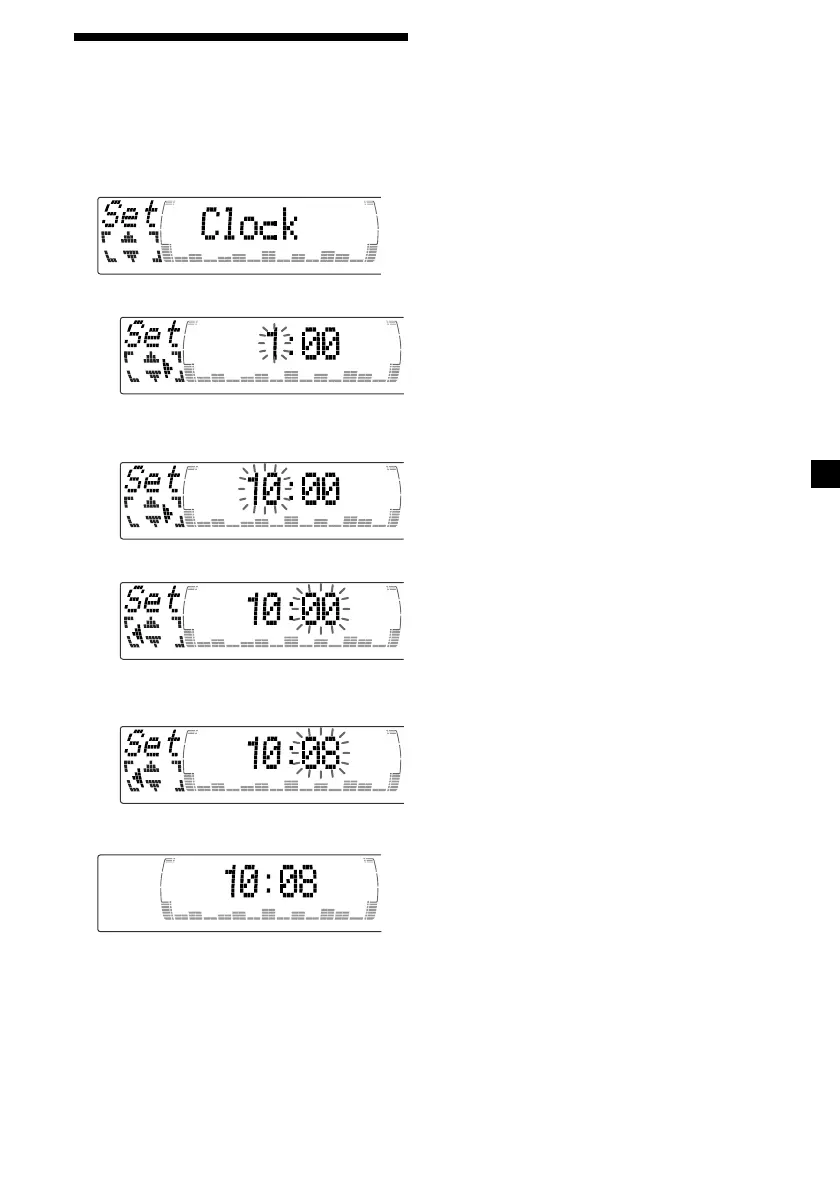
Example: To set the clock to 10:08
1 Press (MENU), then press M or m
repeatedly until “Clock” appears.
1 Press (ENTER).
The hour indication flashes.
2 Press M or m to set the hour.
3 Press ,.
The minute indication flashes.
4 Press M or m to set the minute.
2 Press (ENTER).
The clock starts.
Note
In the initial setting, the clock indication appears
while the unit is turned off.
When the D.Info mode is set to “on,” the time is
always displayed (except for some functions of SA
mode) (page 26).



 To Next Page