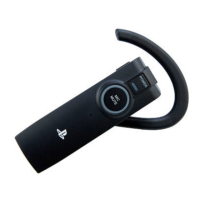
People cannot hear me through the headset.
C Check that the headset is placed correctly in your ear. See “Wearing the headset” in this
manual for details.
C Check that the microphone is turned on. If the microphone is turned off, press the MIC
MUTING button to turn it on.
C The [Microphone Level] setting on the PS3™ system may be set to [Off]. Check the setting
by selecting
(Settings) (Accessory Settings) [Audio Device Settings].
C The Bluetooth
®
connection may be disconnected. Select (Settings) (Accessory
Settings)
[Manage Bluetooth
®
Devices], and then select [Wireless Headset] to check the
connection status using the options menu.
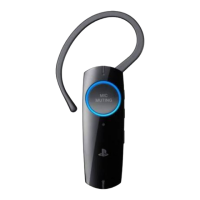
Specifications
Power source
DC 3.7 V: Built-in lithium-ion rechargeable battery
Battery capacity
170 mAh
Operating environment temperature
5°C – 35°C / 41°F – 95°F
Dimensions (w/h/d)
(excluding projection parts and ear
clip)
Wireless Headset: Approx. 18.6 × 54.4 × 24.9 mm
(0.7 × 2.1 × 1.0 in.)
Cradle: Approx. 49.0 × 57.4 × 49.0 mm
(2.0 × 2.3 × 2.0 in.)
Mass
Wireless Headset: Approx. 14 g (0.5 oz)
Cradle: Approx. 10 g (0.3 oz)
Communication system
Bluetooth
®
Specification version 2.0 + EDR
(Enhanced Data Rate)
Output
Bluetooth
®
Specification Power Class 2
Bluetooth
®
profiles*
1
HSP (Headset Profile) / HFP (Hands-free Profile)
Maximum communication range
Approx. 10 m (33 ft)*
2
Talk time
Up to 6 hours (HQ mode)*
3
Standby time
Approx. 7.5 days (180 hours)*
3
Contents
Wireless Headset (1) / USB cable (1) / Ear clip (1) /
Charging cradle (1) / Instruction manual (1)
*
1
Bluetooth
®
standard profiles indicate the purpose of Bluetooth
®
communication between devices.
*
2
Actual range varies depending on factors such as obstacles between devices, magnetic fields around devices
such as a microwave oven, static electricity, reception sensitivity, aerial performance, and operating systems
and software applications in use.
*
3
Actual time varies depending on factors such as charging status or external environments.
Design and specifications are subject to change without notice.


 To Next Page