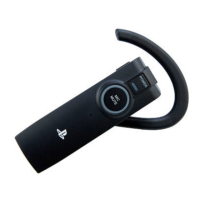
Using the headset
Function Operation and status
Turn on the headset
Press and hold down the POWER button for more than
one second.
The headset beeps and the status indicator flashes in blue.
The headset will then connect to the paired PS3™ system.
Connect to the mobile phone
paired with the headset
Turn on the headset, and then press the phone button.
Turn off the headset
Press and hold down the POWER button for more than
one second.
The headset beeps and the status indicator flashes in blue
for about two seconds, then stops.
Turn the microphone on and off
Press the MIC MUTING button briefly.
The status indicator flashes in purple while the
microphone is not in active use.
Adjust the volume Press the volume + or volume – button.
Reset the headset
Insert a small pin or similar object into the hole for the
RESET button and push for longer than one second.
Restarts the headset. User settings and pairing
information are retained.
Restore default settings
With the headset turned off, press and hold the phone
button, MIC MUTING button and POWER button for
more than five seconds.
The status indicator flashes in purple.
Default manufacturer’s settings (such as volume) are
restored on the headset. All pairing information is
deleted.
When the headset is
connected to a
mobile phone
Status of the mobile
phone
Operation
Answer a call
Receiving
Briefly press the phone button.
Reject a call
Press and hold down the phone button for
more than one second.
End a call
During a call
Briefly press the phone button.
Transfer a call from
the headset to the
phone / Transfer a call
from the phone to the
headset
Press and hold down the phone button for
more than one second.
Redial a number In Standby Briefly press the phone button twice.



 To Next Page