Hints
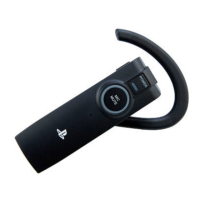
ˎ Disconnect the USB cable when using the headset.
ˎ The headset cannot be turned on while a USB cable is connected. You can turn on the headset
when it is connected using the charging cradle.
ˎ You must first pair the headset with a mobile phone that supports Bluetooth
®
connection to be
able to use the mobile phone features.
ˎ After the headset is paired with the PS3™ system, pairing will not be cancelled even if you turn
off the headset or the PS3™ system.
Status indicator display
Indicator colour Flashing pattern Headset status
Red and Blue
Flashing alternately and quickly In pairing mode
Flashing alternately and slowly
Blue one time, red one time:
Connected while attached to the
charging cradle (not in use)*
Blue two times, red one time:
Connected while attached to the
charging cradle (in use)*
Blue
Flashing
Connected to a Bluetooth
®
supported device
Flashing quickly Waiting for a connection
Flashing one time repeatedly and
slowly
Connected (not in use)
Flashing two times repeatedly and
slowly
Connected (in use)
Flashing two times repeatedly Connected to a PS3™ system
Flashing five times repeatedly Receiving a call
Red
Solid Charging the battery
Flashing Pairing failed
Purple
Flashing one time repeatedly Pairing succeeded
Flashing two times repeatedly Microphone turned off
* The charging cradle is connected to the PS3™ system via a USB cable.


 To Next Page