30
GB
Note
If the word you intended to type does not appear in the list, keep pressed to
switch to the standard text input mode (see page 27) and type the word using the
standard text entry method. Once you have finished, keep pressed to return to
T9 mode. This new word will automatically be added to the T9 memory so that next
time you type the word it will appear in T9 mode. This process is applied to editing
text as well.
However, Bulgarian, Croatian, Czech, Greek, Hungarian, Polish, Romanian,
Slovakian, Slovenian, Turkish, Norwegian and Finnish are not supported.
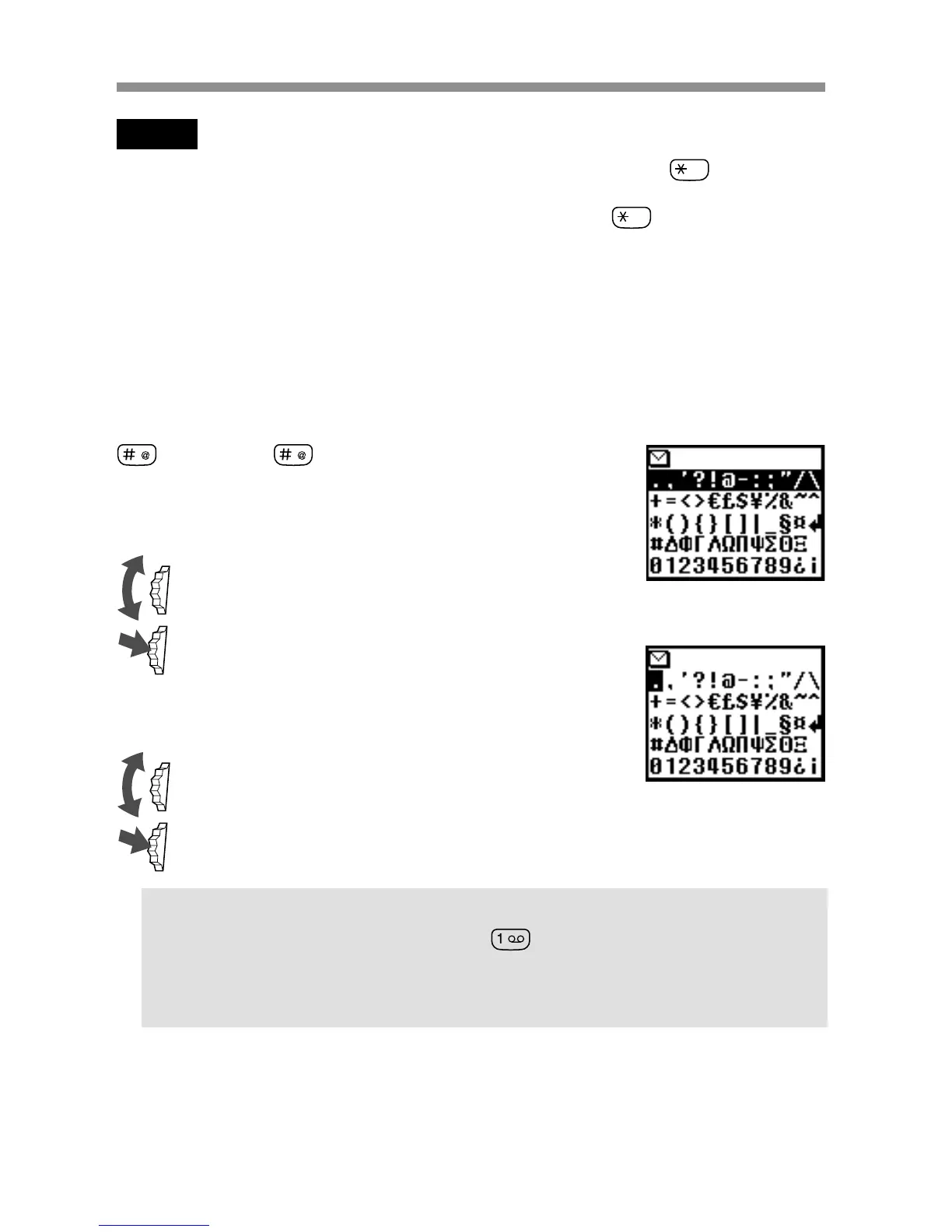
Adding a symbol or punctuation
To insert a symbol when creating a message.
1 Press .
2 Use the Jog Dial to scroll from row to row.
3 Press the Jog Dial to select a row.
4 Rotate the Jog Dial to scroll within the row.
5 Press the Jog Dial to select a symbol.
Tip
• For “Smart Punctuation”, just press where you would add a
fullstop, hyphen or apostrophe and T9 will automatically insert the
most likely punctuation symbol. You just keep on typing and T9 will
punctuate for you!



 To Next Page