36
GB
Grouping
Group setting
Create new group or change the name or icon of
existing groups.
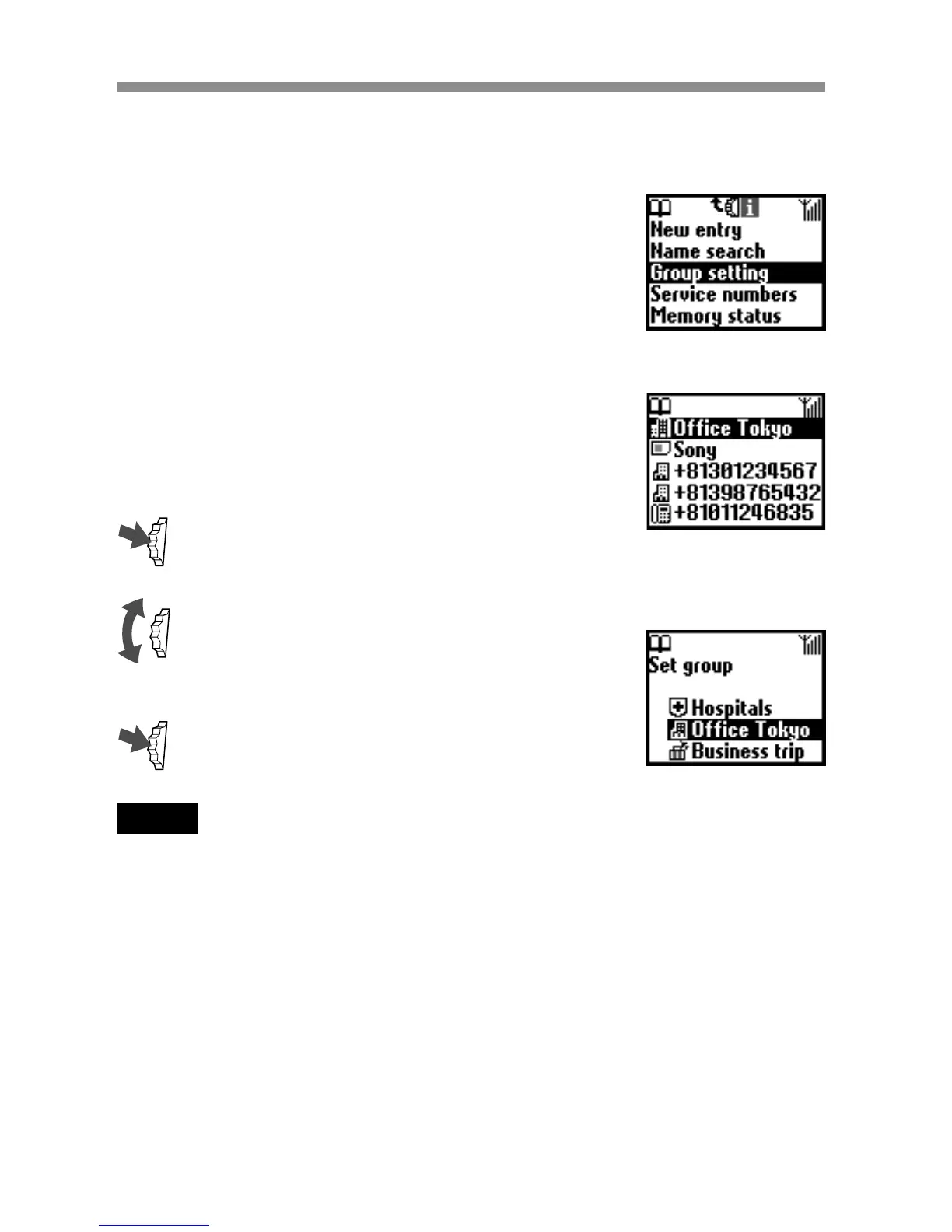
Set group
You can change the group.
1 Select the Name/Number of the group
that you want to change from the ABC
sort list or the Group sort list, then press
the Jog Dial.
2 Select the group name and press the Jog
Dial.
3 Rotate the Jog Dial to select the group
name.
4 Press the Jog Dial to confirm your
selection.
Note
You can change the group for entries in the SIM card. However, if you reset the set
group in another SIM card, that group information in the previous SIM card is
deleted.



 To Next Page