27
GB
Basic
Operation
Standard Text Input
The Jog Dial provides a quick alternative to enter standard characters.
Simply press a key once and then rotate the Jog Dial to move the cursor to
the desired character on the preview bar. Press the Jog Dial or wait a
moment to confirm. However, standard character entry is still possible if
you prefer; press the corresponding key several times until the character
appears.
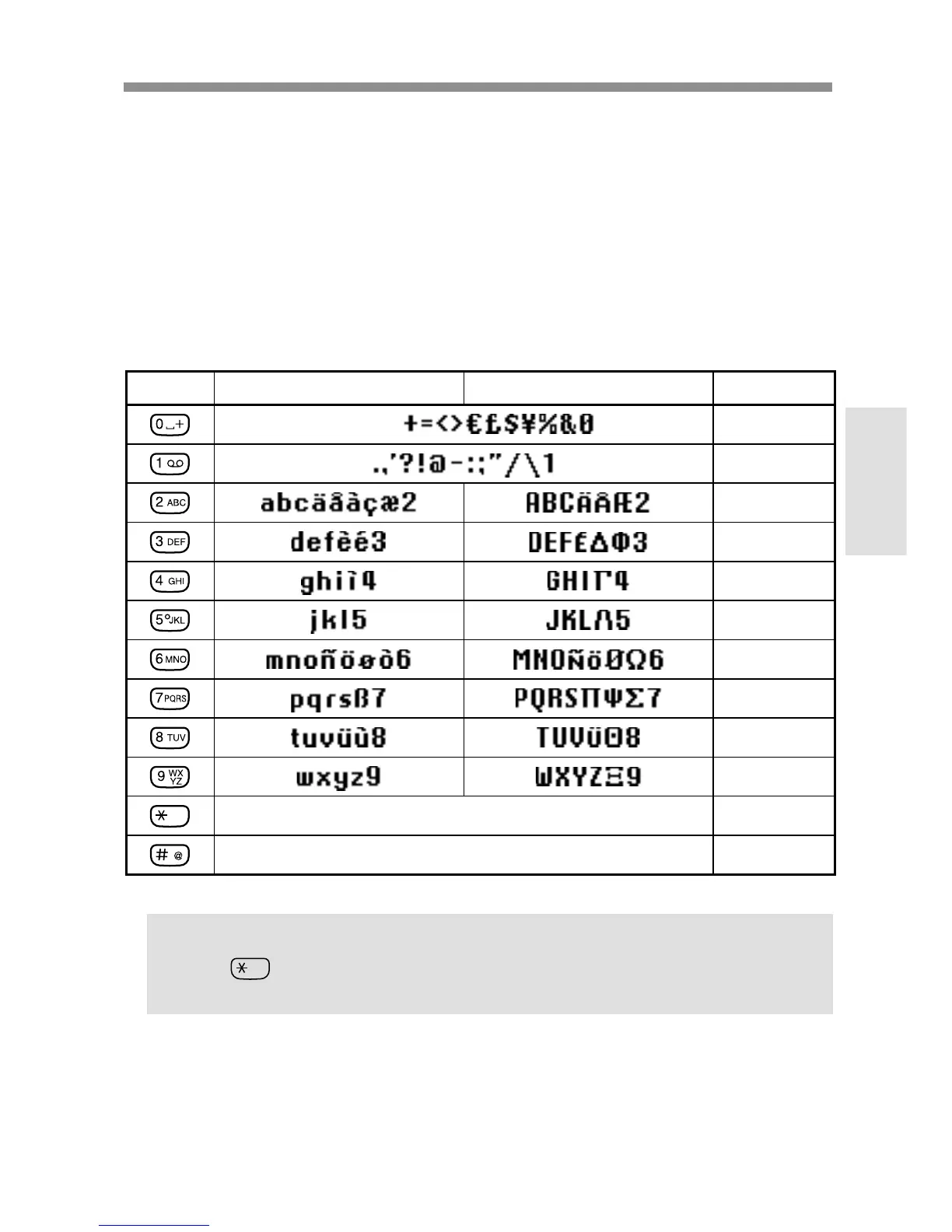
Character Table
Key Lower Case Characters Upper Case Characters Numeric
0
1
2
3
4
5
6
7
8
9
< SHIFT >
< SHIFT >
< SYMBOL PAGE >
[ SPACE ]
Tip
• Keep pressed to change to T9 mode for easy text entry (see also
“T9 Text Input” page 29).



 To Next Page