88
GB
Operation of the Jog Dial
Rotate the Jog Dial to select and press the
Jog Dial once.
Rotate the Jog Dial to select and press the
Jog Dial repeatedly until the desired track
number appears.
Rotate the Jog Dial to select and press the
Jog Dial repeatedly until the desired track
number appears.
While playing, rotate the Jog Dial to select
and keep pressing the Jog Dial until you reach
the desired location.
While playing, rotate the Jog Dial to select
and keep pressing the Jog Dial until you reach
the desired location.
Playing back sound data
You can play sound data recorded on the “MagicGate Memory Stick.”
The continuous playing time is up to about 6 hours.
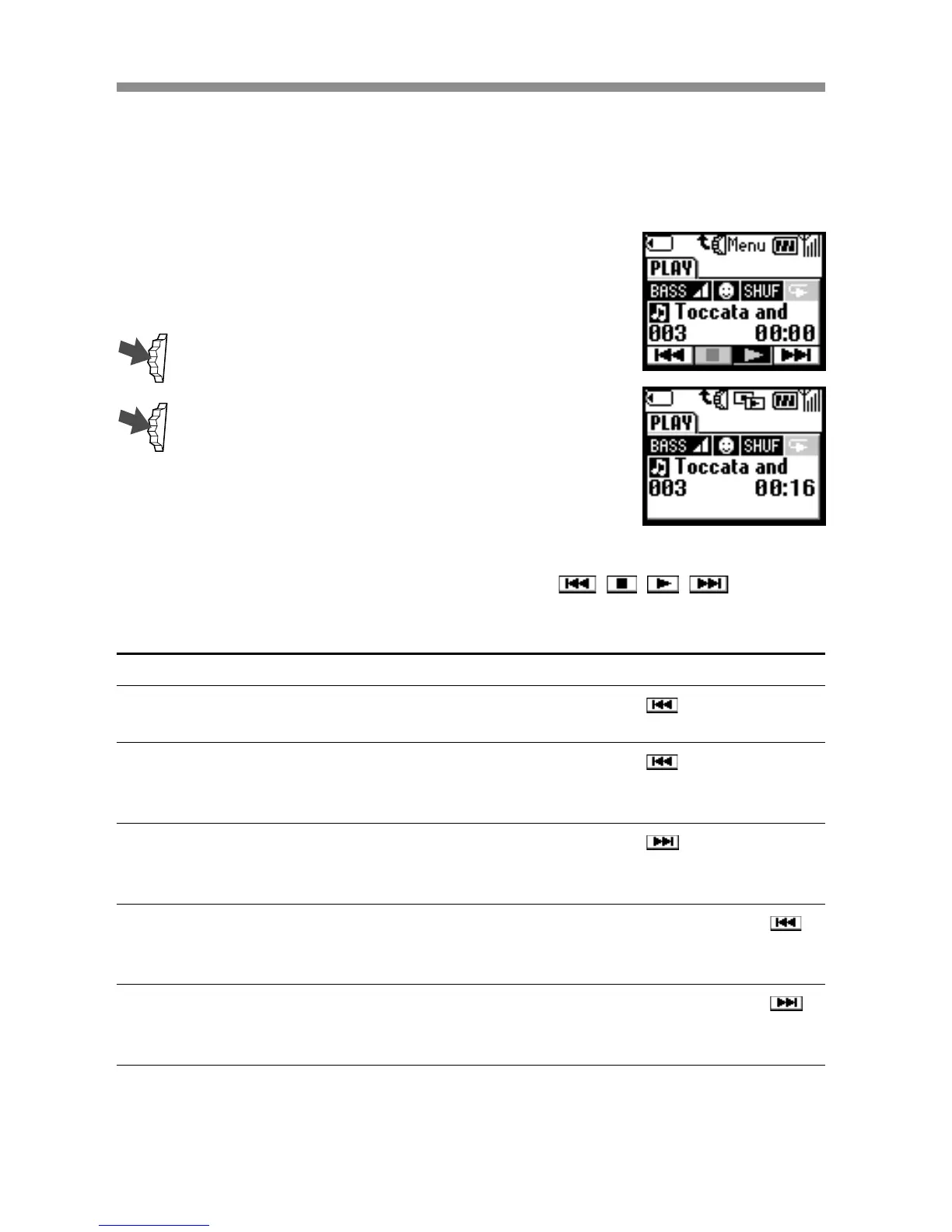
1 Select the Music in the Extras menu by
following the procedure on page 79.
The display shows the playback.
2 Press the Jog Dial to start playback.
3 To stop playback, press the Jog Dial.
Additional operations
The display shows the playback control icons (
, , , ).
These icons are displayed in stop mode. To display them in playback
mode, press the Jog Dial backward.
To
Go to the beginning of the
current track
Go to the previous track
Go to the next track
Go backward
Go forward



 To Next Page