19
GB
1)
These items are not displayed when playing a DATA CD/DATA DVD/USB device with video files.
2)
USB device only.
3)
DATA CD/DATA DVD only.
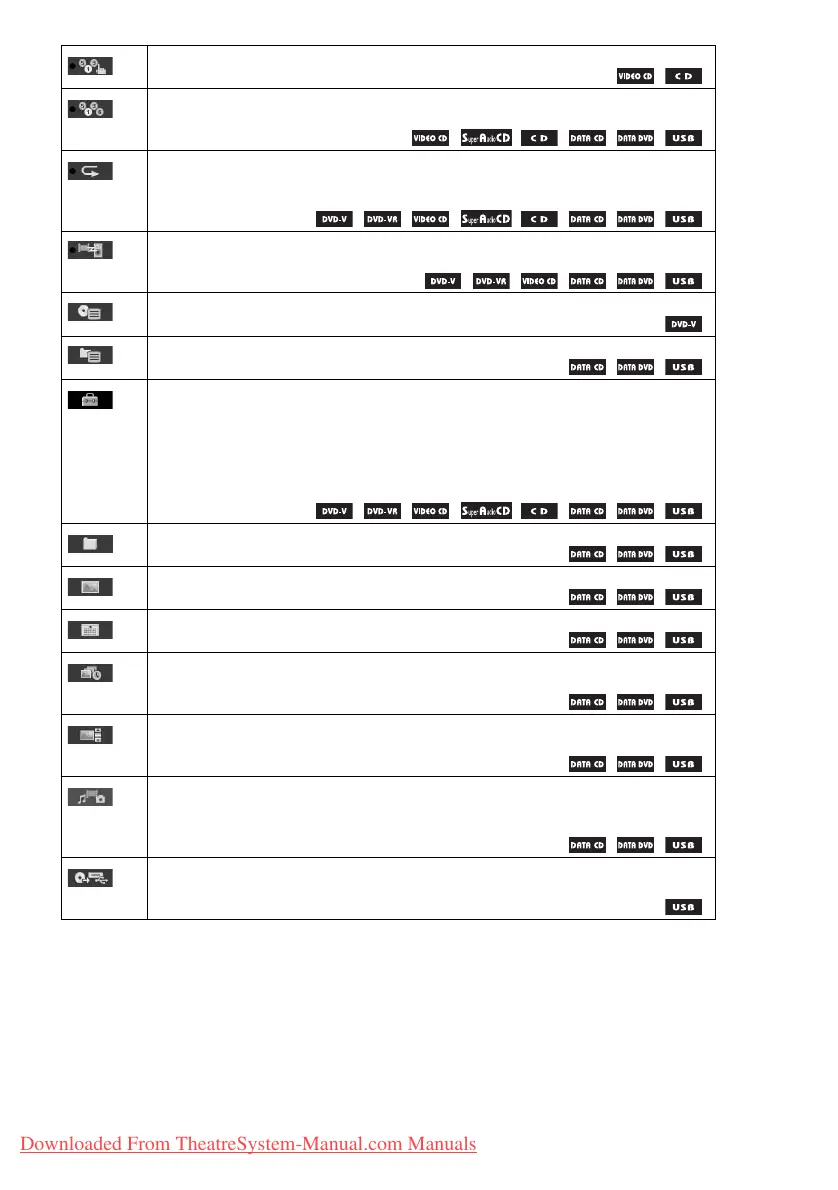
[PROGRAM] (page 39)
You can select the track to play in the order you want.
[SHUFFLE] (page 40)
You can play the tracks/files in random order.
[REPEAT] (page 41)
You can play the entire disc/USB device (all titles/all tracks/all folders/all files) repeatedly or
one title/chapter/track/folder/file repeatedly.
[A/V SYNC] (page 58)
You can adjust the delay between the picture and sound.
[DISC MENU] (page 38)
You can display the DVD’s menu.
[BROWSING] (page 34)
You can display the list of folders/JPEG image files.
[SETUP] (page 61)
[CUSTOM]
In addition to the Quick Setup setting, you can adjust various other settings.
[QUICK] (page 29)
You can make basic adjustments. Use the Quick Setup to select the desired language of the
on-screen display, the aspect ratio of your TV, and start the Auto Calibration.
[FOLDER] (page 36)
You can select the folder to be played.
[FILE] (page 36)
You can select the JPEG image file or video file to be played.
1)
[DATE] (page 46)
You can display the date the picture was taken by a digital camera.
1)
[INTERVAL] (page 41)
You can select the duration for which the slides are displayed on the TV screen.
1)
[EFFECT] (page 41)
You can select the effects to be used for changing slides during a slide show.
[MEDIA] (page 35)
You can select the playback priority of different types of media (MP3/AAC
2)
/WMA
2)
file,
JPEG image file, video file, or both MP3 and JPEG image files
3)
) to be played on a DATA
CD/DATA DVD/USB device.
[USB TRANSFER] (page 55)
You can transfer tracks on an audio CD or MP3 files on a DATA CD/DATA DVD onto a USB
device.
Downloaded From TheatreSystem-Manual.com Manuals



 To Next Page