Returning
to
the
Default
Settings
Returning
the
system
parameters,
such
as
preset
stations,
to
the
default
settings
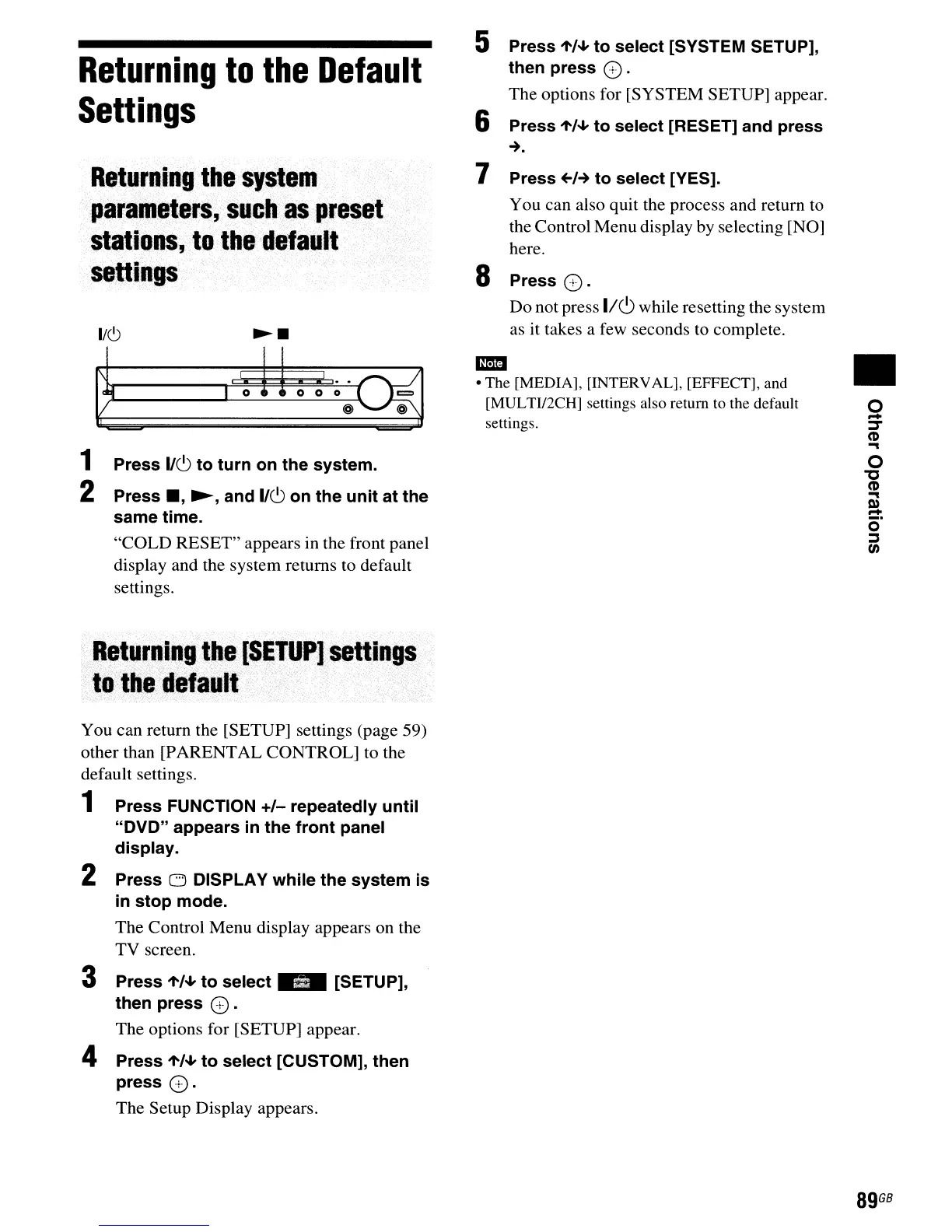
1 Press
I/CJ
to turn on the system.
2 Press
_,
~,
and
I/CJ
on the unit at the
same
time.
"COLD
RESET" appears in the front panel
display and the system returns to default
settings.
Returning
the
(SETUP]
settings
.
to
the
default
You can return the [SETUP] settings (page 59)
other than [PARENTAL CONTROL] to the
default settings.
1 Press FUNCTION +1- repeatedly until
"DVD" appears
in
the front panel
display.
2 Press
CJ
DISPLAY while the system is
in
stop mode.
The Control Menu display appears on the
TV screen.
3 Press 1'/4- to
select"
[SETUP],
then press
CD.
The options for [SETUP] appear.
4 Press 1'/4- to select [CUSTOM], then
press
CD.
The Setup Display appears.
5 Press 1'/4- to select [SYSTEM SETUP],
then press
CD.
The options for [SYSTEM SETUP] appear.
6 Press 1'/4- to select [RESET] and press
-+.
7 Press
+01-+
to select [YES].
You can also quit the process and return
to
the Control Menu display by selecting [NO]
here.
S Press
CD.
Do not press 1/(9 while resetting the system
as it takes a few seconds to complete.
m:mI
• The [MEDIA], [INTERVAL], [EFFECT], and
[MULTII2CH] settings also return to the default
settings.
•
o
-
~
CD
...
o
"'C
CD
...
0)
::::!:
o
;:,
en
89
GB



 To Next Page