48
To display the screen
indicators – Display function
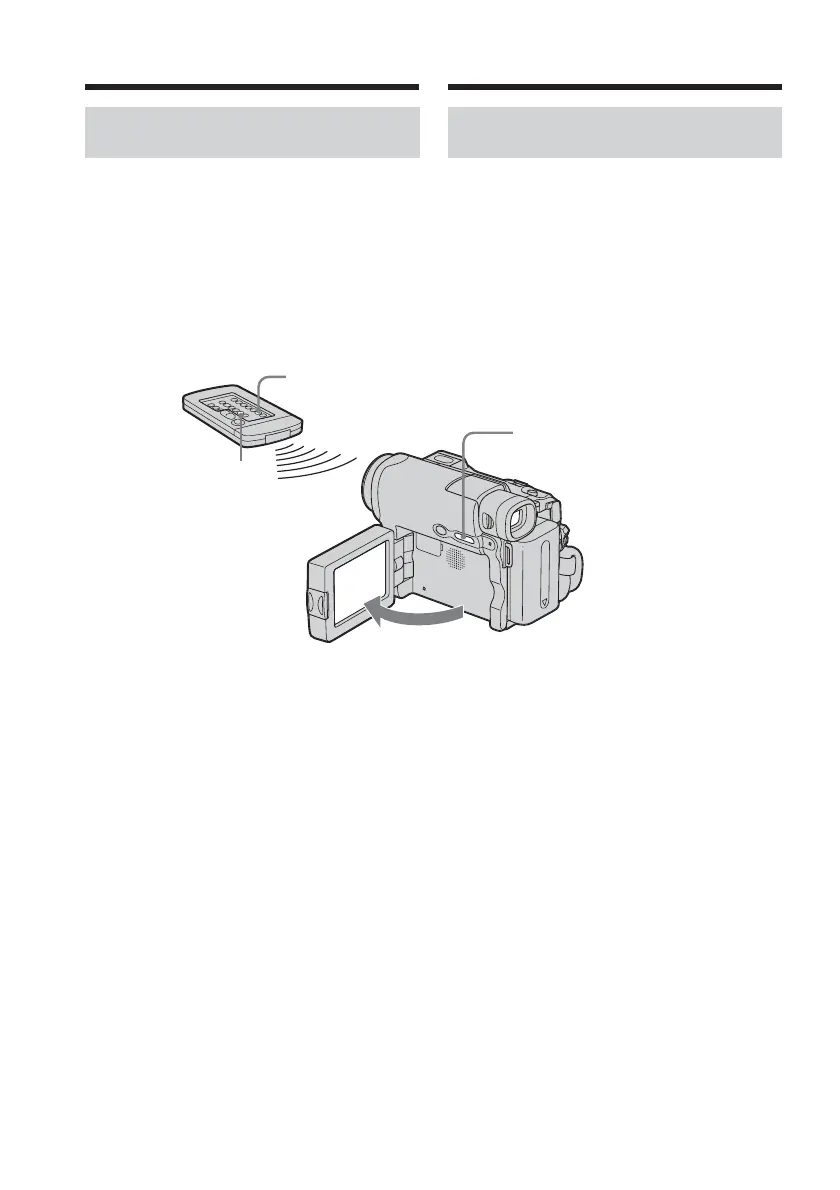
Press DSPL/BATT INFO on your camcorder,
or DISPLAY on the Remote Commander
supplied with your camcorder (DCR-HC15E
only).
The indicators disappear from the screen.
To make the indicators appear, press DSPL/
BATT INFO or DISPLAY on the Remote
Commander (DCR-HC15E only) again.
DSPL/BATT INFO
DATA CODE
DISPLAY
Playing back tape Lecture d’une cassette
Pour afficher les indicateurs à
l’écran – Fonction d’affichage
Appuyez sur DSPL/BATT INFO sur le
caméscope ou sur DISPLAY sur la
télécommande fournie avec votre caméscope
(DCR-HC15E uniquement).
Les indicateurs disparaissent de l’écran.
Pour afficher les indicateurs, appuyez de
nouveau sur DSPL/BATT INFO ou sur
DISPLAY sur la télécommande (DCR-HC15E
uniquement).



 To Next Page