64
[a]
RECSTBY
RECSTBY
[b]
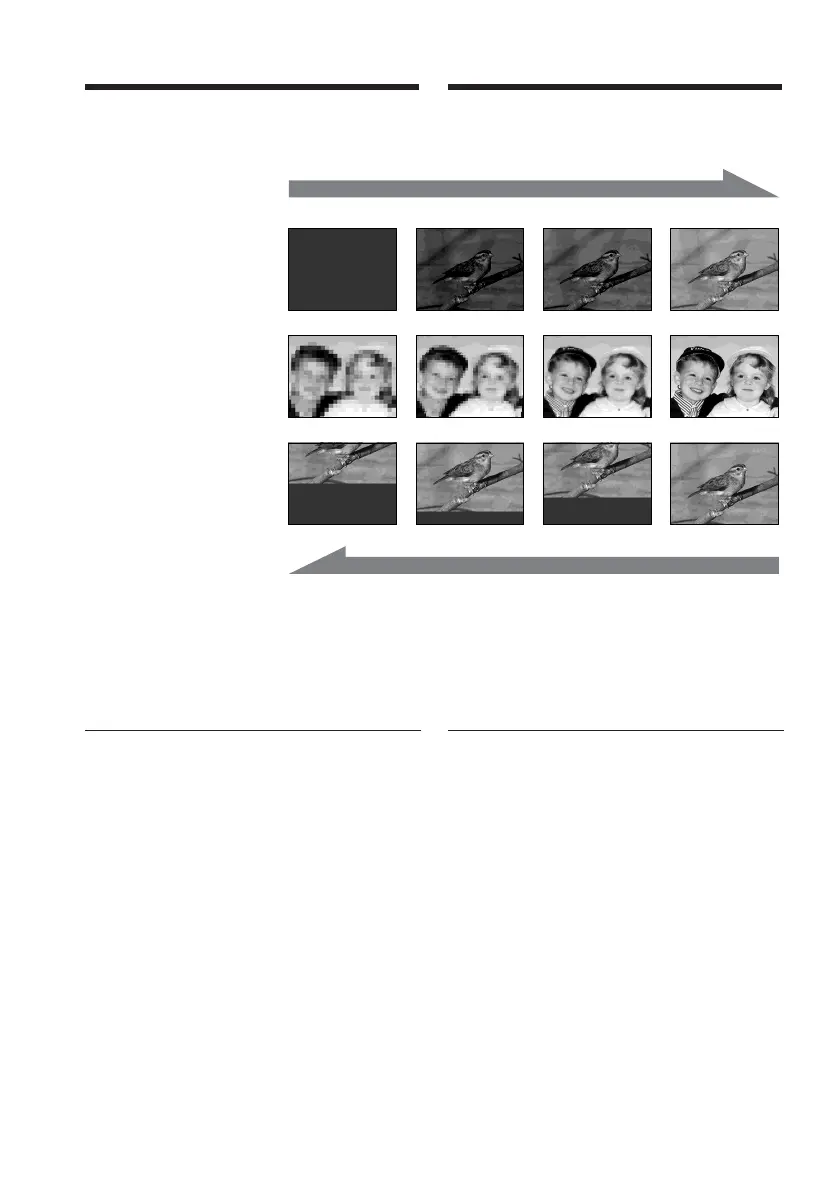
NORM. (normal) FADER
MOSC. (mosaic) FADER
BOUNCE
You can fade in or out to give your recording a
professional appearance.
MONOTONE
When fading in, the picture gradually changes
from black-and-white to colour.
When fading out, the picture gradually
changes from colour to black-and-white.
Notes on the BOUNCE mode
•You can fade in only.
•You cannot select BOUNCE in the followings:
–D ZOOM is activated in the menu settings
– Wide mode
– Picture effect
– PROGRAM AE
Vous pouvez faire des entrées et des sorties en
fondu pour donner un aspect professionnel à
vos enregistrements.
MONOTONE
Pendant l’entrée en fondu, l’image passe
graduellement du noir et blanc à la couleur.
Pendant la sortie en fondu, l’image passe
graduellement de la couleur au noir et blanc.
Remarques sur le mode BOUNCE
•Entrées en fondu uniquement.
•Vous ne pouvez pas sélectionner BOUNCE
dans les cas suivants :
–D ZOOM est activé dans les réglages de
menu
– mode grand écran
– effet d’image
– PROGRAM AE
Using the fader
function
Utilisation de la fonction
de transitions en fondu



 To Next Page